
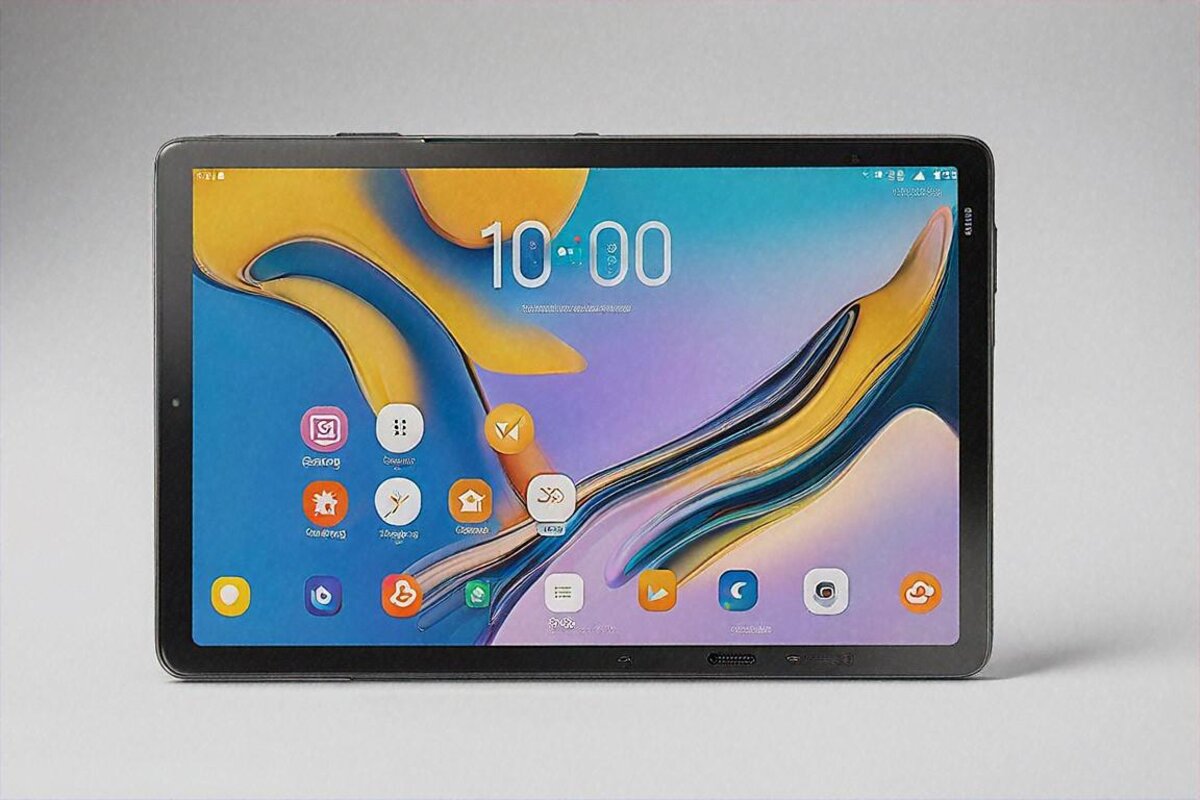
Why do budget tablets still feel rough in 2026? I keep chewing on this. You’d think that after years of the iPad setting the standard, after Samsung and Xiaomi and Lenovo carpet-bombing every price point, the sub-₹20,000 tablet would at least be decent by now. Instead most of them still feel like a stack of compromises in a plastic shell. Laggy, dim screens, tinny speakers, software that stops getting updates the week after you buy it. It’s a grim little corner of tech.
So when Samsung dropped the Galaxy Tab A9+ at ₹17,999, my expectations were set to low. Samsung’s “A” series tablets have long been the textbook definition of “good enough, nothing more.” I figured I’d put two weeks in, confirm it was fine for YouTube and the morning news, and move along. What happened was a bit more interesting. Not earth-shattering — there’s no shocking twist here — but the Tab A9+ surprised me in spots and let me down in a couple of places I’d assumed Samsung would’ve sorted by now. I’m still sorting out how I feel about it, frankly. Let me lay it out.
What This Tablet Is
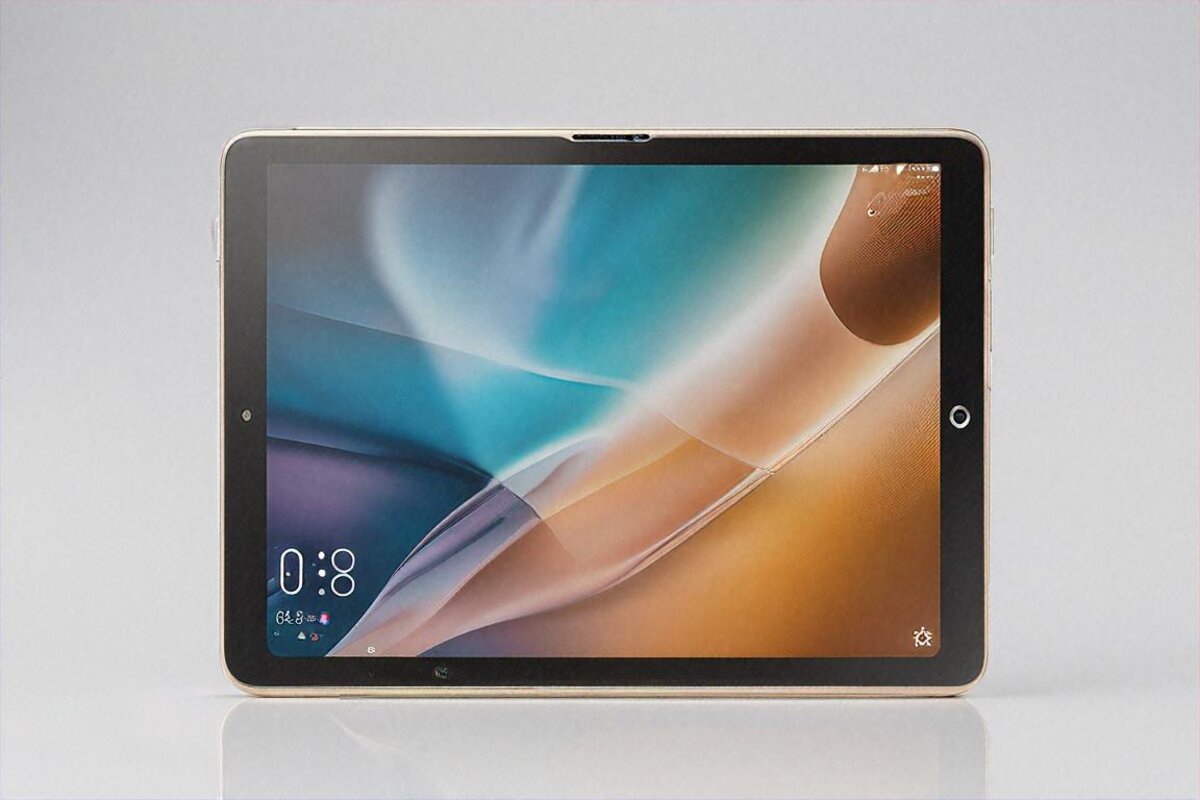
Quick framing before we go deep. The Galaxy Tab A9+ is a budget Android tablet pointed straight at Indian students, families, and first-time tablet buyers. It’s got an 11-inch TFT LCD, a Qualcomm Snapdragon 695, 4GB or 8GB of RAM depending on variant, quad speakers with Dolby Atmos, and Samsung DeX. It runs One UI 6 over Android 14. Indian pricing starts at ₹17,999 for the 4GB/64GB Wi-Fi model and climbs to around ₹23,999 for the 8GB/128GB LTE version.
That’s the dry summary. Now let me tell you what it’s actually like to live with one every day for three weeks, because a spec sheet and an experience are two very different animals, and the gap between them is where the real story sits.
The build is plastic. Plastic back, plastic frame. In hand it feels exactly like what it costs — no one’s pretending this is premium. There’s none of that cold, reassuring metal weight. It’s light (480 grams), which is lovely for long reading sessions, but that lightness carries a flimsiness I never quite shook. I kept setting it down gently, half-worried that leaning on the back might flex the panel. It probably wouldn’t. The material just doesn’t inspire the confidence even Xiaomi’s budget metal tablets manage.
That said, plastic earns its keep. It doesn’t go cold in winter (which genuinely matters if you’re in Delhi or up north using a tablet in bed through December). It doesn’t shatter like glass on a drop. And at ₹17,999, what were you expecting? Samsung could’ve gone with a thin aluminum shell like the old Tab A8, but the cost cutting had to land somewhere, and they landed it here. I think that’s the right call — better to pour the budget into the display and speakers, which you touch every second, than a back panel you’ll probably bury under a case anyway.
Bezels are thick. Visibly thicker than anything above ₹25,000. The forehead and chin in portrait give off that “2020 tablet” energy. It doesn’t bug me watching media in widescreen — the content grabs your eye and you forget the borders — but reading in portrait or jotting notes, those bezels make the screen feel smaller than 11 inches. Cosmetic, not functional, but it dates the look.
The front camera sits on the long edge for sideways use, which Samsung got right. Video calls frame you properly with no propping the tablet at a daft angle. Small thing, but rivals still botch this in 2026, so credit where it’s due. There’s one USB-C port on the bottom, a microSD slot (expandable to 1TB — genuinely great at this price), and the power and volume buttons live on the right in portrait. No headphone jack, which I’ve stopped expecting but still miss.
Overall I’d call the build “honestly budget.” Samsung isn’t trying to con anyone into thinking it’s more than it is. There’s a kind of integrity in that, even if the in-hand feel won’t wow you. For a tablet that’ll camp on a kitchen counter, a student’s desk, or a kid’s backpack, it’s built to survive the daily grind. I wouldn’t fret about it falling apart. I would fret about the screen if you drop it face-down without a case — there’s no fancy glass protection here.
The Screen
I need to tread carefully here, because the Tab A9+’s display is at once its most important feature and its biggest limitation, and both are true at the same time.
It’s an 11-inch TFT LCD at 1920×1200 (so, basically 1080p widescreen). 90Hz refresh. Brightness tops out around 400 nits. Color’s decent — not AMOLED-vivid, not washed out, parked somewhere reliable in the middle. For Netflix, JioCinema, or Hotstar it’s a perfectly pleasant screen. Colors read correctly. Contrast is fine for an LCD. Viewing angles are wide enough that two or three people can share a movie without whoever’s off to the side getting a dim picture.
90Hz is a nice touch Samsung didn’t owe you at this price. Scrolling Chrome, Instagram, the settings menu — it all feels smoother than a 60Hz panel. Not night-and-day smoother — 90Hz is a subtle thing — but once you’ve lived with it for a few days, dropping back to 60Hz feels jerky. It’s one of those upgrades that’s small on the way up and very noticeable on the way down, if that makes sense.
Now the limits. 400 nits means outdoor use is rough. A sunny day in Mumbai or Chennai and you’ll fight for visibility even at max. Indoors it’s fine. Dim room, fine. But if you were hoping to read on a balcony or in a park, adjust your expectations. I tried reading on my terrace one late afternoon — sun wasn’t even hitting the screen directly — and still had to shade it with my hand. Any AMOLED tablet at ₹25,000-30,000 (say the Xiaomi Pad 7 Pro) handles this far better. That’s the budget tax.
No HDR. Netflix streams SDR only. You won’t pine for what you’ve never seen on this device, but if you’re coming off a phone with an AMOLED panel (and plenty of people are in 2026), the Tab A9+’s screen reads as a step down in richness. Blacks are grey-ish, not true black. Colors don’t punch the same. It’s fine. But it’s clearly not AMOLED, and the people happiest with this display will be the ones OLED phones haven’t spoiled yet.
Performance. Let me think about how to put this fairly. The Snapdragon 695 is a two-year-old chip now. It was mid-range at launch, and time hasn’t been kind. In the Tab A9+, paired with 4GB of RAM (on the base unit I used for most of this review) and 64GB of eMMC, you get a tablet that handles the basics well and starts cracking the second you push.
The basics: opening Chrome, scrolling sites, hopping between three or four apps, watching YouTube, typing in Google Docs — all smooth enough. Not buttery, not “I forgot this was a budget tablet” smooth, but responsive enough that you won’t get irritated. Apps open after a brief beat. Animations drop a frame here and there. The system UI sometimes hitches loading the recent-apps view. Tiny things that pile up into an experience that lands at “okay” rather than “fast.”
Gaming is where the 695 shows its age. BGMI runs at smooth + medium, and even there a busy firefight brings noticeable frame drops. Genshin Impact is barely playable at the lowest settings — it runs, but with enough stutter to make combat feel sluggish. Casual stuff like Subway Surfers, Candy Crush, and chess apps runs flawlessly. So if your gaming is the casual sort, no worries. If you’re buying this for a teenager who takes BGMI seriously, think again. They’ll be fed up inside a week.
The 4GB model is tight. Noticeably tight. Keep more than five apps in memory and the background ones start reloading. WhatsApp split-screened with Chrome threw the odd stutter. I’d push you toward the 8GB variant if your budget stretches — the ₹3,000-4,000 jump to 8GB/128GB is worth every rupee. The 4GB version feels like it’s gasping for air while multitasking, which isn’t a great look on a device you’ll likely keep 2-3 years as RAM demands keep climbing.
Storage is eMMC 5.1, not UFS. So app installs are slower, file transfers are slower, and there’s a general “waiting for things to load” undertone you won’t get on UFS tablets. Not terrible — budget devices have run eMMC for years — but you feel it, and it feeds the overall budget vibe. The microSD slot helps with media (photos, movies, downloaded shows), but apps still run off internal storage, and that’s where the eMMC bottleneck lives.
Sound is where the Tab A9+ genuinely overdelivers. Samsung bolted four speakers onto this thing — quad speakers with Dolby Atmos tuning — and for a ₹17,999 tablet the audio is shockingly good. I don’t say that lightly. Most budget tablets ship dual speakers that sound like a tin can. The Tab A9+’s are clear, reasonably loud, and have enough stereo separation that a movie actually feels a bit immersive.
Bass isn’t deep — you can’t squeeze subwoofer rumble out of tablet drivers — but there’s a warmth to the sound budget devices rarely hit. Movie dialogue comes through cleanly even at moderate volume. Music’s balanced enough for casual listening. My partner and I watched a few episodes of a show one evening, both lying in bed with the tablet propped between us, and neither of us reached for a Bluetooth speaker. That’s probably the best praise I can offer: the speakers are good enough that you don’t immediately want something else.
For a device Samsung pitches partly at students and families, good speakers make a real practical difference. Kids on educational videos, students in online lectures, a family crowded around for a weekend movie — every one of those benefits from audio that doesn’t make you wince. Samsung clearly chose to invest here, and they chose right.
Samsung DeX and the Productivity Question
The Tab A9+ supports Samsung DeX, Samsung’s desktop-style mode with a taskbar, resizable windows, and a more PC-like layout. On paper that makes it a possible laptop stand-in for light tasks. In practice it’s messier than that.
DeX on the Tab A9+ works. Pair a Bluetooth keyboard and mouse, flip into DeX, and you can use the tablet a bit like a basic Chromebook. Chrome opens in a proper browser window. Google Docs runs well. You can stack multiple windows and arrange them as you like. For a student typing up an assignment while glancing at a web page, it’s functional. I wrote about 1,500 words of this review’s draft in DeX with a Logitech K380, and it was… fine. Not great, not terrible. Fine.
The Snapdragon 695 and 4GB RAM hold DeX back from being genuinely useful for multitasking. Three windows open at once brought noticeable lag. Switching apps in DeX is slower than in regular tablet mode. And since the panel’s only 1080p, you don’t get much room to lay windows out — two side by side works, three gets cramped.
I’d file DeX on the Tab A9+ under occasional convenience rather than daily workhorse. Stuck somewhere without your laptop and need to fire off an email or tweak a doc? DeX is right there and it works. As a full laptop replacement? Not on this hardware. The Tab S9 FE or Tab S9 do DeX far better because they’ve got the chip and RAM to back it. On the A9+, DeX feels like a feature Samsung added because they could, not because the hardware can fully cash the check.
Battery life is one of the Tab A9+’s strongest cards, maybe the area where it most clearly justifies itself. The 7,040mAh cell handed me 9-11 hours of screen-on time across browsing, YouTube, light gaming, and ebook reading. On a pure video-loop test it cleared 13 hours. For a budget tablet, genuinely good numbers.
What that means in real life: charge it Sunday night, use it moderately through the week (a couple hours a day), and you might not plug in again until Thursday or Friday. A student carrying it to college gets a full day of classes with room to spare. A kid using it a couple hours after school? Charging twice a week, maybe. Battery anxiety simply isn’t part of the picture with this tablet.
Charging is slow, though. 15W. That’s the same speed Samsung puts on its budget phones, and on a 7,040mAh battery it means zero to full takes about two and a half hours. In 2026, when even ₹10,000 phones charge at 25-33W, 15W on a tablet feels like Samsung just forgot to update the spec. It’s not a daily headache — you charge overnight and don’t think about it — but if you ever need a fast top-up before heading out, 15W won’t rescue you. Twenty minutes on the charger nets maybe 10-12%. Slow enough to actually sting in a pinch.
Software is where Samsung’s budget tablets have always punched above their weight, and the A9+ keeps that going. One UI 6 on Android 14 is polished, stable, and surprisingly feature-rich for a budget device. Samsung’s software team clearly doesn’t gut features from the cheap tablets the way some brands do — you get the same split-screen multitasking, floating windows, edge panels, and customization that show up on Samsung’s flagship slates.
Samsung promises four years of major OS updates and five years of security updates for the Tab A9+. That’s exceptional at this price. It means this tablet should land Android 15, 16, 17, and 18, with security patches rolling into 2029 or 2030. No other budget Android tablet maker comes close. Xiaomi gives three years of OS updates on its tablets. Lenovo, one, maybe two. Samsung’s update promise alone might justify the buy for security-minded folks or parents kitting out a kid — you know it’ll stay patched and protected for half a decade.
Bloatware exists. Samsung loads its own apps (Samsung Internet, Samsung Notes, Galaxy Store, Samsung TV Plus, and so on) plus a few carrier or partner apps depending on where you buy. Most can be uninstalled or disabled. It’s annoying but standard Samsung, and after ten minutes of cleanup the app drawer looked tidy enough. Not a dealbreaker, just a minor nuisance Samsung could easily fix by not doing it.
Cameras. Rear: 8MP. Front: 5MP. Both bad in exactly the way every budget tablet camera is bad. The rear shooter turns out blurry photos in anything short of perfect light. The front one is adequate for video calls in a well-lit room and muddy in the dark. Neither has any business doing photography. They’re there for scanning documents and video calls, and they pull off those two jobs acceptably. I’m not going to dwell, because there honestly isn’t more to say.
Who Is This Actually For
I’ve been circling this the whole way through, and I think the answer’s narrower than Samsung would like. The Galaxy Tab A9+ at ₹17,999 is excellent for a specific set of people and mediocre-to-poor for everyone else.
It’s excellent for students who need a dedicated device for online classes, note-taking (with a Bluetooth keyboard, not a stylus — there’s no stylus support here), and consuming educational content. The long battery, good speakers, decent screen, and Samsung’s class-leading update record make it a reliable study companion that won’t feel obsolete in two years.
It’s excellent as a family entertainment tablet. Prop it on the kitchen counter while you cook. Hand it to the kids for weekend cartoons. Pull it out for a movie night when nobody wants to huddle around a phone. The quad speakers genuinely matter here. Samsung’s Kids Mode is well done — time limits, app restrictions, a safe sandbox for young users.
It’s excellent for older relatives who want a bigger screen for WhatsApp, YouTube, video calls with grandkids, and reading the news. The simple interface, large display, good speakers, and solid build make it far more approachable than a phone for anyone who isn’t tech-savvy.
It’s not great for gamers. Not great as a laptop replacement. Not great for anyone who’s tasted AMOLED and can’t go back to LCD. Not great for content creators or artists. If your use case falls outside the boxes above, you’ll likely be happier spending ₹10,000-15,000 more on a Xiaomi Pad 7 Pro or an iPad.
Specs at a Glance
- Processor: Qualcomm Snapdragon 695
- RAM: 4GB / 8GB
- Storage: 64GB / 128GB eMMC 5.1 (expandable via microSD up to 1TB)
- Display: 11-inch TFT LCD, 1920×1200, 90Hz, ~400 nits
- Battery: 7,040mAh
- Charging: 15W wired
- Rear Camera: 8MP
- Front Camera: 5MP
- OS: Android 14 with One UI 6
- Speakers: Quad speakers, Dolby Atmos
- Connectivity: Wi-Fi 5, Bluetooth 5.3, optional LTE
- Weight: ~480g
- Price: ₹17,999 (4GB/64GB Wi-Fi)
Pros
- Best-in-class software support — four years of OS updates, five years of security patches
- Quad speakers with Dolby Atmos sound remarkably good for the price
- Solid battery life (9-11 hours) with multi-day standby
- Samsung DeX provides a desktop-like mode for basic productivity
- MicroSD expansion up to 1TB — increasingly rare and genuinely useful
- 90Hz refresh rate at this price is a welcome touch
- Samsung Kids Mode is well-implemented for family use
Cons
- Snapdragon 695 and 4GB RAM (base model) struggle with anything beyond basic tasks
- TFT LCD display looks dim outdoors and lacks the vibrancy of AMOLED
- 15W charging is painfully slow for a 7,040mAh battery
- Full plastic build feels flimsy compared to metal-body competitors
- eMMC storage is noticeably slower than UFS
- No stylus support
- Cameras are barely functional beyond video calls
Verdict — 7.8/10
A 7.8 out of 10. That number feels right, but let me unpack it, because rating a budget device isn’t the same as rating a flagship. A 7.8 for a ₹17,999 tablet means this: it does what it promises, does it reliably, and does it for a long time thanks to Samsung’s update commitment. It doesn’t mean you’ll be thrilled using it. There’s no “wow” moment. But there are also barely any “ugh” moments. It just… works. And for its target audience — students, families, older relatives — that steadiness might count for more than excitement.
The Galaxy Tab A9+ is the kind of product that’s hard to write about with any heat, because it’s built for people who don’t want heat from their tech. They want a bigger screen than their phone. They want good speakers. They want it to last. They want Samsung’s name on it because in India that name carries weight — service centers in every city, firmware that actually shows up, and a brand their parents trust. At ₹17,999, the Tab A9+ delivers all of it.
I’m still working this out, honestly. Part of me wants to tell you to save another ₹10,000 and grab the Xiaomi Pad 7 Pro, because the leap in display, performance, and overall feel is enormous. But another part knows ₹10,000 isn’t pocket change for a lot of Indian families, and inside its actual budget, the Tab A9+ is about as good as it gets. Maybe both things are true at once — this is the best ₹17,999 you can put toward a tablet in India, and it’s also not enough money to spend on a tablet if you can stretch further. There’s no clean conclusion here. Just an honest one.
Full Specifications
| Processor | Qualcomm Snapdragon 695 |
|---|---|
| RAM | 4GB / 8GB |
| Storage | 64GB / 128GB eMMC 5.1 (expandable via microSD up to 1TB) |
| Display | 11-inch TFT LCD, 1920×1200, 90Hz, ~400 nits |
| Battery | 7,040mAh |
| Charging | 15W wired |
| Rear Camera | 8MP |
| Front Camera | 5MP |
| OS | Android 14 with One UI 6 |
| Speakers | Quad speakers, Dolby Atmos |
| Connectivity | Wi-Fi 5, Bluetooth 5.3, optional LTE |
| Weight | ~480g |
| Price | ₹17,999 (4GB/64GB Wi-Fi) |
Pros
- Best-in-class software support — four years of OS updates, five years of security patches
- Quad speakers with Dolby Atmos sound remarkably good for the price
- Solid battery life (9-11 hours) with multi-day standby
- Samsung DeX provides a desktop-like mode for basic productivity
- MicroSD expansion up to 1TB — increasingly rare and genuinely useful
- 90Hz refresh rate at this price is a welcome touch
- Samsung Kids Mode is well-implemented for family use
Cons
- Snapdragon 695 and 4GB RAM (base model) struggle with anything beyond basic tasks
- TFT LCD display looks dim outdoors and lacks the vibrancy of AMOLED
- 15W charging is painfully slow for a 7,040mAh battery
- Full plastic build feels flimsy compared to metal-body competitors
- eMMC storage is noticeably slower than UFS
- No stylus support
- Cameras are barely functional beyond video calls
Our Rating: 7.8/10 · Price: ₹17,999


0 Comments