
…and that was the moment it clicked that I’d been hauling the wrong power bank around for two years. My ancient 10,000mAh Xiaomi brick could just about drag a phone from red to full on a long train run, never mind a laptop. It would tap out somewhere around the halfway mark of a Delhi-to-Mumbai Rajdhani, and I’d spend the next fourteen hours watching the countryside go by with a dead phone in my lap. I kept telling myself 10,000mAh was plenty because it was light and it was cheap. It wasn’t plenty. It never had been.
The Anker 737 PowerCore 24K throws that whole logic in the bin. 24,000mAh, a 140W ceiling — this isn’t a bank for a quick top-up. It’s for the people running a laptop, a phone, and maybe a set of earbuds through an airport delay, a full cafe shift with no plug in sight, or a 36-hour stretch where mains power is more of a rumour than a promise. At ₹8,999 on Amazon India it runs about four times the cost of a bog-standard 10K bank. Whether that four-times multiplier earns its keep comes down to one thing: what you charge, and how often you find yourself nowhere near a wall.
What’s in the Box and First Look
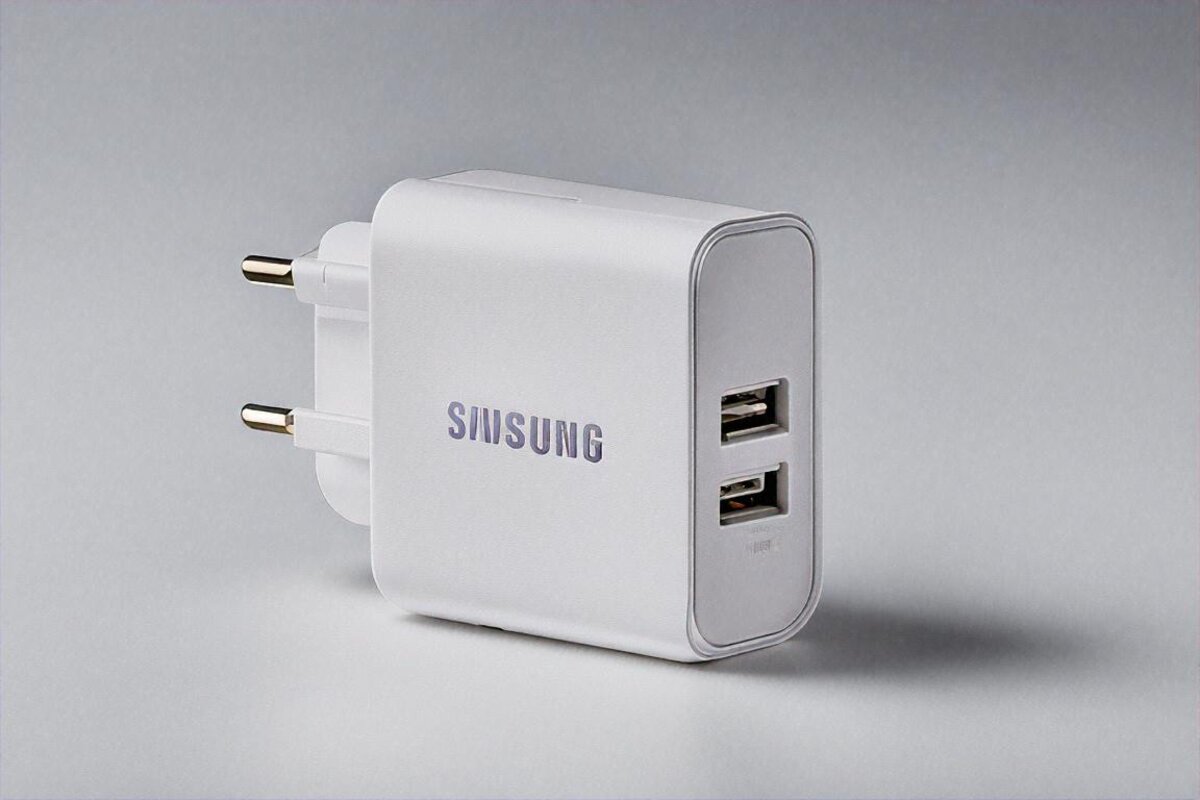
It turns up in a matte black box with barely any branding. Inside you get the bank, a USB-C to USB-C cable (around 60cm, decent enough), a mesh travel pouch, and the usual paperwork. No wall charger. Hold that thought — it matters more than it sounds, and I’ll come back to it.
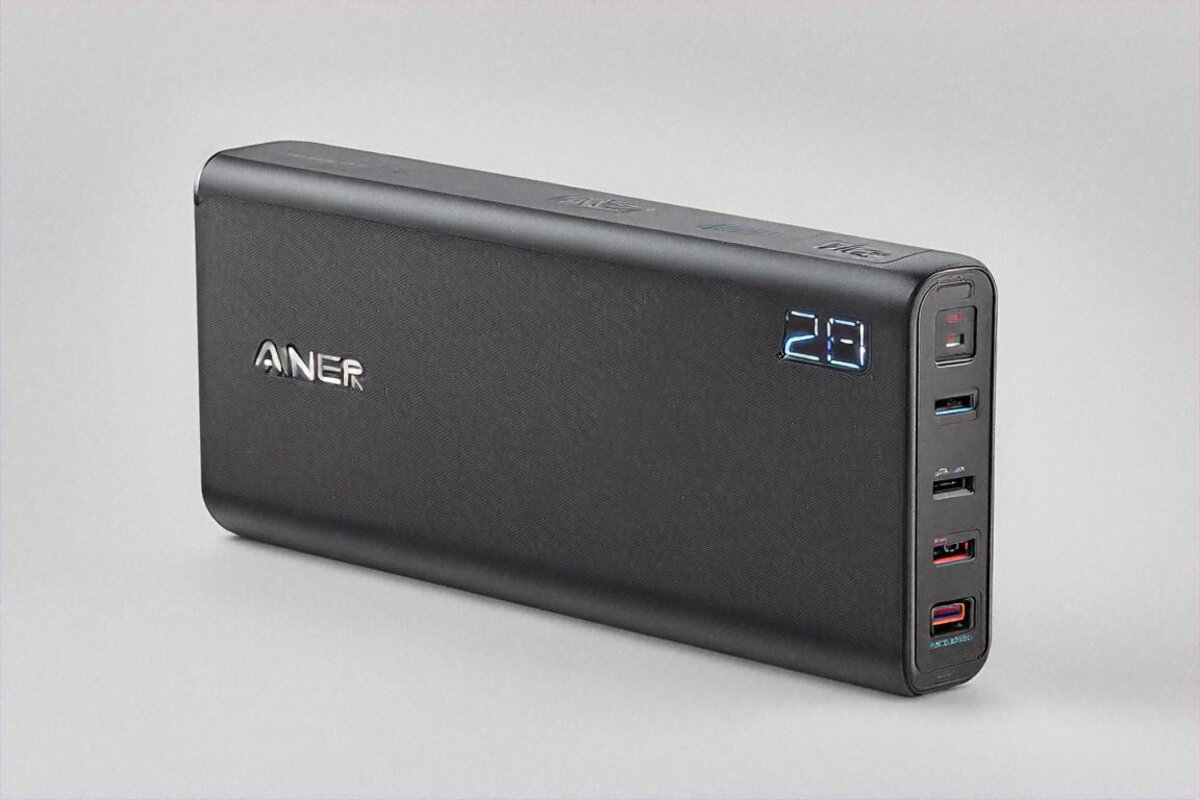
The first thing your hand registers is the weight. 630 grams. That’s more than most phones and heavier than plenty of tablets — about what three cricket balls stacked together feel like, if that paints the picture. Drop it in a backpack and you know it’s there. Slide it into a laptop bag that already has a 14-inch notebook in it and the heft is obvious. I carried it every day for five weeks in my Wildcraft pack, and by week two my right shoulder had started filing complaints. Moving it to a lower compartment sorted that out, but let’s be honest about what this is: not a pocket device. Nowhere close.
Dimensions land around 156 x 55 x 50 mm — picture a chunky TV remote. Jeans pockets are out. Cargo shorts at a push. A jacket pocket if the jacket’s feeling generous. For nearly everyone, this thing lives in a bag. The shell is all hard plastic with a faint texture top and bottom that stops it skating across a table. No rubber grip, no metal flourishes. Plain and functional. Anker clearly spent the money on the guts, not the looks.
There’s a little LCD on the front showing charge percentage, live input and output wattage, and a rough estimate of time to full or empty. I assumed I wouldn’t care about the screen. Then I caught myself checking it constantly. Watching your laptop pull 67W while the phone quietly sips 18W is weirdly satisfying. Or maybe I just like staring at numbers a bit too much.
Ports and Power Delivery
Two USB-C ports, one USB-A. Here’s the breakdown.
USB-C1 is the headliner. 140W max via USB Power Delivery 3.1, and this is the one that feeds laptops. My MacBook Air M2 pulled 67W off it — same as Apple’s own wall brick — and went from 10% to full in about 90 minutes. A colleague’s ThinkPad X1 Carbon drew roughly 65W and charged at wall speed. The 14-inch MacBook Pro with M3 Pro climbed up to 96W, though the readout bounced between 88 and 96W depending on what the machine was doing. Even then, it charged at a pace you’d happily live with.
USB-C2 tops out at 100W. A touch less headroom than C1, still enough for most laptops. I mostly hung my iPad Pro off it, which sipped around 30W.
USB-A caps at 18W — standard Quick Charge stuff. Grand for phones, earbuds, a Kindle, a smartwatch charger. Useless for anything that actually wants power.
The bit that earns its money on a travel day is simultaneous charging. With my MacBook Air on C1 and a Pixel 8 on C2 at the same time, the bank split the load sensibly — laptop got roughly 60W, phone around 20W, call it 80W total. Anker’s power allocation handled the negotiation and neither device sulked. Adding the Galaxy Buds on USB-A barely moved the needle, since they draw next to nothing.
And here’s where the missing wall charger comes back to bite. The 737 can take up to 140W in over USB-C1. Feed it from a 140W GaN charger — I used my Anker 717, a separate ₹4,500 purchase — and it goes empty to full in about 1 hour 20 minutes. Quick, for 24,000mAh. But the charger most people actually own at home, a 20W or 30W phone plug, will drag that out to four or five hours. If you don’t already own a 65W-plus USB-C charger, factor one in. The bank is ₹8,999 on its own; the real spend to make it sing is nearer ₹13,000 to 14,000 once you add a proper charger and maybe a second cable.
Real-World Battery Life
24,000mAh at 3.7V nominal works out to about 88.8Wh of stored energy. Conversion losses mean roughly 80 to 85% of that reaches your devices in practice — say 72 to 75Wh you can actually use.
What’s that in charges?
My Pixel 8, with its 4,575mAh battery, went 0 to 100% about 4.2 times before the Anker gave up. An iPhone 15 Pro and its 3,274mAh cell would likely clear five full charges. The MacBook Air M2, packing a 52.6Wh battery, got around 1.3 full charges — enough to stretch a work session by six or seven hours depending on what you’re doing. That’s the gap between your laptop dying at a coffee shop at 3 PM and it limping along till 9.
Then I took it travelling. Fully charged, it came with me on a Delhi-to-Bengaluru flight (2.5 hours), then a three-hour sit at KIA while my connecting cab ran late. Across that window I charged the Pixel 8 once (15% to 100%), ran the laptop the whole wait (the MacBook started at 40% and finished at 85% while I was using it), and topped a colleague’s Samsung S24 from 30% to 70%. The 737 still showed 23% left. For a single travel day, that’s honestly more capacity than most people will ever touch. For multi-day trips with no reliable power — backpacking through Ladakh or Spiti, long rural bus rides in Rajasthan, those train journeys where the charging point by your seat is broken (it’s always broken) — it’s a genuine lifeline.
Idle drain is barely there. I left it full for a week without touching it and came back to 98%. Whatever it leaks while sitting, it’s nothing worth worrying about.
Heat and Indian Conditions
Power banks and heat are an uneasy pairing, and India’s relationship with heat is, let’s call it, close.
Under a heavy load — laptop and phone charging together in a room sitting at about 33 degrees Celsius — the 737’s surface crept up to roughly 42 degrees at its hottest, the patch between the two USB-C ports. Warm in the hand. Not painful, not alarming. I wouldn’t leave it cooking on a car dashboard in the sun, but that goes for any lithium cell.
There’s thermal protection that throttles output if the insides get too toasty. I tripped it exactly once: charging the MacBook flat-out while the bank sat on a bedsheet (which insulated the bottom) in a non-AC room at around 36 degrees ambient. Output dropped from 67W to roughly 45W for about ten minutes, then climbed back. It didn’t cut out — it just eased off. Sensible behaviour, given the alternative is a puffed-up battery or something worse.
Keep it in an outer pocket where air can move, not buried under clothes in a suitcase. Obvious, maybe, but worth saying. A 24,000mAh lithium pack has earned a baseline of respect.
On the airline front: 88.8Wh slides under the 100Wh ceiling that most carriers — every Indian one included — allow in carry-on without special clearance. No forms, no approvals. Just keep it in your cabin bag, because lithium batteries of any size are banned from the hold. I flew IndiGo and Air India with it during testing and nobody so much as glanced.
And on charge cycles and lifespan, since someone always asks: Anker rates the 737 for about 500 full charge-discharge cycles before capacity slips under 80%. Run two full cycles a week — fairly heavy use — and that’s roughly five years before you’d notice any fade. Most people won’t cycle it twice a week, though. The Sunday-night-charge, drain-it-over-the-workweek crowd is looking at one cycle every five to seven days, which on paper stretches to seven or eight years of useful life. Whether the ports, the screen, and the internal circuitry survive that long is a separate gamble. Anker’s 24-month warranty covers manufacturing faults in India, and their service through Amazon has been fine in my experience — one replacement on a different Anker product went through inside a week last year. Not a lifetime promise, but a long way clear of the no-name brands.
The Display and Smart Features
The little LCD does more than count down the battery. It shows live input and output wattage per port, time-to-empty or time-to-full estimates, and a charging icon. Brightness is fine indoors but it washes out in direct sun. Hardly a problem, since nobody’s out squinting at their power bank in the open, but there it is.
Anker’s PowerIQ 3.0 handles the device handshake. In plain English: the bank works out what each gadget wants and hands it over, no buttons, no settings to fiddle. It works. Across five weeks nothing refused to charge or charged at the wrong speed. My Kindle Paperwhite, which is famously fussy about chargers, took power without a murmur. An old Bluetooth speaker on a micro-USB cable (via a C-to-micro adapter) charged happily off the USB-A port.
Double-tap the power button and trickle mode kicks in, pushing a low current for tiny-battery things like earbuds and fitness bands that otherwise stop charging because the bank decides they’re done. Handy if you own AirPods or the like. I leaned on it for my Galaxy Buds and it did exactly what it claims.
Durability and Daily Carry
Five weeks is too short to make grand claims about long-term durability. What I can do is tell you what those five weeks looked like.
I knocked it off a desk once, about 75cm onto a tiled floor. The corner picked up a scuff. The screen came through clean, and charging carried on without complaint. It doesn’t flex or creak when you squeeze it hard. Anker’s build has always sat a notch above the generic crowd, and the 737 keeps that going. It’ll win no beauty contests — it’s a featureless black slab — but it has the feel of something that’ll soldier through three or four years of regular use.
The travel pouch is a small kindness. Mesh, drawstring, room for the bank and a cable. I reached for it daily, and it kept the bank from grinding against my laptop and keys in the bag. Little touches like that tell you Anker actually pictured how someone carries the thing.
Look at the alternatives at this price and the field thins fast. Ambrane and Portronics will sell you a 20,000mAh bank for ₹2,000 to 4,000, but none of them touch 140W and none charge a laptop. Baseus has a 65W 20,000mAh option around ₹5,000 that’s alright for lighter laptop duty. Xiaomi’s HyperForce line has muscled in too, with competitive specs at slightly keener prices, though stock on Amazon India comes and goes. At the 140W, 24,000mAh tier, though, the 737 is mostly racing itself. Not many brands have nailed this exact pairing of capacity and output for the Indian market.
Who Needs This
Remote workers parked in cafes, co-working spaces, and trains. If your office is wherever the laptop bag lands, this bank means you quit fretting about whether there’s a free socket. End of story.
Frequent flyers. Airport charging points are grimy, mobbed, and half of them dead. The 737 in your bag is power you can count on. Flight slips four hours? Shrug. Laptop’s alive, phone’s alive, you’re watching something on the iPad while you wait it out.
Creators and photographers. If you’re lugging a camera, drone batteries, a gimbal, a phone, and a laptop to a location with no mains — rural Rajasthan, a Meghalaya hilltop, the Varanasi ghats at first light — this bank is your insurance. It won’t charge a DJI drone battery (those want their own charger), but it’ll keep everything else from running dry.
Students in exam season. Oddly specific, I know, but Indian colleges during exams mean hours in libraries and study halls where the outlets get claimed by 6 AM and defended like turf. A bank this big means you don’t need a socket at all. Plant yourself anywhere and revise.
Who doesn’t need it: people who rarely leave home, people who only ever charge a phone (a ₹1,500 10K bank does that fine), and anyone who values pocket portability. At 630 grams this is a bag item. Make peace with that or buy something smaller.
Pros and Cons
Pros:
- 140W USB-C output genuinely charges laptops at wall-charger speeds
- 24,000mAh / 88.8Wh capacity under the airline 100Wh carry-on limit
- Smart power distribution across three simultaneous devices
- Real-time wattage display on built-in LCD screen
- Charges itself from 0-100% in ~80 minutes with a 140W charger
- Trickle charge mode for small-battery devices
- Solid build quality with included travel pouch
Cons:
- 630 grams — noticeably heavy for daily carry
- No wall charger included; needs 65W+ charger to recharge quickly
- ₹8,999 is steep compared to basic 10K/20K alternatives
- Gets warm during sustained high-output charging in hot conditions
- LCD screen washes out in direct sunlight
- Bulky form factor won’t fit in pockets
The Bottom Line on Value
Rating: 8.7 / 10
Price: ₹8,999
Here’s where I land after five weeks of dragging this thing around Bengaluru, Delhi, and one shambolic weekend in Goa. The Anker 737 at ₹8,999 is overpriced for what most people need and exactly right for the people who genuinely need it. If it’s never once crossed your mind to wish your power bank could charge a laptop, keep your money — a ₹1,500 Xiaomi or Mi 10K bank handles phones perfectly well. But if you’ve ever been stranded at a railway station with a dying laptop, three hours till the next train, and a deck still unfinished — or watched your MacBook die at a cafe because the lone outlet sat behind a cabinet nobody could find the keys to — then ₹8,999 stops reading like a splurge and starts reading like the price of not being stuck. It lives in my bag now, permanently. Not because I need it every day. Because on the days I do, nothing else gets close.
Pros
- 140W USB-C output genuinely charges laptops at wall-charger speeds
- 24,000mAh / 88.8Wh capacity under the airline 100Wh carry-on limit
- Smart power distribution across three simultaneous devices
- Real-time wattage display on built-in LCD screen
- Charges itself from 0-100% in ~80 minutes with a 140W charger
- Trickle charge mode for small-battery devices
- Solid build quality with included travel pouch
Cons
- 630 grams — noticeably heavy for daily carry
- No wall charger included; needs 65W+ charger to recharge quickly
- ₹8,999 is steep compared to basic 10K/20K alternatives
- Gets warm during sustained high-output charging in hot conditions
- LCD screen washes out in direct sunlight
- Bulky form factor won't fit in pockets
Our Rating: 8.7/10 · Price: ₹8,999




0 Comments