
How I Ended Up on a Mac After Fifteen Years of Windows
I’ll level with you. If you’d told me three months ago that I’d be typing a review on a MacBook, I’d have laughed in your face. I’ve run Windows since my first Pentium 4 desktop, bought in Nehru Place back in 2009. Built my own rigs. Swore by ThinkPads. Took every chance to mock the “Apple tax.” Then my Dell XPS started falling apart on me — random blue screens, fans howling through Teams calls, a battery that couldn’t survive a two-hour meeting. So when a friend handed me his MacBook Air M4 to try for a week, my plan was to use it, hand it back, and say a polite “nice, but not for me.”
That was eleven weeks ago. I’d bought my own within five days of giving his back.
What Exactly Are You Getting for ₹1,24,900?
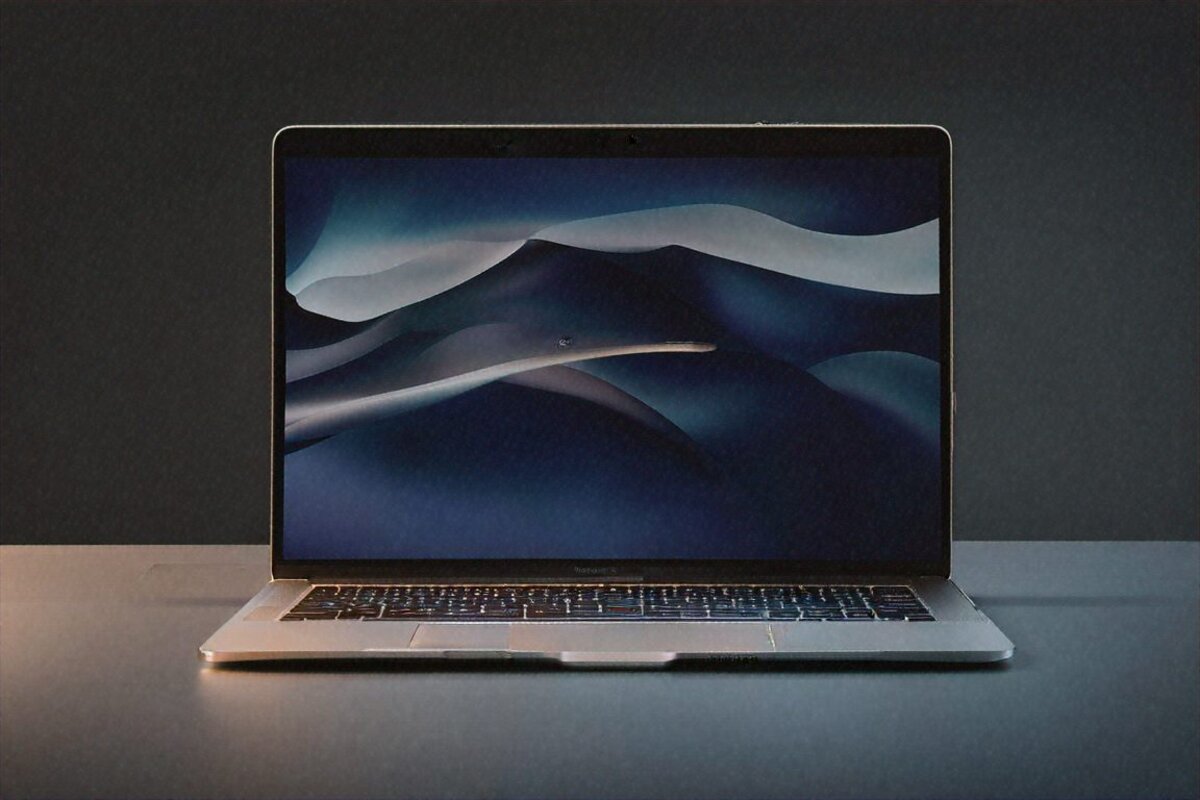
Let’s talk money first, because ₹1.25 lakh is not loose change. The base machine gives you the Apple M4 chip — 10-core CPU, 10-core GPU — with 8GB of unified memory, 256GB of SSD storage, and a 13.6-inch Liquid Retina display at 2560×1664. No fan. Not a single moving part inside it. MagSafe 3 charging, with a 35W dual USB-C brick in the box. And it weighs all of 1.24 kilograms.
The spec sheet doesn’t capture the half of it, though. I’ve reviewed Windows laptops with more cores and more RAM that felt slower in everyday use. It’s the unified memory — the CPU, GPU, and Neural Engine all drawing from one shared pool of fast memory — that makes this thing feel quicker than its numbers suggest.
Build and Design — Why I Stopped Missing the Old Laptop
At 11.3mm thick, the Air is barely thicker than the notebooks I scribble in. The paper kind. I still get caught off guard picking it up, because my hands expect more heft from something this solid. The recycled aluminium body doesn’t flex anywhere. I’ve pressed on the keyboard deck, tried to twist the lid, run all the usual abuse. Nothing moves.
Four colours: Midnight, Starlight, Space Grey, Sky Blue. I went Midnight. It’s lovely, and it grabs fingerprints like it’s getting paid for it. Want fewer smudges? Go Space Grey. I figured that out a week too late.
The trackpad genuinely surprised me. For years I assumed the Force Touch hype was just marketing noise. It isn’t. After three months, going back to any Windows trackpad feels like dragging a finger through wet sand. The haptics are uncanny — you’d swear the pad physically clicks, when it’s actually a solid surface that never moves. The Magic Keyboard with Touch ID isn’t the best laptop keyboard I’ve used (that crown still sits on the ThinkPad), but it’s a close second. Good travel, satisfying feedback, quiet enough that I can work past midnight without anyone stirring.
That Display Though
So: 13.6 inches, 2560×1664, 500 nits, P3 wide colour, True Tone that nudges the colour temperature to match the room. It’s not OLED, so true blacks aren’t on the menu. It’s not ProMotion either — no 120Hz like the MacBook Pro. Both are real omissions and I’ll flag them honestly.
Here’s the thing, though. At this price, it still beats maybe 90% of Windows displays you’ll find. Text is razor sharp. Photos in Lightroom look accurate and full. I’ve edited something like 200 product shots on it over two months and never once felt boxed in. The colours line up closely enough with my calibrated desktop monitor that I trust it for web-ready work.
Where it slips is dark-room viewing. An OLED panel would genuinely help with late-night Netflix and dark-themed coding. There’s a touch of backlight bleed — minimal, but it’s there if you go hunting, and you’ll catch it on letterboxed films. Most people won’t clock it. I do, because finding flaws is the job. A normal user probably never notices.
Performance — The Part That Flipped Me
Right, now we get to the interesting part. The M4 is built on TSMC’s 3nm process: ten CPU cores, ten GPU cores, a 16-core Neural Engine. Apple claims 25 to 35 percent more CPU grunt than the M3. From what I’ve lived with day to day? Yeah, that holds up.
My workload’s nothing wild. Chrome with 30 to 40 tabs (I know, I know), Slack, VS Code with a couple of TypeScript projects, Lightroom Classic ticking away in the background, the odd Final Cut trim. On the old Dell, that combo sent the fans to jet-engine pitch and warmed the chassis on my lap. The Air? Silent. Every time. There’s no fan to make a sound. The bottom gets faintly warm — 38, 39 degrees maybe — but never hot.
I ran some proper tests too. A 10-minute 4K export in Final Cut finished about 40% quicker than on the M3 Air, going by a friend’s machine. Batch-processing 50 RAW files in Lightroom — my weekly ritual for product shots — wrapped in under three minutes. Compiling a mid-sized Swift project in Xcode showed a real step up. None of this taxes a MacBook Pro, sure, but for a laptop with no fan, it’s properly impressive.
And no thermal throttling. That’s the pitch, and I’m a believer now. I looped Cinebench for thirty minutes straight. Performance held flat. No drop-off at all. My Windows machines would start throttling inside five to eight minutes, fans roaring the whole time. Passive cooling on this thing rides out sustained loads better than active cooling on most Windows laptops under ₹1.5 lakh. Read that twice.
Battery Life — It Actually Changed My Habits
Apple says 18 hours. I don’t see 18 hours. Nobody does with real mixed use. But I reliably land between 14 and 16 hours of what I’d call normal work — browsing, email, Slack, document editing, the occasional Lightroom session. That’s not a typo. Fourteen to sixteen.
I’ve stopped packing the charger for coffee shops. Stopped scanning airport lounges for a free socket. Last week I worked a full eight-hour day, forgot to plug it in overnight, and still had 37% by morning. This single thing has done more for my day-to-day than anything else about the switch. Nothing else is close.
The 35W dual USB-C brick is a quiet win — it tops up the Mac and my iPhone off the same charger. Tiny thing, but it’s one less brick in the bag. And MagSafe earns its keep if you’ve got pets or kids prone to tripping over cables; the connector just pops free instead of yanking the laptop floorward. My cat has stress-tested this twice now. The MacBook survived both ambushes.
What macOS Feels Like, Coming from Windows
Okay, this bit’s for my fellow converts. The adjustment is real. Took me about ten days to stop stabbing at Ctrl when I meant Cmd. And window management on macOS is worse than Windows — there, I’ve said it. No native snap layouts, no proper tiling without a third-party app. I grabbed Rectangle (it’s free) on day two, and that mostly sorted it.
The ecosystem stuff, though? If you’ve got an iPhone, it borders on magic. AirDrop fires files between devices instantly. Universal Clipboard lets me copy on the phone and paste on the Mac. Handoff means I can start an email on one device and finish it on the other. My iPhone doubles as a webcam through Continuity Camera. I genuinely didn’t expect to touch these. Now I lean on them every day.
Software worried me going in. I use VS Code, Chrome, Slack, Notion, Figma, Lightroom, Final Cut. All native Apple Silicon. All flawless. A few niche work tools only shipped x86 builds and ran through Rosetta 2 — the Intel translation layer — and even those felt native-fast. Eleven weeks, zero compatibility headaches. Your mileage depends on your specific apps, but for mainstream stuff, macOS isn’t the wall it used to be.
Seven years of guaranteed macOS updates from Apple, too. That’s real reassurance when you’re handing over ₹1.25 lakh. My last Windows laptop quit getting feature updates after three years.
Connectivity — The One Place I Genuinely Compromise
Two Thunderbolt 4 / USB 4 ports on the left. MagSafe, also left. A 3.5mm headphone jack on the right. And that’s the lot.
No SD card slot. No USB-A. No HDMI. Coming off a Dell XPS that had most of those, it stung. I bought a ₹2,500 Anker USB-C hub inside the first week. It does the job, but it’s one more thing to carry and one more thing to misplace.
Wi-Fi 6E is rock solid — fast and steady on my home network. Bluetooth 5.3 pairs cleanly with my AirPods Pro and Magic Mouse. The high-impedance headphone jack is a genuinely nice surprise if you run wired cans; it drove my Audio-Technica ATH-M50x with no separate amp needed.
If you need lots of ports, this is not your laptop. Flat out. Two-port living means either a hub or going fully wireless. I’ve adapted. I won’t pretend the early days weren’t irritating.
Speakers and Webcam — Quick Hits
The four-speaker setup sounds shockingly good for something this thin. Not MacBook Pro good — the Pro’s six speakers with force-cancelling woofers play a different game entirely — but clear, with real stereo width and a hint of bass that makes YouTube and video calls pleasant. I’ve watched whole films off the Air’s speakers without reaching for headphones, which I can’t say for most Windows laptops at this price.
The 1080p webcam with Centre Stage auto-framing holds up well. Calls look clean in decent light. Centre Stage keeps you in frame as you shift around — handy at a standing desk where you drift through the day.
Full Specifications
| Specification | Details |
|---|---|
| Processor | Apple M4 10-core CPU, 3nm TSMC |
| GPU | 10-core GPU |
| Memory | 8GB / 16GB / 32GB Unified Memory |
| Storage | 256GB / 512GB / 1TB / 2TB SSD |
| Display | 13.6″ Liquid Retina, 2560×1664, 500 nits |
| Battery | Up to 18 hours (Apple rated) |
| Charging | 35W MagSafe 3 (dual USB-C adapter included) |
| Weight | 1.24 kg |
| Ports | 2x Thunderbolt 4, MagSafe 3, 3.5mm headphone |
| Wireless | Wi-Fi 6E, Bluetooth 5.3 |
| OS | macOS Sequoia |
The 8GB RAM Elephant in the Room
I have to get into this, because it’s the question I get most. The base model ships with 8GB of unified memory. On a Windows machine in 2026, 8GB would be a dealbreaker. On the Mac, it’s… messier than that.
For light-to-moderate work — browsing, Office, streaming — 8GB is fine. macOS handles memory differently from Windows, and the SSD swap is quick enough that you rarely feel the squeeze. But load it up with 40-plus Chrome tabs, Lightroom, and a video editor all at once? You’ll feel it. Apps reload when you flip between them. There’s a small but real hitch.
My advice: if your budget can stretch, the 16GB model at ₹1,44,900 is the sweet spot. You’re spending ₹20,000 more, but you’re setting the machine up for five-plus comfortable years. The memory is soldered — whatever you buy is what you live with, forever. There’s a 32GB option at ₹1,64,900, but it feels like overkill for most Air buyers. If you actually need 32GB, you probably need a MacBook Pro.
Who Should Actually Buy This
Students — yes, easily. The mix of battery life, 1.24kg portability, and tight Apple-ecosystem integration for notes and study is tough to beat. Buying a laptop for four years of college? This one coasts through it.
Working professionals who don’t lean on the GPU — also yes. Email, documents, spreadsheets, decks, video calls, project tools. All of it runs beautifully. I’ve hit zero snags with my own workflow, and I’d call my usage moderate-to-heavy.
Creators doing photo work, light video, and design — it copes well. Lightroom and Photoshop feel snappy. Final Cut runs great. DaVinci Resolve handles cuts and colour grading on 4K, though you’d want a Pro for anything heavier.
Writers. Bloggers. Freelancers living out of cafes and co-working spaces. The battery life alone makes it the obvious call.
Who Should NOT Buy This
Gamers. Mac gaming has improved, but it’s nowhere near Windows. If gaming matters to you, get a Windows laptop or a console.
Heavy video editors juggling 8K footage, multiple 4K streams, or dense After Effects comps. That’s MacBook Pro territory.
Developers running stacks of Docker containers, heavy VMs, or Android emulators all day. The Air manages it, but you’ll want the Pro’s sustained performance and the extra RAM headroom.
Anyone who needs more than two ports without a dongle. If dongles make you see red, this laptop will needle you daily.
Pros
- M4 chip delivers incredible performance per watt — nothing in Windows matches this efficiency
- Completely silent operation, no fan, ever
- 14-16 hours of genuine real-world battery life
- Best trackpad and second-best keyboard on any laptop, period
- 1.24kg means you genuinely forget it’s in your bag
- macOS ecosystem integration with iPhone is genuinely useful
Cons
- Base 8GB RAM feels tight for power users — spend the extra ₹20K for 16GB
- No ProMotion 120Hz — noticeable if you’ve used an iPad Pro or MacBook Pro
- Only two USB-C ports, no SD card reader, no HDMI
- macOS gaming library remains limited compared to Windows
- No touch screen (Apple’s choice, but still a miss for ₹1.25 lakh)
Three Months Later — My Honest Take
I never planned to become a Mac person. Truly didn’t. But the Air quietly solved problems I hadn’t realised I was putting up with. The fan noise I’d just learned to tune out. The constant where’s-the-nearest-socket anxiety. The trackpad that was “fine” but never good. The sleep-wake gremlins that had me restarting the old laptop twice a week.
At ₹1,24,900, it’s expensive. I won’t pretend otherwise. In a country where most people’s laptop budget probably sits around ₹40,000 to ₹50,000, this is triple that. But if your work rides on your laptop and you care about silence, battery, and build — and you’re already in the Apple world, or willing to step into it — I think it’s worth every rupee.
Would I push it on everyone? No. A friend who does 3D in Blender looked at it and fairly noted the integrated GPU can’t touch a proper discrete card. Another mate who plays Valorant daily would be miserable on macOS. A programmer buddy who lives inside Linux VMs said it’s not for him, and he’s right.
But for my use — and, from what I’ve seen, for most professionals, students, and creative types who don’t need desktop-class GPU muscle — the MacBook Air M4 isn’t just a good laptop. It might be the best laptop you can buy in India right now under ₹1.5 lakh. And I’m saying that as someone who fought this conclusion tooth and nail for fifteen years.
Price in India
The MacBook Air M4 starts at ₹1,24,900 for the 8GB/256GB build. The 16GB/256GB model runs ₹1,44,900, and 16GB/512GB sits at ₹1,54,900. You’ll find it on Apple.com/in, Amazon India, Flipkart, and authorised resellers like Imagine, iWorld, and Maple. Apple’s education store shaves off a few thousand with student pricing, so check that if you qualify.
Full Specifications
| Processor | Apple M4 10-core CPU |
|---|---|
| GPU | 10-core GPU |
| Memory | 8GB/16GB/32GB Unified |
| Storage | 256GB/512GB/1TB/2TB SSD |
| Display | 13.6" Liquid Retina 2560×1664 |
| Battery | Up to 18 hours |
| Weight | 1.24 kg |
| OS | macOS Sequoia |
| Ports | 2x Thunderbolt 4 MagSafe 3 |
Pros
- M4 chip exceptional per-watt performance
- Fanless silent operation
- 18-hour battery life
- Best-in-class trackpad keyboard
- Compact 1.24kg
Cons
- Base 8GB insufficient heavy multitasking
- No ProMotion 120Hz
- No SD card slot
- Only 2 USB-C ports
Our Rating: 9.3/10 · Price: ₹1,24,900
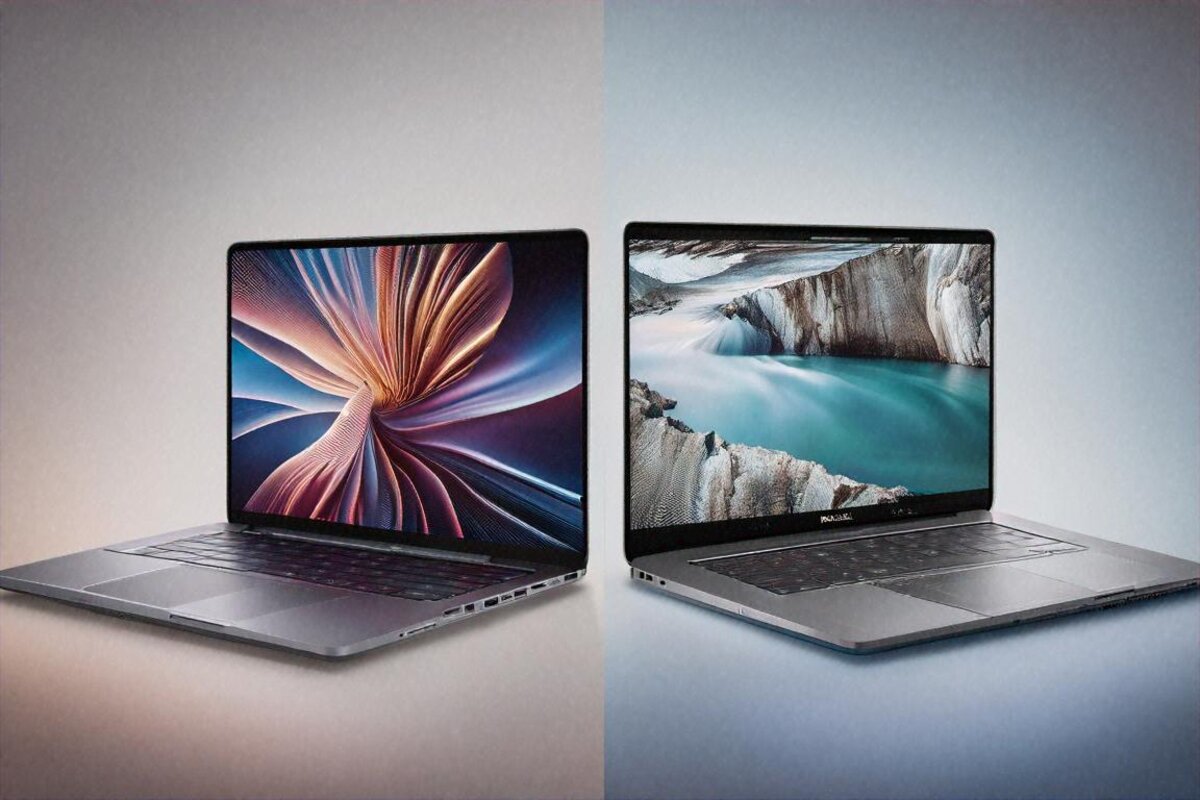

MacBook Air M4 is a dream machine. I’ve been using the M2 model and the M4 looks like a significant leap. The fanless design still amazes me for the performance it delivers.