
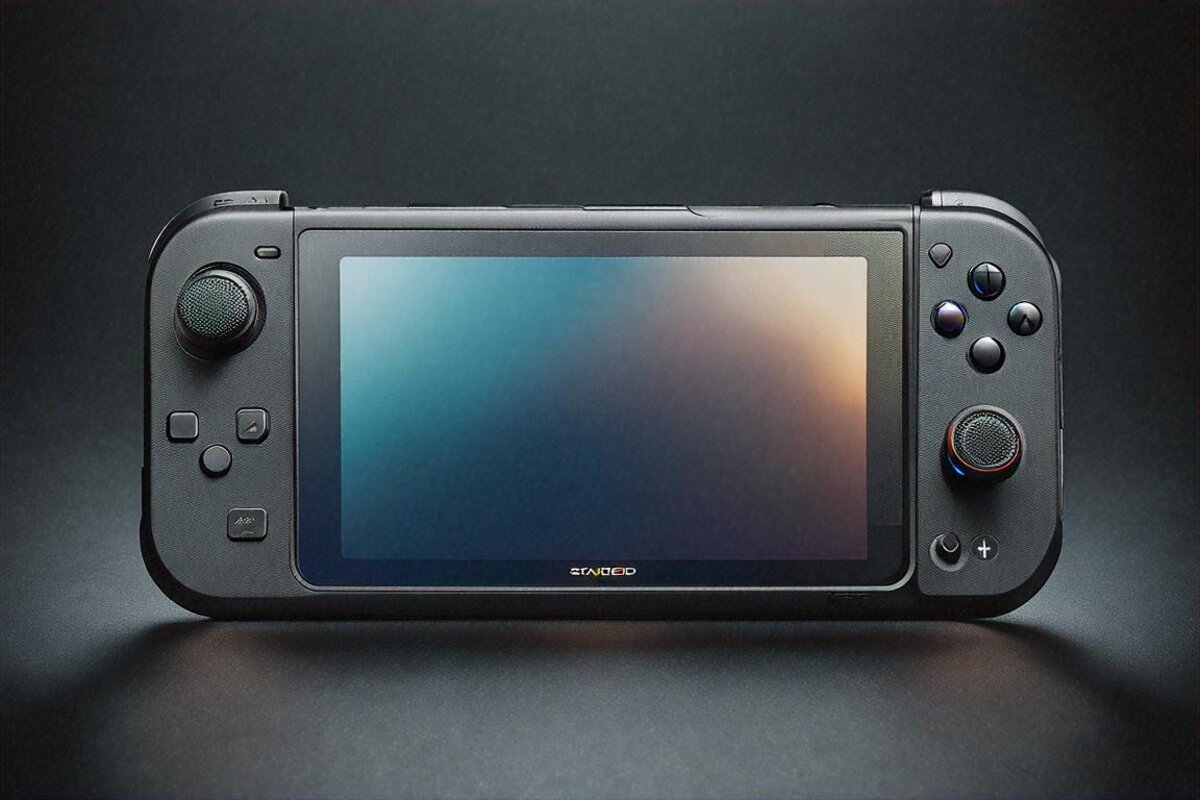
Last Tuesday. 2 am. I’m flat on my back in bed, Steam Deck OLED propped on a pillow, deep in a Hades II run, and it lands on me: this is the first gaming session in maybe five years I’ve finished with no frustration. No driver mess. No input lag. No digging through settings. Picked a game, hit play, it ran. For a PC gaming device, that’s almost unheard of.
Something’s been bugging me and I have to say it. There’s so much bad advice swirling around handheld gaming PCs in India right now. People on YouTube and Twitter pushing the ROG Ally or the Legion Go over the Steam Deck because “the specs are better on paper.” Specs mean nothing if the software makes you want to launch the thing at a wall. I’ve used three different Windows handhelds. Every one had problems — driver conflicts, crashes tied to the custom UI layers, sleep-resume bugs that ate my saves. The Steam Deck runs SteamOS. SteamOS works. That one fact drops it into a different bracket from everything else out there. The honest flip side: SteamOS is Linux, so the handful of games that flatly refuse to run will refuse here too, and I’ll get to those.
Valve has finally put the Steam Deck on official sale in India, and the OLED model lands at Rs 49,990. That’s the 512 GB version. There’s a 1 TB model too, though its price keeps wobbling. At Rs 49,990 you’re paying about what a PlayStation 5 Digital Edition costs, which sets up a comparison I’ll dig into later. First, what the money actually buys you.
The display. Oh, the display. A 7.4-inch HDR OLED, up from the old LCD’s 7 inches. Resolution stays 1280 x 800, which reads low until you remember you’re holding it 12-15 inches from your face, not parked five feet away on a sofa — at 7.4 inches the pixel density is fine. Colours leap with an intensity the LCD couldn’t get near. Blacks are properly black, not that washed grey from before. Refresh climbs to 90Hz from the original 60Hz, and you spot the difference instantly in smooth-scrolling menus and fast games. Peak brightness hits 1000 nits. The anti-glare etched glass on the 1 TB model is a nice extra, killing reflections without making the screen look grainy.
I spent a week playing nothing but visually heavy games just to push this panel. Dead Space remake in pitch-dark corridors? The OLED blacks build real dread — you can’t make out what’s lurking in the shadows, and it’s terrifying in the best way. Cyberpunk 2077 at dusk? The HDR colour range turns Night City into a painting. Stardew Valley? Even a pixel-art game gains from perfect blacks and rich colour. The screen upgrade alone earns the gap over the LCD. Anyone telling you the display doesn’t matter on a handheld hasn’t used this one. If I’m nitpicking: at 1000 nits in bright daylight outdoors, the OLED can still struggle against direct sun, so it’s not magic.
The APU is still AMD’s custom chip, now on a 6nm process (down from 7nm). The real-world gains from the die shrink are modest — maybe 5-10 percent in some titles — but the bigger wins are efficiency and thermals. The device runs noticeably cooler over long sessions than the LCD did. Fan noise drops. Battery drain is a touch better, though calling that dramatic would be dishonest. You’re looking at 3-12 hours of play depending on the game. Vampire Survivors at 90fps? Easily 8-10. Elden Ring at medium? Closer to 2.5-3. That’s the reality of handheld PC gaming in 2026, and anyone claiming otherwise is lying.
RAM is bumped to 6400 MT/s with better latency. You won’t feel that directly — no game suddenly runs 20 percent faster on quicker RAM alone. But stacked with the die shrink and SteamOS tuning, the whole package feels tighter. Games load faster. Asset streaming is smoother. Shader-compilation stutters — the curse of every early Deck owner — are way down thanks to Valve’s pre-caching. Most popular games now arrive with cached shaders ready to grab before you even launch. The downside: that pre-caching only helps the games Valve has gotten to, so a niche title can still throw the odd compilation hitch on first run.
The battery is 50 Wh, up from the LCD’s 40 Wh — a 25 percent jump. In practice it buys roughly 30-90 extra minutes depending on the game. Charging from 20 to 80 percent takes about 45 minutes with the bundled 45W charger, and the cable is a generous 2.5 metres. I appreciate that cable length more than any number on the sheet. Gaming plugged in without feeling chained to the socket is a small luxury that matters. Still — those numbers mean a demanding AAA game can drain it in under three hours, so a full road trip on one charge isn’t happening.
Weight is about 640 grams — roughly 5 percent lighter than the LCD. Doesn’t read like much on paper, but you feel it over a long session. My hands used to start cramping after 90 minutes on the LCD. With the OLED I’ve gone two-plus hours without aching. Some of that might be the slightly reworked ergonomics — Valve apparently tweaked the grip curves, though they’ve said little about it publicly. The catch is it’s still a 640-gram slab, so anyone with small hands will want to test the heft before committing.
Let me handle the obvious objection, because every comment section raises it. “Why buy a Steam Deck when the ROG Ally X has a faster chip?” Because raw power is maybe the fourth or fifth most important thing about a handheld. Control feel, software reliability, game compatibility, and battery efficiency all come first. The Steam Deck OLED takes at least three of those four against every Windows rival I’ve tested. Where it loses is that fourth one — outright horsepower — so the most demanding titles will run at lower settings than they would on an Ally X.
SteamOS is built on Arch Linux with a Proton compatibility layer for running Windows games. In 2024 that scared people off. In 2026 it shouldn’t. Proton has gotten so good that the count of games that flat-out won’t run is tiny. Of the 47 games in my Steam library I tested on the Deck, 44 ran perfectly, two needed minor tweaks (a launch parameter here, a compatibility toggle there), and one — a niche Japanese visual novel with custom DRM — never worked at all. That’s a 93 percent hit rate, and it climbs every month as Valve ships updates. The honest gap: that 7 percent often includes online shooters with kernel-level anti-cheat, which can be a dealbreaker if those are your main games.
The control layout is where Valve’s hardware thinking shows. Full-sized thumbsticks that feel great and haven’t drifted after three weeks of hard use. The d-pad is better than the LCD’s — more tactile, less mushy. ABXY buttons are standard. Four rear grip buttons I’ve mapped to all sorts depending on the game — quick-save, HUD toggle, sprint, whatever. And the trackpads. These are unique to the Deck and they’re criminally underrated. For anything that wants mouse-like precision — strategy games, CRPGs, certain shooters — the right trackpad saves you. Playing Baldur’s Gate 3 on any other handheld means either a dreadful touchscreen UI or an external mouse. On the Deck the trackpad just handles it. The downside is the learning curve — trackpad aiming feels alien for the first hour and plenty of people give up before it clicks.
Gyro aiming. I assumed I wouldn’t care until I tried it. In shooters, mixing the right stick for big movements with gyro for fine aim gives precision that’s genuinely close to a mouse. It takes about an hour to click. After that, going back to stick-only feels clumsy. I played most of Metro Exodus on gyro and my headshot rate was probably double what it’d have been on sticks alone. The catch, again, is that first hour — gyro feels broken until your brain rewires, and not everyone pushes through it.
Audio is better than it has any right to be. Stereo speakers with embedded DSP put out clear, wide sound. Not as boomy as external speakers, obviously, but for a handheld? Impressive. Dialogue is easy to follow, spatial cues in horror games land surprisingly well, music stays balanced. There’s a 3.5mm jack for late-night runs — yes, in 2026 a headphone jack still earns its place. Bluetooth 5.3 with aptX HD and aptX low-latency means wireless audio works too, without the maddening lag some Bluetooth setups carry. That said, max speaker volume isn’t huge, so on a noisy train you’ll want headphones.
WiFi 6E is a welcome step up from the LCD’s WiFi 5. Game downloads are meaningfully quicker. I pulled a 60 GB game in about 25 minutes on my 300 Mbps line, where the old model would’ve taken close to 40. More to the point, the connection’s steadier. The LCD sometimes dropped WiFi on waking from sleep — an infuriating bug that seems fully fixed on the OLED. The honest caveat: 6E only helps if your router supports it, and plenty of Indian homes are still on older WiFi.
Docked mode deserves a word. Plug the Deck into a USB-C dock with HDMI out and you’ve got a passable living-room gaming PC. It feeds external displays, takes Bluetooth controllers, and SteamOS’s Big Picture mode is built for the TV. I played Hades II on my 55-inch set for an evening, and while the 1280×800 internal resolution means no 4K output, at 1080p it looked perfectly fine from couch distance. A PS5 replacement? No. But as a bonus on a handheld, it’s excellent. Some people I know have sold their second console after getting a Deck. The downside is that docked, those resolution limits get more obvious on a big panel — fine at 1080p, soft if you push higher.
Indian context matters here, so let me get specific. At Rs 49,990, the Steam Deck OLED runs up against the PS5 Digital Edition (around Rs 44,990), the Nintendo Switch OLED (around Rs 29,999 when available), and various Windows handhelds like the ROG Ally (around Rs 55,000+). Against the PS5: you get portability and your whole Steam library, but lower graphical fidelity on demanding titles. Against the Switch: far more powerful hardware and a vastly larger library, though the Switch has Nintendo exclusives that are genuinely hard to replace. Against Windows handhelds: better software and battery life, slightly less raw grunt.
Here’s where it gets interesting for Indian gamers in particular. Steam’s regional pricing makes games far cheaper than console equivalents. A new AAA title on PS5 costs Rs 4,999. The same game on Steam during a sale might be Rs 1,500-2,000. Over the life of the device, the savings on game purchases alone can offset the hardware. I ran a rough sum — the 30 games I play most would’ve cost me about Rs 90,000 on the PlayStation Store versus roughly Rs 35,000 on Steam at sale prices. That’s Rs 55,000 saved. The Deck pays for itself. The honest asterisk: that maths only works if you actually buy a lot of games and chase the sales.
Game Pass compatibility is another angle. With some fiddling you can get Xbox Game Pass running through Microsoft Edge on the Deck via cloud streaming. It’s not native and it needs a stable connection, but for Rs 349 a month you get hundreds of games. Steam’s own free-to-play and subscription catalogue is huge too. Between Steam sales, free-to-play, and subscriptions, the cost-per-hour of entertainment on the Deck is absurdly low next to any console. The catch is the cloud-streaming route is fiddly and only as good as your internet on the day.
Service and warranty in India are still question marks. Valve has no official service centres here yet. If something breaks, you’re either shipping it abroad or hunting for a local shop willing to crack it open. This is the single biggest downside of buying a Steam Deck in India and I won’t sugarcoat it. PlayStation and Nintendo both have established service networks here. The Deck doesn’t. You’re essentially betting nothing goes wrong, or that you’re comfortable carrying the risk. On a Rs 50,000 device, that’s a real consideration.
Battery replacement is user-serviceable if you’re okay with basic electronics repair. iFixit sells replacement batteries and has detailed guides. The 512 GB SSD can also be swapped for a bigger one — 2230 M.2 form factor, the same as in some laptops. A 1 TB replacement SSD runs about Rs 8,000-10,000 from the likes of Western Digital or Sabrent. Doing the swap yourself is fairly straightforward with a small Phillips screwdriver and some patience. Valve deserves credit for making the thing repairable at all — most electronics makers actively fight it. The honest caveat: “user-serviceable” still means opening the device, which voids any goodwill and isn’t for the squeamish.
Emulation is the quiet feature a lot of Indian gamers care about. SteamOS being Linux-based means RetroArch and standalone emulators run natively and beautifully. GameCube, PS2, PSP, Nintendo DS, even some Switch games through experimental emulators — the Deck handles them all. Setting up EmuDeck (a community tool that auto-configures everything) takes about 15 minutes and opens up decades of gaming history. I won’t tell you how to source ROMs, because that’s a legal grey area, but the capability is there. For people who grew up on games you simply can’t buy anymore, emulation isn’t piracy — it’s preservation. The honest note: legality of the ROMs themselves is on you, and the experimental emulators can be finicky.
The storage situation on the 512 GB model is manageable but tight. After the OS you’ve got about 450 GB usable. Modern games are massive — Baldur’s Gate 3 is about 120 GB, Cyberpunk 2077 around 70 GB, even “smaller” games like Hades II run 15-20 GB. You’ll be actively juggling your library, installing and uninstalling as you go. A high-speed microSD card (the Deck has a slot) can top up storage — I use a 512 GB Samsung EVO Select for less demanding games and keep the internal SSD for titles that benefit from faster loads. The catch is that microSD is slower than the SSD, so big games still want the internal drive.
Desktop mode is where the Deck’s versatility gets almost silly. Flip to desktop mode and you’ve got a full Linux PC. Browse the web. Install apps. Write documents. Edit photos. Hook up a keyboard and mouse over Bluetooth or a USB-C hub and you’ve got a working computer. I wouldn’t run it as my main work machine, but for travel? Being able to answer emails, knock out a quick report, then drop back into a game on the same device is genuinely handy. On a recent train trip from Mumbai to Goa, I used the Deck for work in the morning and gaming in the afternoon. One device. Under 650 grams. The downside is it’s Linux, so anyone expecting Windows software to just run will hit walls.
Durability’s been solid over three weeks of daily use. The plastic shell feels good in the hand — not cheap, not premium. Just functional. I’ve thrown it into bags, played on bumpy train rides, even dropped it from about knee height onto carpet (heart stopped for a second, Deck was fine). The thumbsticks show no wear. Buttons stay clicky and responsive. The OLED hasn’t picked up any burn-in despite several sessions where I left it paused on a static screen for 30-plus minutes — Valve’s screen-dimming probably helps. The honest caveat: three weeks isn’t long enough to judge OLED burn-in properly, so I’d reserve a final verdict on that.
Sleep and resume. This is the feature that makes the Deck feel like a console rather than a PC. Hit the power button. It sleeps instantly. Hit it again. You’re back in your game, exactly where you left off, within two seconds. This worked perfectly with every game I tested. On Windows handhelds, sleep-resume is a coin flip — sometimes it works, sometimes the game crashes, sometimes the device gets confused and drains battery while “asleep.” On the Deck it just works. Every time. I can’t oversell how much that matters to the whole experience. The only real downside is that resume eats a sliver of battery while sleeping, so leave it a week untouched and you’ll find it flat.
Controller configuration through Steam Input is wildly powerful. Every game can have its own control layout. You can grab community-made layouts for any game, or build your own. Map any button to any action. Set up mode-shifts where holding a button changes what the others do. Drop radial menus onto the trackpads. The depth of customisation is staggering — and you can safely ignore all of it if the defaults work for you. But knowing it’s there, for those games where the default layout doesn’t quite click? That’s worth a lot. The downside is that depth can overwhelm; newcomers sometimes get lost tinkering instead of playing.
Specifications
- Display: 7.4-inch HDR OLED, 1280 x 800, 90Hz, 1000 nits peak brightness
- APU: AMD custom, 6nm process
- RAM: 16 GB LPDDR5, 6400 MT/s
- Storage: 512 GB NVMe SSD (review unit), microSD card slot
- Battery: 50 Wh (3-12 hours gameplay depending on title)
- Weight: ~640 g
- WiFi: WiFi 6E
- Bluetooth: 5.3 with aptX HD and aptX low-latency
- Audio: Stereo speakers with DSP, 3.5mm jack, dual microphones
- Controls: Full-sized thumbsticks, trackpads, gyro, 4 rear grip buttons
- Charging: 45W USB-C, 20-80% in ~45 minutes
- OS: SteamOS 3.x (Arch Linux-based)
- Touchscreen: 180Hz polling rate
- Price: Rs 49,990 (512 GB OLED)
What Works
- HDR OLED display with 1000 nits brightness is a massive upgrade over the LCD model
- SteamOS delivers a console-like experience that Windows handhelds still cannot match
- Sleep-resume works flawlessly every single time — game ready in two seconds
- 50 Wh battery provides 30-90 minutes more than the LCD model depending on the game
- Trackpads and gyro aiming give you control options no other handheld offers
- Steam regional pricing saves Indian gamers tens of thousands on game purchases over time
- User-repairable with replaceable battery and SSD
- Desktop mode turns it into a functional Linux PC for travel
- Emulation performance is excellent across retro platforms
What Doesn’t
- No official Valve service centers in India — warranty repair means international shipping
- 1280 x 800 resolution looks soft on external displays above 1080p
- Battery life on demanding AAA titles is still only 2.5-3 hours
- 512 GB fills up fast with modern game sizes — microSD or SSD swap is almost necessary
- A small number of games with aggressive anti-cheat still don’t work on Linux
- No built-in kickstand — propping it up requires a case or accessory
Rating: 9/10
The Steam Deck OLED is the best handheld gaming device you can buy in India in 2026. Not the most powerful. The best. Because power without good software is just a hot brick with buttons, and Valve has nailed the software in ways Asus, Lenovo, and MSI are still fumbling on their Windows devices. At Rs 49,990, with Steam’s regional pricing keeping games cheap and the OLED screen making them look gorgeous, it’s the most compelling gaming buy at this price regardless of form factor.
Which leads me to something that’s been nagging at me. The console market in India has always been odd. Sony dominates. Nintendo has a cult following but a thin official presence. Xbox barely registers here. And now Valve has slipped in with a device that doesn’t fit any existing box. It’s not a console. It’s not a gaming laptop. It’s not really a Switch competitor, even though people keep lining them up. It’s something new — a portable PC gaming platform that behaves like a console but costs like a mid-range phone and hands you the biggest game library going. I keep wondering what happens when Valve ships the next version with a stronger APU. Or when SteamOS gets an official third-party hardware programme. Handheld gaming PCs are still a tiny niche in India right now, mostly limited to people who read tech sites and follow import channels. But the Deck launching officially here shifts the maths. And if Valve opens even one service centre in Bangalore or Mumbai, I think the floodgates open. That’s probably the only thing between the Steam Deck and the mainstream in this country. A repair counter and a few spare parts.
Full Specifications
| Display | 7.4-inch HDR OLED, 1280 x 800, 90Hz, 1000 nits peak brightness |
|---|---|
| APU | AMD custom, 6nm process |
| RAM | 16 GB LPDDR5, 6400 MT/s |
| Storage | 512 GB NVMe SSD (review unit), microSD card slot |
| Battery | 50 Wh (3-12 hours gameplay depending on title) |
| Weight | ~640 g |
| WiFi | WiFi 6E |
| Bluetooth | 5.3 with aptX HD and aptX low-latency |
| Audio | Stereo speakers with DSP, 3.5mm jack, dual microphones |
| Controls | Full-sized thumbsticks, trackpads, gyro, 4 rear grip buttons |
| Charging | 45W USB-C, 20-80% in ~45 minutes |
| OS | SteamOS 3.x (Arch Linux-based) |
| Touchscreen | 180Hz polling rate |
| Price | Rs 49,990 (512 GB OLED) |
Pros
- HDR OLED display with 1000 nits brightness is a massive upgrade over the LCD model
- SteamOS delivers a console-like experience that Windows handhelds still cannot match
- Sleep-resume works flawlessly every single time — game ready in two seconds
- 50 Wh battery provides 30-90 minutes more than the LCD model depending on the game
- Trackpads and gyro aiming give you control options no other handheld offers
- Steam regional pricing saves Indian gamers tens of thousands on game purchases over time
- User-repairable with replaceable battery and SSD
- Desktop mode turns it into a functional Linux PC for travel
- Emulation performance is excellent across retro platforms
Cons
- No official Valve service centers in India — warranty repair means international shipping
- 1280 x 800 resolution looks soft on external displays above 1080p
- Battery life on demanding AAA titles is still only 2.5-3 hours
- 512 GB fills up fast with modern game sizes — microSD or SSD swap is almost necessary
- A small number of games with aggressive anti-cheat still don't work on Linux
- No built-in kickstand — propping it up requires a case or accessory
Our Rating: 9/10 · Price: ₹49,990


0 Comments