
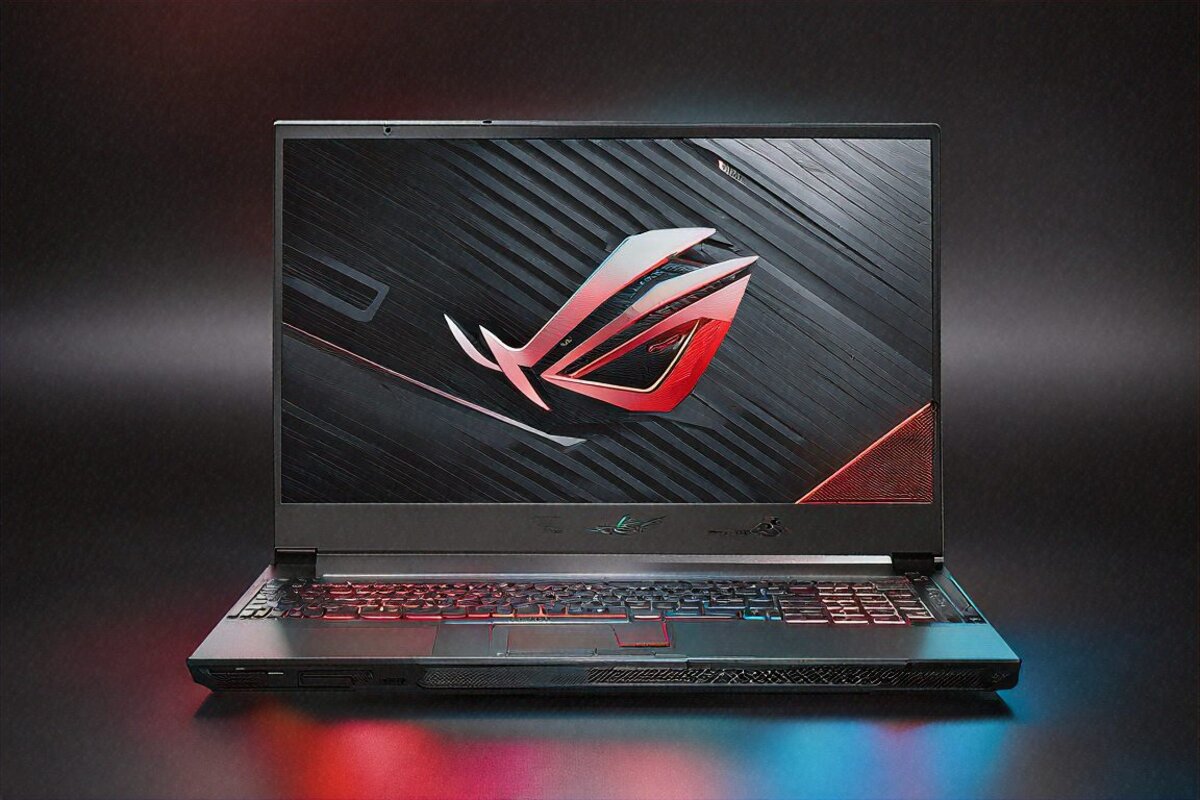
Sixty Hours into Cyberpunk and It Still Hadn’t Blinked
2 AM, a Saturday. I’d been in Cyberpunk 2077 for four hours straight — Ultra settings, native 2560×1600, ray tracing on, DLSS 4 working overtime. Three unread texts on my phone. A mug of chai gone cold beside me. And the Zephyrus G16? Holding a locked 78 to 82 fps like the night was young. No throttling. No sudden frame dives. No coil whine. Just Night City glowing on that OLED.
That’s the moment it clicked for me. A gaming laptop under 1.85 kilos has no business performing like this. It quietly breaks a rule we’ve all just accepted for years — that portability and gaming power are a trade-off you eat one way or the other.
Specs Rundown — What ₹1,79,999 Buys
Here’s the stack. AMD Ryzen AI 9 HX 370: twelve Zen 5 cores, twenty-four threads. An NVIDIA RTX 5080 Laptop GPU with 12GB of GDDR7. 32GB of DDR5-6400, which you can push to 64GB if you’re feeling brave. A 1TB PCIe Gen 5 NVMe SSD. And the headline act — a 16-inch OLED at 2560×1600, 240Hz, with a MUX switch to cut the iGPU out of the loop while gaming.
Read that cold and you’d picture a thick, heavy slab with fans loud enough to rattle the neighbours. You’d be wrong on nearly every count — except, fine, the fan noise does get loud under heavy load. We’ll get there.
A Design That Doesn’t Yell “Gamer”
ASUS took an interesting line with this one. The angular vents and aggressive RGB strips of old ROG machines? Gone. What’s left is a CNC-machined aluminium chassis in Eclipse Grey that, from three feet away, passes for a premium productivity laptop. The dot-matrix LED pattern on the lid stays subtle — you can set it to play animations through Armoury Crate, or kill it entirely for the office. Most days I leave it off.
At 1.85 kilos, I’ve been hauling this in my regular backpack next to a water bottle, a notebook, and the charger, and my shoulders haven’t complained once. For scale, that’s about what a Dell XPS 15 weighs. Except this one has an RTX 5080 inside. The gap between what’s packed in here and what you actually carry is borderline silly.
Palm rests stay cool in normal use. The keyboard deck is solid, no flex even when I lean on the centre. Per-key RGB, decent key travel — call it 1.7mm. Not mechanical-switch satisfying, but better than most gaming laptops in this bracket. I’ve banged out roughly 15,000 words on it this past month and never once reached for an external board.
The OLED Display Earns Its Own Section
I’ve stared at a lot of gaming laptop screens. IPS at 165Hz, 240Hz, 360Hz. Mini-LED on the pricier stuff. This OLED plays in a different league.
Infinite contrast means real blacks. In a game full of dark scenes — horror titles, night sequences in open worlds, anything set in space — the difference is hard to overstate. Black on an IPS panel is always a murky grey where the backlight leaks through. On OLED, black is just nothing. No light. Your eyes settle into it and suddenly you’re spotting detail in shadows you’d have missed entirely.
240Hz with a 0.2ms response time wipes out motion blur in competitive shooters. Valorant at 200-plus fps on this panel is the closest a laptop has gotten me to a desktop monitor. And the colour — 100% DCI-P3 with Pantone validation — means you can do real colour work on it if content creation is part of your day.
The anti-glare coating does well under office lighting. Direct sunlight will defeat it, but be honest, who’s gaming outdoors in an Indian summer? The 500-nit peak handles indoors with no fuss.
My one nagging worry is OLED burn-in over the long haul. ASUS bundles pixel refresh and panel-shift features, and after six weeks I’ve seen no trace of it. Still, it’s worth keeping in mind if you park static content on screen for hours every day. For most people, though, I doubt it ever becomes a thing.
Gaming Performance — Where It Gets Ridiculous
Let me just throw the numbers down, because they make the case better than I can.
Cyberpunk 2077, Ultra preset, ray tracing on, native 2560×1600 with DLSS Quality: about 80 fps. On a laptop under two kilos. A year ago you’d have needed a 3kg-plus machine with serious cooling to touch that.
Warzone at max settings pushes past 150 fps without sweating. Counter-Strike 2 at competitive settings clears 300 fps, though the 240Hz panel caps what your eyes actually register. Forza Horizon 5 on Ultra with ray tracing at native res hangs around 90 fps. Hogwarts Legacy on High — a notorious system-eater — runs 65 to 70 fps on DLSS Balanced.
DLSS 4 with Multi Frame Generation is the not-so-secret weapon. Flip it on and frame rates jump hard, with barely any visual cost at 2560×1600. I’ve left DLSS Quality on for most games and honestly can’t tell it apart from native during play. Maybe in a side-by-side screenshot. Mid-firefight? No chance.
The MUX switch matters more than people expect. In games where the iGPU would bottleneck the pipe between the display and the discrete GPU, flipping to discrete-only mode in Armoury Crate adds roughly 10 to 15% to frame rates. It needs a restart, which is mildly annoying, but it’s worth doing before any serious session.
The Ryzen AI 9 HX 370 never once became the bottleneck in anything I played. Twelve cores and twenty-four threads is more than any current game asks for, which is exactly why CPU-heavy open worlds like Starfield and Baldur’s Gate 3 run clean. I’d bet that headroom keeps this CPU relevant for another three or four years of releases.
Cooling — The Trade-off You Can’t Dodge
ROG’s Tri-Fan setup does honest work keeping temperatures in line. GPU temps during sustained gaming sat between 80 and 85 degrees Celsius. CPU stayed under 90. Those are perfectly safe numbers, and I saw no throttling across multi-hour stretches.
The fan noise, though. On Performance or Turbo mode, this thing is loud. Not “I can still hear my game” loud. More like “everyone in the room knows I’m doing something intense” loud. In a hostel room at 2 AM, you’ll want headphones — for your roommate’s sake as much as your own immersion. Silent mode exists for productivity and it’s genuinely quiet, but gaming on Silent visibly clips GPU performance.
Surface temps while gaming: the keyboard deck hits about 42 degrees in the centre, warm but not uncomfortable. The WASD cluster stays cooler, around 37 to 38. The bottom panel, though, gets properly hot — don’t game with this on your lap. Use a desk, or at least a lap board.
Battery Life — Better Than This Class Has Any Right To Be
A 90Wh battery in a gaming laptop usually means four or five hours of light use. The Zephyrus stretches it to 8 to 10 hours for productivity — browsing, documents, calls, coding. ASUS’s software flips to the integrated Radeon graphics, drops the refresh rate, and clamps down on background processes. It works. I cleared full workdays on battery more than once.
Gaming on battery? Forget it. Performance craters and you’ll empty the tank in under two hours. This is a plug-in-and-play machine for gaming, which is exactly what you’d expect. The 240W adapter is a beast and eats real bag space. For travel work, USB-C Power Delivery at 140W gives you a lighter option, though gaming on USB-C power runs reined in.
Productivity and Creative Work
People forget that a high-end gaming laptop is also a cracking workstation. The Ryzen AI 9 HX 370 chews through video renders in DaVinci Resolve and Premiere Pro. Blender’s Cycles renderer puts the RTX 5080 to work and finishes scenes well ahead of last-gen hardware. Code compiles fast thanks to the twelve cores and the Gen 5 SSD.
I ran it as my main work machine for a month. VS Code, Docker containers, Chrome with too many tabs, Slack, Spotify — all going at once, no lag. The 32GB of DDR5-6400 shrugs off heavy multitasking, and the upgrade path to 64GB leaves room to grow into heavier work down the road.
The 16:10 aspect ratio at 2560×1600 gives you proper vertical space for coding and documents. I kept two editor windows side by side comfortably — something a 15.6-inch 16:9 screen makes feel cramped.
Ports and Connectivity
Two Thunderbolt 4 ports cover external displays, fast storage, and docks. There’s also a USB-C with 140W charging, two USB-A 3.2 ports (thank you, ASUS, for keeping those alive), HDMI 2.1 for a 4K 120Hz external display, an SD card reader, and a combo audio jack.
Wi-Fi 7 with tri-band support is about as low-latency as wireless gaming gets. Pinging Mumbai game servers over Wi-Fi 7, I landed within 1 to 2ms of a wired ethernet run. Bluetooth 5.4 keeps my wireless mouse and headphones connected without drama.
Armoury Crate runs the show — fan profiles, performance modes, RGB, system monitoring. It’s improved over the years but still feels bloated next to what a plain settings panel could manage. You’ll burn 20 minutes setting it up once, then mostly leave it alone.
Full Specifications
| Specification | Details |
|---|---|
| Processor | AMD Ryzen AI 9 HX 370, 12 cores / 24 threads |
| GPU | NVIDIA RTX 5080 Laptop, 12GB GDDR7 |
| RAM | 32GB DDR5-6400 (upgradeable to 64GB) |
| Storage | 1TB PCIe Gen 5 NVMe SSD |
| Display | 16″ OLED, 2560×1600, 240Hz, 0.2ms, MUX Switch |
| Battery | 90Wh (8-10 hours productivity) |
| Weight | 1.85 kg |
| OS | Windows 11 Pro |
| Ports | 2x Thunderbolt 4, USB-C, 2x USB-A, HDMI 2.1, SD card, 3.5mm |
| Wireless | Wi-Fi 7 (tri-band), Bluetooth 5.4 |
| Cooling | ROG Tri-Fan Technology |
Pros
- RTX 5080 delivers outstanding gaming performance at native 2560×1600
- OLED 240Hz display is the best on any gaming laptop under ₹2 lakh
- 1.85kg is remarkably light for this level of hardware
- 8-10 hour productivity battery actually works in practice
- Subtle, professional design works in office settings
- Upgradeable RAM to 64GB for future-proofing
Cons
- ₹1,79,999 is a significant investment
- Fan noise under full gaming load is very noticeable
- 240W charger is bulky for travel
- Only one M.2 SSD slot limits storage expansion
- OLED burn-in risk exists for static content over years
The Competition — Quick Comparisons
Against the Razer Blade 16 at a similar price, the Zephyrus takes display quality (OLED beats IPS), battery, and weight. Razer arguably builds a tighter chassis and ships a cleaner software stack, but the performance edge goes to ASUS.
Against the Lenovo Legion Pro 7i: the Legion offers better cooling and a bigger battery, but costs you roughly 500 grams more. If portability isn’t on your radar, the Legion might be the smarter pick. If you’re lugging this to college or the office daily, that weight gap is real.
Against the MSI Raider 18: bigger screen, louder speakers, but heavier and stuck with an IPS panel. Different machines for different priorities, genuinely.
Speakers and Webcam — Quick Notes
The dual speakers fire through grilles above the keyboard. Sound’s decent for a thin gaming laptop — clear enough for in-game dialogue and YouTube, with a touch of bass so it doesn’t sound hollow. You’ll be on headphones for actual sessions anyway, so the speakers aren’t make-or-break. They’re fine. Not great, not bad. Fine.
The webcam is 1080p with Windows Hello IR. Good enough for Teams calls where your face needs to show up. Nobody’s going to praise the image, but nobody’s calling it a blurry mess either. Backlight handling is average — sit with a bright window behind you and you’ll be a silhouette. An external cam is better if you take video calls seriously; for casual use, this does the job.
Software and Bloatware
Windows 11 Pro out of the box. ASUS layers on Armoury Crate (which you actually need for performance profiles and fan control), MyASUS (handy for driver updates and warranty), and a clutch of third-party trials I cleared out within the first hour. McAfee was the worst of them — gone immediately, replaced with Windows Defender, which is plenty for most people.
Armoury Crate itself has come along. Cleaner interface, faster loads, and the fan-profile customisation is genuinely useful. I built a “night gaming” profile with lower fan speeds and capped GPU power for quieter sessions, plus a “performance” profile for when I don’t care who hears me. A keyboard shortcut swaps between them. Once it’s set up, you rarely open the full app again.
One gripe: ASUS’s Aura Sync RGB software sometimes scraps with third-party RGB gear. Run Corsair iCUE or Razer Synapse alongside Aura and you’ll hit the odd lighting-sync glitch. I fixed it by switching Aura off for peripherals and using it only for the laptop keyboard.
Six Weeks In
I keep circling back to that weight figure. 1.85 kilos, with an RTX 5080 and an OLED 240Hz panel inside. I carry it daily. Game on it nightly. Work on it through the day. It hasn’t grumbled once.
Is ₹1,79,999 a lot? It is. Could you build a desktop with better raw gaming output for less? Absolutely. But a desktop doesn’t come to your friend’s place for a LAN session, edit video on a train, or let you game in bed at 2 AM while the family sleeps. The Zephyrus does all of it, and it’s light enough that tossing it in a backpack isn’t a decision you have to think about.
My roommate asked last week whether he should buy one. I told him to sit down and just look at the OLED first. Fifteen minutes of plain browsing and he was already texting his dad about budget approval. That display sells this laptop harder than any review could. See it once and the price makes a different kind of sense.
Maybe I’m overthinking whether it’s the “best” gaming laptop at this price. What I know is that when I open the lid — work or play — it does what I need with no waiting, no overheating, no sounding like a jet on the runway (mostly). And the OLED makes everything look good enough that dropping back to IPS feels like watching SD after you’ve lived with 4K.
Six weeks. Roughly 200 hours of gaming, 150 of work, and I still look forward to opening it. I stopped researching alternatives somewhere around week three. That probably tells you all you need to know.
Price in India
The ASUS ROG Zephyrus G16 2026 sells for ₹1,79,999 in India. You’ll find it on the ASUS India website, Amazon India, Flipkart, and premium laptop retailers in the metros. Stock can be patchy in tier-2 and tier-3 cities, so ordering online is probably your safest route if you’re outside Delhi, Mumbai, or Bangalore.
Full Specifications
| Processor | AMD Ryzen AI 9 HX 370 12C/24T |
|---|---|
| GPU | NVIDIA RTX 5080 12GB GDDR7 |
| RAM | 32GB DDR5-6400 |
| Storage | 1TB PCIe Gen 5 |
| Display | 16" OLED 2560×1600 240Hz |
| Battery | 90Wh |
| Weight | 1.85 kg |
| OS | Windows 11 Pro |
Pros
- RTX 5080 outstanding gaming
- OLED 240Hz display
- 1.85kg portable
- 8-10hr productivity battery
- Premium build
Cons
- Expensive ₹1,79,999
- Hot under sustained GPU load
- 240W charger bulky
- Only 1 M.2 slot
Our Rating: 9/10 · Price: ₹1,79,999

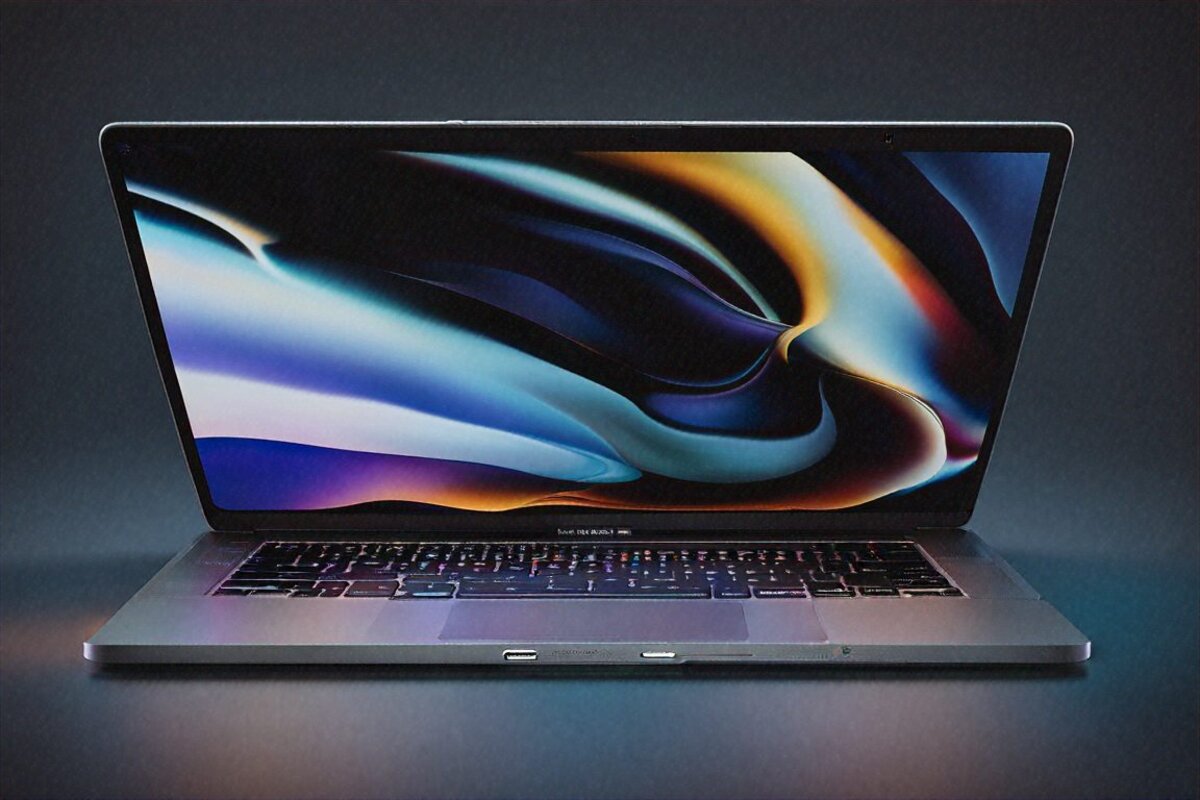
ROG Zephyrus G16 2026 is the best gaming laptop money can buy in India right now. Yes it’s expensive but the RTX 5090 and 240Hz OLED display justify it completely.