
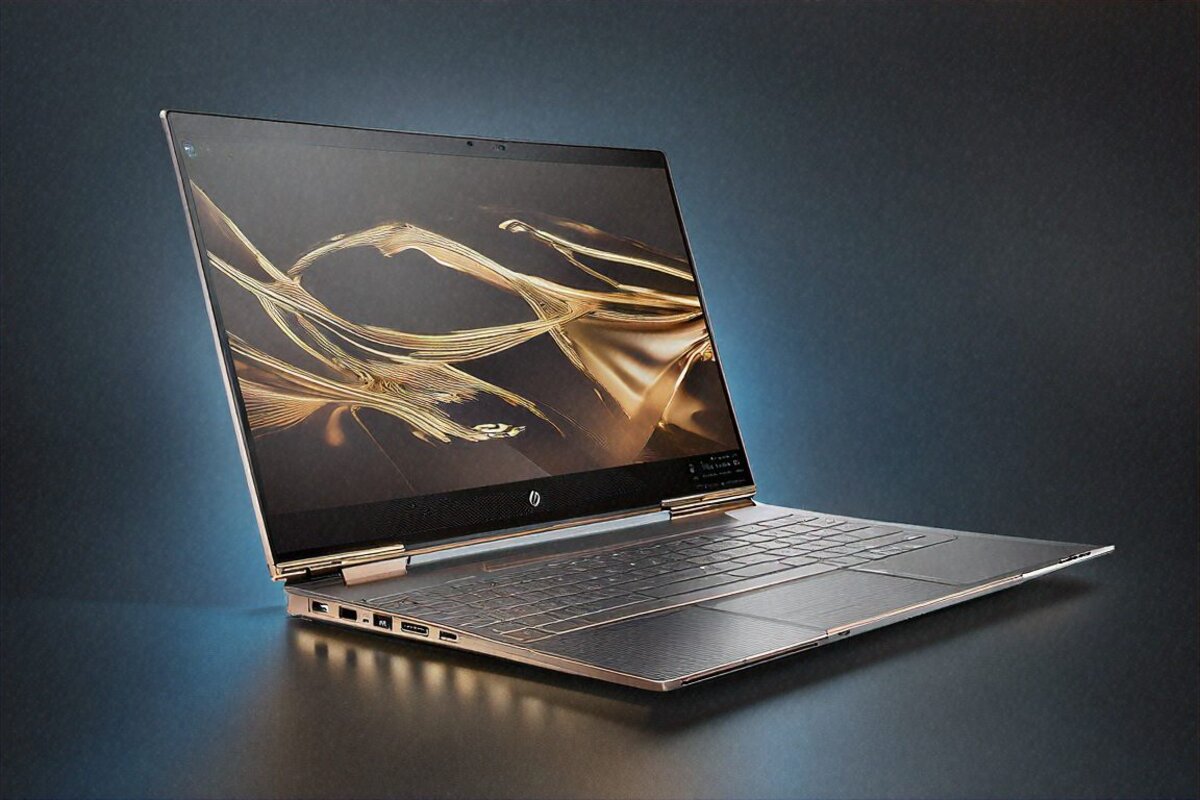
Do You Actually Need a 2-in-1? Two Months Later, Here’s My Answer
Hardly anyone asks this before buying a convertible. You spot the 360-degree hinge, watch a YouTuber fold it into tent mode for a Netflix session, maybe catch a clip of someone sketching on the screen with a stylus, and your brain goes “yeah, I’d use that.” But would you? How often? Is the weight and cost of a hinge and a touchscreen worth it when you end up in laptop mode 90% of the time anyway?
I wanted a real answer, not a guess. So I made the HP Spectre x360 16 2026 my daily driver for eight weeks. Work, drawing, binge-watching, reading. I made myself try every mode in actual situations, not staged tests. What I came away with was messier than I expected.
The Hardware at a Glance
HP fills the Spectre x360 16 with an Intel Core Ultra 7 255H — 22 cores total, with Intel’s AI Boost NPU for Copilot+ PC features. No discrete GPU; you’re on Intel Arc integrated graphics. 32GB of LPDDR5X. A 1TB PCIe Gen 4 SSD. The display is a 16-inch OLED touchscreen at 2880×1800 with 120Hz refresh. And HP throws in an OLED Pen with 4096 pressure levels — no separate purchase needed.
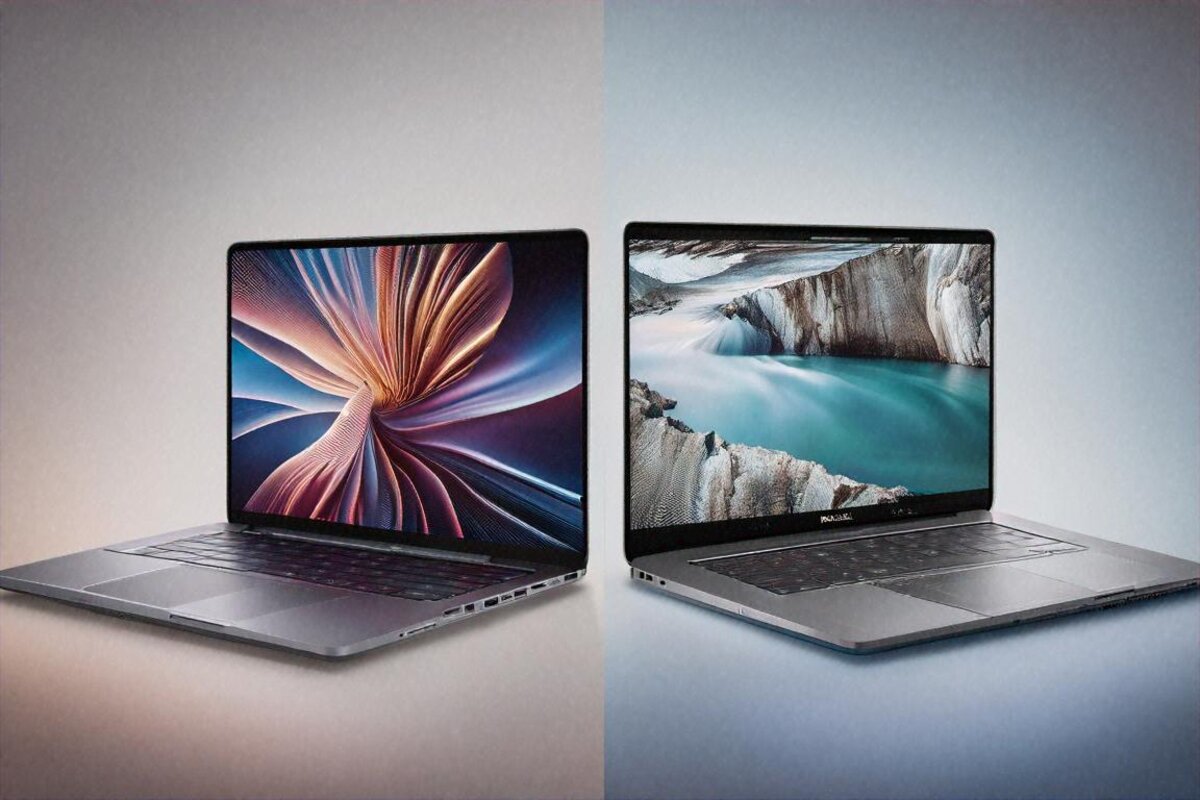
Price: ₹1,39,999. That drops it right between the Dell XPS 15 and the MacBook Air M4, both of which trade off in different directions. More on those later.
Design — HP’s Most Beautiful Laptop, Full Stop
I’ll say something I almost never say about laptops: this one’s gorgeous. Stop-and-stare gorgeous. HP calls the design “gem-cut,” and for once that’s not just marketing fluff. The bevelled edges where the chassis meets the hinge, the dual-tone mix of dark and light metals, the subtle rose gold along the edges and around the speaker grilles — it all lands in a way that makes other premium laptops look a bit plain.
The CNC aluminium chassis feels rigid and expensive. At 2.12 kilograms, though, it’s heavier than I’d want for a daily carry, especially when 16-inch non-convertibles exist at 1.8kg or under. The hinge adds weight and bulk, and that’s just the physics of 2-in-1 engineering — the 360-degree mechanism has to be sturdy enough to hold the display at any angle and survive tens of thousands of open-close cycles without going loose. HP’s hinge clears that bar with confidence. It glides through every angle and locks firmly wherever you stop.
Two colours to pick from: Nightfall Black and Pale Brass. Mine was Nightfall Black, dark metal with gold accents. In a boardroom or a cafe, this laptop gets looks. A colleague asked me, unprompted, what I was using — and that almost never happens.
The OLED Touchscreen — Star of the Show
A 16-inch OLED at 2880×1800, 120Hz, 100% DCI-P3, Pantone validated, with Dolby Vision HDR. Those are the numbers. Here’s what they feel like in use.
Colours are alive. That’s the simplest way to put it. Editing photos in Lightroom on this panel showed me just how dull the IPS display on my old laptop had been. Blacks are absolute — pixel-off black — so dark UI themes and movie scenes carry a depth IPS can’t fake. The 120Hz makes scrolling through pages and documents visibly smoother than 60Hz, and it’s one of those things you forget about until you drop back to a 60Hz screen and everything feels like wading.
Touch is excellent. Windows 11 has gotten far better at handling touch over the years, and on this display, taps and swipes register instantly. Pinch-to-zoom in photos, scrolling pages, tapping through slides — none of the lag that haunted early Windows touchscreens.
The HP OLED Pen is the real differentiator. 4096 pressure levels, tilt support, low-latency tracking. In Adobe Fresco it feels responsive enough for serious illustration. I spent a few sessions on rough sketches and PDF annotations, and it was genuinely pleasant. Not iPad-with-Apple-Pencil flawless — there’s a slight parallax between where the tip touches and where the line shows up, maybe 1 to 2mm — but close enough for real work.
For meeting notes? Brilliant. Fold the display flat, grab the pen, and you’ve got a 16-inch writing surface that feels more natural than any note-taking tablet under ₹50,000. My handwriting’s still a disaster, but that’s on me, not HP.
The Four Modes — Which Ones I Actually Used
Laptop mode: 85% of my time. The default, and where the Spectre feels most at home. Keyboard on the desk, screen up, like any other laptop. The keyboard has good travel — call it 1.4mm — and the spacing is comfortable for long typing stints. Backlit, of course. The gem-cut styling carries through to subtle angular details on the keycaps.
Tent mode: 10%. Fold it so the keyboard faces down and the display props up like a triangle. I used this for movies in bed and recipes in the kitchen. Great hands-free viewing angle, and the Bang & Olufsen speakers fire toward you in this position, which genuinely improves the sound. Worked nicely for a few video calls too, when I wanted the camera lower on a coffee table.
Tablet mode: 4%. Folded fully flat as a slate. At 2.12kg, it’s heavy for a tablet. Your arms tire inside 15 to 20 minutes of holding it up. But rested on a desk or your lap for pen input and reading, it’s fine. I mostly used this mode with the stylus for quick sketches and signing documents.
Stand mode: 1%. Keyboard down, screen propped like an easel. I used it once for a presentation and then forgot it existed. Niche at best.
So, the honest tally: the 360-degree hinge and the touch added real value for me in tent mode and the odd stint of tablet mode. Was it worth the extra weight and cost over a plain clamshell? I’m… still not sure. Which I think is the honest answer, not a cop-out.
Performance — Enough for Most, Not Enough for All
The Intel Core Ultra 7 255H is a capable productivity chip. My daily mix — Chrome with 20-plus tabs, Outlook, Teams calls, OneNote, the occasional Lightroom session — ran with no stutter or lag I could point at. Intel’s AI Boost NPU lights up the Copilot+ features: live captions on calls run in real time, Windows Studio Effects gives you background blur and eye-contact correction on the webcam, and AI photo enhancement in the built-in Photos app is more useful than I expected.
Where it thins out is GPU-heavy work. Intel Arc integrated graphics covers video playback, light photo editing, and basic UI rendering just fine. But Blender? DaVinci Resolve with grading and effects? Gaming past casual titles? The missing discrete GPU shows up fast. Lightroom is usable but not snappy during heavy brush work. Premiere timelines with multiple 4K clips and effects layers start to stutter.
None of that is a complaint, really — HP pitched this as a premium productivity and creative convertible, not a workstation. But at ₹1,39,999, some buyers will want more GPU than what’s here. If your creative work runs past photo editing and light design, look at machines with discrete GPUs. The Dell XPS 15 with its RTX 4070 chews through those jobs noticeably better.
I ran Cinebench R23 multi-core and got scores right where I’d expect this chip to land — competitive with the AMD alternatives in the same power class. Single-threaded performance is strong, which is what drives that snappy day-to-day feel. Sustained multi-core holds up reasonably, maybe a 10 to 12% drop-off after extended loads. Fan noise under heavy tasks is audible but not aggressive — a steady hum, not a whine.
Battery Life — Genuinely Impressive
An 83Wh battery in this chassis pulls 10 to 12 hours of mixed productivity. That’s with Wi-Fi on, brightness at 60%, and a mix of browsing, document editing, email, and calls through the day. On lighter days, more reading and less active work, I cleared 11 hours.
That’s where the absence of a discrete GPU flips into a strength. Intel Arc’s power efficiency at idle and under light load is excellent, and the big battery makes full use of it. Stack it against the Dell XPS 15 with its RTX 4070 and you’re getting 2 to 3 hours more from the Spectre.
HP’s 140W USB-C charger gets you to 50% in about 30 minutes, and it’s compact enough for daily carry. HP’s adaptive battery management tunes charging to your habits to protect long-term health — a feature that probably earns its keep if you’re holding this laptop for four years or more.
Audio — Better Than I Expected
Bang & Olufsen quad speakers, 4x5W drivers, flanking the keyboard on both sides. This is probably the best laptop speaker system I’ve heard on a Windows machine, MacBook Pro’s six-speaker rig aside.
There’s real bass here, not the thin tinny output most laptops settle for. Vocal clarity in podcasts and calls is excellent. Stereo separation lends movies and music a sense of space that makes you forget you’re on laptop speakers at all. At max volume, distortion is minimal. I got through several movies and a few episodes of shows without once reaching for headphones, which is rare for me.
Connectivity
Two Thunderbolt 4 ports, one USB-A 3.2, a microSD reader, and a combo audio jack. Wi-Fi 7 and Bluetooth 5.4 handle the wireless side. HP QuickDrop does wireless file transfers between the laptop and your phone — it works, though AirDrop and Nearby Share are arguably more polished.
HP Wolf Security adds hardware-enforced protections that might interest business buyers — self-healing BIOS, firmware protection, isolation tech. For personal use it’s overkill, but it speaks to HP pitching this as a dual-purpose personal and professional machine.
Full Specifications
| Specification | Details |
|---|---|
| Processor | Intel Core Ultra 7 255H, 22 cores, AI Boost NPU |
| GPU | Intel Arc Integrated |
| RAM | 32GB LPDDR5X |
| Storage | 1TB PCIe Gen 4 SSD |
| Display | 16″ OLED, 2880×1800, 120Hz, touch, Pantone Validated |
| Battery | 83Wh (10-12 hours productivity) |
| Weight | 2.12 kg |
| Pen | HP OLED Pen, 4096 pressure levels, included |
| Audio | Bang & Olufsen quad speakers (4x 5W) |
| Ports | 2x Thunderbolt 4, USB-A 3.2, microSD, 3.5mm |
| Wireless | Wi-Fi 7, Bluetooth 5.4 |
| OS | Windows 11 Home |
Pros
- Absolutely gorgeous design — most beautiful Windows laptop on the market
- 16-inch OLED touchscreen with 120Hz and Pantone Validated colours
- HP OLED Pen included in the box — no extra purchase needed
- 10-12 hours of real battery life in daily use
- Outstanding Bang & Olufsen speaker system
- 360-degree hinge is smooth and sturdy across all modes
Cons
- No discrete GPU limits creative and gaming workloads
- 2.12kg is heavy for daily carry compared to non-convertible alternatives
- ₹1,39,999 is premium pricing for an integrated-GPU machine
- Tablet mode is impractical due to weight for extended use
- Intel Arc gaming performance is mediocre
Webcam and Video Calls
The 5MP webcam with IR for Windows Hello sits above average for a laptop. In well-lit rooms the image is clearly better than the usual 720p or even 1080p cameras on rivals. Colours look natural, noise is well controlled, and the wider aperture pulls in more light when the room dims. Windows Studio Effects, run off the NPU, layers on background blur, auto-framing, and eye-contact correction without leaning on the CPU.
For people who spend two or three hours a day on calls — and from what I’ve seen, most white-collar professionals in India now do — the Spectre’s webcam genuinely makes a difference. You look more polished without an external camera. Auto-framing keeps you centred when you shift in your chair or lean for a document. Eye-contact correction nudges your gaze toward the camera even while you’re reading notes on screen. Small touches that add up to a more professional video presence.
Durability and Long-Term Questions
The 360-degree hinge is the part I’d worry about most on a convertible. Moving parts wear. HP rates the hinge for tens of thousands of cycles, but over four or five years of daily flipping, some loosening is possible. I obviously can’t test long-term durability in eight weeks, but the mechanism feels well-engineered — smooth, confident movement, no play or rattle at any angle. Past Spectre x360 models have had good reliability records, so I’m cautiously optimistic.
OLED burn-in is the other long-term question. HP builds in pixel-shift and panel-refresh cycles. For normal use with varied content, burn-in is unlikely within the laptop’s useful life. Park the same static dashboard or taskbar in the same spot for eight hours a day for years and, maybe, it’s a concern. For most people’s varied daily patterns, I wouldn’t lose sleep over it.
So — Do You Need a 2-in-1?
Eight weeks in, I still don’t have a clean yes or no. And I think that’s because the answer genuinely depends on how you work and what you value.
If you take handwritten notes in meetings, sketch ideas, annotate documents with a pen, and watch things in bed in tent mode — yes, the convertible form adds real value. The bundled stylus and that gorgeous OLED touchscreen turn those into experiences a clamshell can’t match. Tent mode for kitchen recipes alone has become something I’d miss if I went back.
But if you’re honest and 95% of your use is typing at a desk in clamshell mode? The extra 300 to 400 grams from the hinge, the ₹15,000 to ₹20,000 premium over comparable non-convertibles, and the compromises — thicker chassis, heavier build, no discrete GPU — might not be worth it.
I think the Spectre x360 16 is the best convertible in India right now. Beautiful design, fantastic display, great speakers, solid battery, a pen in the box. If you already know you want a 2-in-1, stop looking and buy this. The real question — the one nobody asks before buying — is whether the 2-in-1 form factor itself fits your life.
Eight weeks on, I still use tent mode for movies and the pen for the odd annotation. Are those worth ₹1,39,999 and 2.12kg in my bag? Honestly, some mornings when I’m rushing to a meeting and the backpack feels heavy, I daydream about a lighter clamshell. Then I get to the hotel room that night, fold it into tent mode, prop it on the bedside table, and watch something on that OLED before sleeping — and I remember why I picked it.
Maybe the real takeaway is that a 2-in-1 isn’t about constant multi-mode juggling. It’s about having the option when you want it. Like all-wheel drive on a car in the city — you don’t need it daily, but the day you do, you’re glad it’s there. Whether that occasional payoff justifies the premium and the weight over a regular laptop is something I lean toward yes on, while genuinely understanding why someone would lean the other way.
Price in India
The HP Spectre x360 16 2026 is priced at ₹1,39,999 in India. Available on the HP India website, Amazon India, Flipkart, and HP World stores across major cities. HP occasionally runs bundle offers during sale events that throw in extended warranty or accessories — worth timing your purchase around if you’re not in a rush.
Full Specifications
| Processor | Intel Core Ultra 7 255H 22-core |
|---|---|
| GPU | Intel Arc Integrated |
| RAM | 32GB LPDDR5X |
| Storage | 1TB PCIe Gen 4 |
| Display | 16" OLED 2880×1800 120Hz touch |
| Battery | 83Wh 10-12 hours |
| Weight | 2.12 kg |
| OS | Windows 11 Home |
| Stylus | HP OLED Pen 4096 levels |
Pros
- OLED 120Hz touchscreen
- 360-degree convertible
- OLED Pen included
- Gem-cut premium design
- Bang and Olufsen audio
Cons
- No discrete GPU
- Heavy 2.12kg
- Expensive ₹1,39,999
- Intel Arc average gaming
Our Rating: 8.6/10 · Price: ₹1,39,999

HP Spectre x360 16 is the perfect laptop for creative professionals. I use it for video editing and the OLED display colour accuracy is unmatched. Battery life is good too.