
6:45 AM, Atta on My Hands, and One Small Lesson
Indian kitchens have their own brand of morning mayhem. You’ve lived it. The cooker’s hissing away on one burner, chai’s about to climb over the rim on another, and your hands are buried in dough. My phone sat right there on the slab, screen locked, no use to me at all. I wanted the palak paneer recipe my partner had saved. And I couldn’t touch a thing.
She wandered in, didn’t even glance my way, and said “Hey Google, show me palak paneer recipe” to the white gadget parked beside the microwave. Screen woke up. Steps appeared. She poured her chai and walked off. That was three months back. I haven’t unlocked my phone in the kitchen since. Not one time.
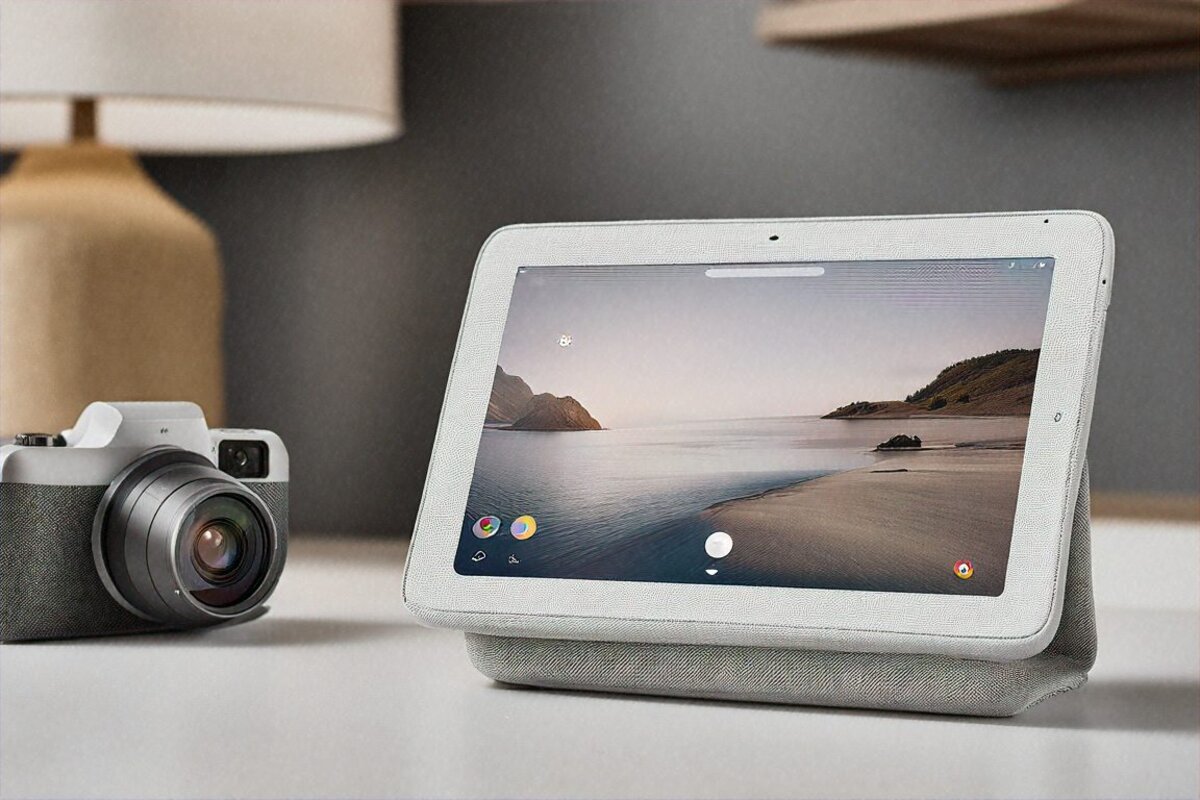
So here’s a sentence I genuinely didn’t expect to write: I had smart displays completely wrong. For years I’d written them off as overpriced tablet-speaker mashups nobody really needs. Then the Google Nest Hub Max 2 lived on my kitchen counter in Noida for twelve weeks and quietly, almost rudely, talked me out of that opinion on nearly every point. Nearly. Some things still bug me, and I’ll come to them. But let me first show you what sharing your kitchen with a ₹24,999 screen-wrapped-in-fabric is actually like day to day.
Unboxing and First Setup
The weight is the first surprise when you lift the box. Not laptop heavy, but you can feel there’s proper speaker hardware in there. Google keeps the contents sparse: the display on its angled base, a power cable, a quick start leaflet. No wall bracket. No extra stands. Nothing extra at all. Pick a flat spot, plug it in, done.
I picked the chalk shade since my kitchen runs light granite counters. I didn’t want it standing out like some prop from a sci-fi set next to the mixer grinder. Good call, as it turned out. The fabric wrapping the back and base gives it this soft, almost furniture-ish feel. My mother-in-law visited last week and didn’t clock it sitting there until the Assistant piped up at something. That’s how quietly it disappears into a room.
Setup ran about ten minutes through the Google Home app. Hooked it to my Jio Fiber Wi-Fi, signed into my account, and it pulled in my calendar, photo albums and the few smart home gadgets I’d already set up. Smooth enough. One caveat, though, and it’s a real one: you need steady internet. My line drops during heavy monsoon rain, and in those stretches the Nest Hub turns into a costly clock showing the wrong time.
The 10-Inch Screen: No Flagship, Still Fine
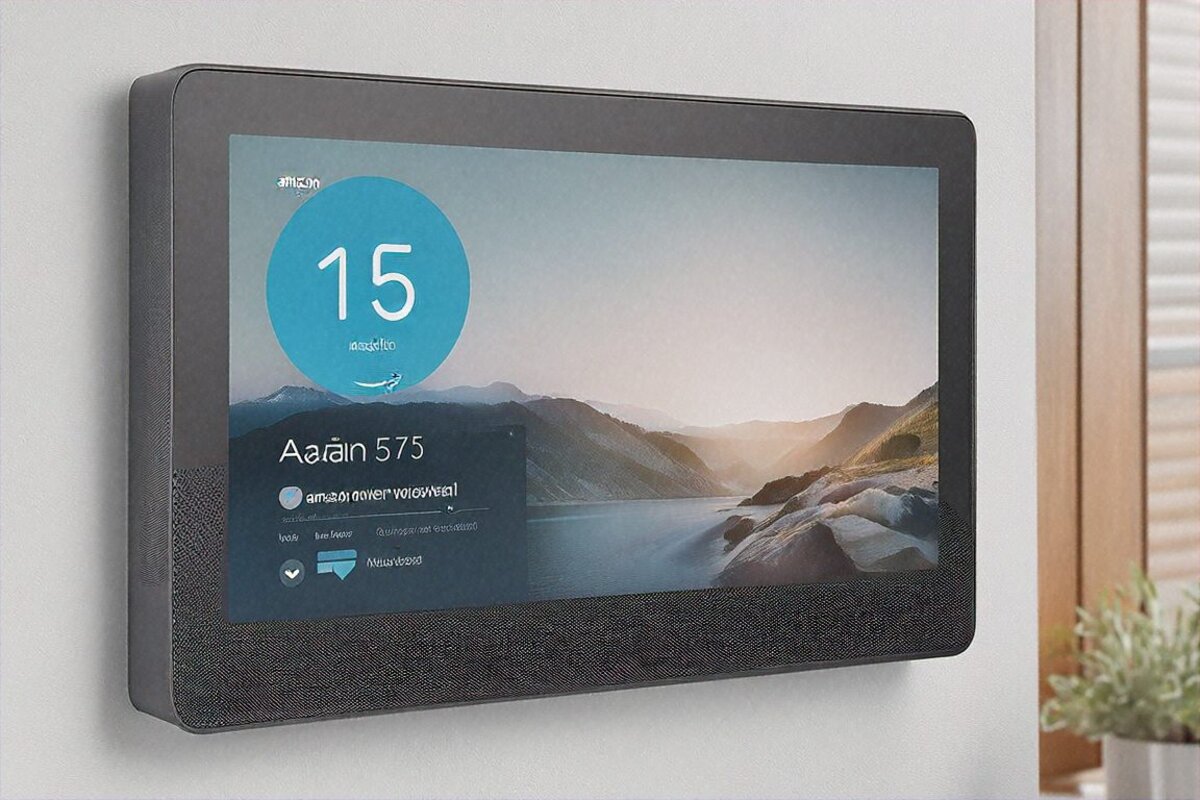
The display. Ten inches, 1280×800 on an IPS panel. On a spec sheet that reads middling, and in 2026, when ₹10,000 phones ship with 1080p, it sort of is middling on paper. But the thing that caught me off guard is how much context rewrites the verdict.
You’re not pressing this to your face like a phone. It sits on the slab, a metre or two off while you chop onions or scrub dishes. At that range the resolution’s perfectly fine. You can read a recipe from across the room. Cooking videos on YouTube play clean. Faces on a video call are sharp enough to catch an expression. I won’t claim it’s stunning, but it does the work without making you squint.
Get your nose right up to it and yeah, the pixels show. Fair point. But I suspect the reviewers grumbling about resolution are poking at it like a tablet instead of living with it like a kitchen screen. Different job, different yardstick.
What genuinely won me over is Ambient EQ. The screen nudges its white balance to suit the room light, and it’s no gimmick. Late evening with the warm yellow bulbs on, the display goes soft and muted, no glare into your eyes. Daytime with sun pouring through the window, it cools off and brightens. Tiny shift. Huge difference when the thing’s parked in your side vision all day. The catch with the screen? Side viewing angles. There’s a little tilt built into the base but barely any. Move around the kitchen and you’ll hit spots where the picture washes pale. Not a dealbreaker, but it’s there.
30 Watts That Made Me Put the Knife Down
Here’s where it properly caught me out. I went in expecting nothing from the audio. It’s a smart display. Speakers are usually the afterthought. Thirty watts of stereo, Google said. Right, sure, I thought. Brochure talk.
Then I put on an Arijit Singh track over JioSaavn.
I stopped chopping. Actual bass. Real, room-filling bass out of a thing sitting next to my toaster. Not audiophile grade, let me be clear. It won’t stand in for a proper bookshelf pair or even a half-decent soundbar. But for a kitchen? Background music at a dinner? A morning podcast while you get ready? It fills the room. Easily, confidently fills it.
YouTube Music, Spotify, JioSaavn, all run nicely through it. Stereo separation is obvious when you’re stood dead in front. Step off to the sides and it folds toward mono, which you’d expect from something this size. Still sounds good.
I had an Amazon Echo Show 10 in the house for about a week at the same time, and the gap honestly wasn’t close. The Nest Hub Max 2 sounds fuller, warmer, with cleaner midrange. The Echo Show 10 came across thinner, like it was straining to do more with less. I didn’t think the difference would be that plain.
I’ve since pressed it into service as a stand-in speaker for my kid’s online classes when his laptop speaker packed up. Did the job nicely there too. Voices come through clean even at low volume, and that matters more than thumping bass when someone’s trying to learn fractions.
Hindi and English at Once — the Bit Reviews Skip
This is the section I care about most, and it’s the one international reviews tend to walk right past. In my house, and I’d bet in millions of Indian homes, language isn’t one setting you pick. It’s a sliding scale that shifts person to person, sentence to sentence.
My father talks to it only in Hindi. “Hey Google, aaj mausam kaisa hai?” Works every time. My daughter throws maths problems at it in English. My partner sets cooking timers in Hindi while asking it for English songs in the same breath. I snap commands at it in English while trying to work out why the dal’s catching at the bottom.
The Assistant takes all of it in stride, sliding between Hindi and English with nobody flipping a language switch or slowing down to be understood. And because the Tensor G2 now does speech recognition on the device itself, answers come back quicker than the older Nest Hubs managed. Roughly half a second faster, I’d say. Sounds trivial, but when you’re rattling off three commands in a row with hot pans in hand, that half second piles up fast.
Face recognition is worth a word too. The 6.5MP camera works out who’s in front of it and tailors the screen. I walk in, it shows my calendar and the commute time. Wife walks in, she gets her reminders and the kids’ school schedule. Took about a week of training to settle, and even now I’d put it at 85 to 90% accurate. Not flawless. But useful enough that I notice when it slips, which probably says how fast you come to lean on it.
Running a Half-Smart Home From the Slab
Let me set expectations. My home is no fully automated showpiece. A few Philips Hue bulbs in the living room, a couple of TP-Link smart plugs, a Sensibo AC controller, a Ring doorbell. That’s the lot. Pretty standard urban Indian kit, really — we tend to load up on smart switches and AC controllers rather than the Nest thermostats and motorised blinds you see in American reviews.
The Nest Hub Max 2 talks to all of it and lays it out on a dashboard you swipe in from the right edge. Handy visual panel for anyone who’d rather not dig through three phone apps.
Matter and Thread are baked in. I won’t pretend I follow the technical guts of Thread mesh networking — something about low-power local links that skip Wi-Fi for each command. What I can report from living with it is that my Hue lights now react almost the instant I control them from the Nest Hub. There used to be a clear lag through the Hue bridge on its own. Gone.
Routines are where this stops being a neat toy and turns genuinely handy. I built a “Good Morning” one: kitchen lights up to 70%, news briefing plays, weather lands on screen. A “Good Night” routine dims it all, locks the smart lock, shows tomorrow’s calendar. Each took maybe five minutes in the Google Home app. Not hard, though the app does love tucking settings into odd submenus you have to hunt for.
I’ve run the Sensibo AC purely on voice for two months now. Setting different temperatures across the day through routines has probably trimmed the electricity bill. Haven’t done the sums, but the AC’s not roaring at full tilt all night anymore, so there’s something in it.
The Built-In Camera: Half Security, Half Peace of Mind
There’s a Nest Cam wired straight into the display. It’ll record around the clock if you pay for Nest Aware, ₹130 a month on the basic plan. I mostly use it as a kitchen camera when we travel, chiefly to check whether we left the gas on. Yes, I know, an extremely Indian sort of worry. And yes, it’s stopped me making my partner turn the car around at least twice.
Image quality is decent. 6.5 megapixels. Good enough to see what’s happening in the room, not good enough for any serious security work. Night vision works but goes grainy. The auto-framing on Google Meet calls is genuinely good, though — it follows you around the room with no fiddling. Useful on those calls where you’re talking and watching the stove at once. The bit that surprised me was the privacy control. There’s a physical switch up top that mechanically cuts both camera and mic. Not a software toggle. An actual sliding cover over the lens and a hardware disconnect for the mic. Guests over, I flip it shut. Small thing, but the physical control does something for your head. You know it’s off because you can see it’s off.
Three Months of Ordinary Days
A review written after a week misses the whole point with a gadget like this. It’s the habits that settle in over weeks two through twelve that tell you whether it’s truly useful or just shiny. Here’s a normal day now.
It opens with the sunrise alarm — the screen brightens slowly to fake the dawn, which beats a blaring phone any morning. I ask for weather and news while brushing my teeth. Walk into the kitchen, my schedule’s already up. Midday, the wife takes over for recipe videos and timers. Multiple timers run on their own, by the way. “Set a rice timer for 12 minutes” and “set a dal timer for 20 minutes” tick away at once with separate alerts. Genuinely handy.
Evenings, the kids put YouTube on while I cook. The screen’s too small for serious watching, but it keeps them parked at the kitchen table. Once they’re down, it becomes an ambient photo frame cycling our Google Photos. There’s something oddly soothing about old holiday snaps surfacing while I wipe down the counters.
Chromecast is built in, so I can fling stuff from my phone to the screen. I use this more than I expected — cricket highlights over the dishes, a podcast while I tidy up. Quick, no pairing fuss.
One gripe that’s stuck through all three months: the Google lock-in. Everything wants a Google account. If your family’s deep in Apple’s world, this device makes no sense for you. And if you’re uneasy about Google holding your home camera feeds and voice data, I get it — this probably isn’t for you either. I’ve made my peace with the trade, but I understand anyone who won’t.
Specs at a Glance
| Specification | Details |
|---|---|
| Display | 10-inch IPS, 1280×800 resolution |
| Processor | Google Tensor G2 |
| Camera | 6.5MP with face recognition |
| Audio | 30W stereo speakers |
| Smart Home | Matter, Thread, Google Home hub |
| Connectivity | Wi-Fi, Bluetooth, Chromecast built-in |
| OS | Google Home OS |
| Privacy | Physical camera/mic disconnect switch |
What Still Bugs Me
Nothing gets a free pass, and the Nest Hub Max 2 has real flaws worth airing. The resolution. 1280×800 in 2026 is tough to defend even on a counter. Google could’ve done better and didn’t. Maybe to keep the cost down, maybe something on the processor side — I don’t know. But you notice it.
Netflix doesn’t run on it. Still. Whatever business spat Google and Netflix are stuck in, the upshot is that one of the most-watched services in India is just… missing. You can cast Netflix off your phone, but come on. That’s a workaround, not a feature. In a country where every second house has a Netflix login, it’s a baffling gap.
And when the Wi-Fi drops, the thing becomes a very pricey photo frame that can’t even show photos, since those need the internet too. Thread gadgets still answer locally, but most of my smart home runs over Wi-Fi. Music stops. Weather vanishes. You’d think some basic offline mode would exist. It really doesn’t.
Then there’s the price. ₹24,999 is steep. My brother grabbed an Echo Show 8 for ₹8,999 and it honestly covers maybe 70% of what the Max 2 does. The extra sixteen thousand buys you the better audio, the bigger screen, the built-in Nest Cam, the Matter and Thread hub. Whether those justify nearly triple the cost hinges entirely on how invested you already are in this whole smart home thing.
Pros
- Best audio on any smart display — 30W stereo fills a room
- Built-in Nest Cam with 24/7 recording and physical privacy switch
- Matter and Thread hub future-proofs your smart home
- Face recognition delivers personalized content per family member
- Hindi and English voice commands work reliably for the whole family
- Ambient EQ display adapts to room lighting naturally
Cons
- Rs 24,999 is steep when Echo Show 8 handles basics at a third of the price
- 1280×800 resolution feels low for 2026
- Requires stable Wi-Fi — nearly useless during internet outages
- Google account mandatory, which raises privacy concerns for some
- No Netflix app — casting is the only workaround
Who Actually Gains From Buying This?
After twelve weeks of daily use, here’s my honest read on who should and shouldn’t part with the money.
Already got a handful of smart home gadgets on Google Home? Buy it. The central hub feel, the Matter and Thread support, the routines stitching it together — they make daily life better in small ways that add up. If your household flips between Hindi and English by reflex, the bilingual Assistant alone might cover the cost. Homes where several people will actually use it get outsized value from the face recognition and the personalised screens.
Kitchen-heavy households, where someone’s always cooking, always running timers, always after background music or recipe steps — this is basically made for you. The audio means you skip a separate kitchen speaker. The screen means you stop propping your phone against a spice jar to watch a cooking video.
But if you’re merely curious about smart displays and haven’t really used one? Start with the Nest Hub 2nd Gen at ₹7,999. A quarter of the price. See whether you actually use the voice commands. See whether timers and routines work their way into your day. If they do — if you find yourself craving more screen, better sound, a camera — then step up to the Max 2. Jumping straight to the top before you know if you’ll use the category is a pricey experiment.
For single people or couples without much smart home gear, the case thins out. You don’t need face recognition for one or two faces. You probably don’t need 30W of kitchen audio. An Echo Show 8 would do you fine at a fraction of the spend.
Me? The morning routine alone earned it. Alarm, news, weather, calendar, music, timers — all without touching a screen while my hands are busy. My partner, who called it a waste of money when I ordered it, now talks to it more than she talks to me before breakfast. I can’t quite tell whether that’s a glowing review of the product or a quiet comment on my conversation. Either way, it’s earned its corner of the counter. It’s staying.
Price in India
The Google Nest Hub Max 2 sells for ₹24,999 in India, on Flipkart and the Google Store India. I’ve watched it dip to around ₹21,999 during sale events, and unless you’re in a hurry I’d wait for one. That two or three thousand saved makes the whole value sum a lot easier to swallow.
Full Specifications
| Display | 10-inch IPS 1280×800 |
|---|---|
| Processor | Google Tensor G2 |
| Camera | 6.5MP face recognition |
| Audio | 30W stereo |
| Smart Home | Matter Thread Google Home |
| OS | Google Home OS |
Pros
- 30W stereo best smart display audio
- Nest Cam built-in
- Matter Thread universal hub
- Face recognition personalised
- Hindi English voice commands
Cons
- Expensive ₹24,999
- 1280×800 not 4K
- Requires stable Wi-Fi
- Google account required
Our Rating: 8.6/10 · Price: ₹24,999

0 Comments