
₹1,49,990 for a Windows Laptop — Overpriced, or Worth It?
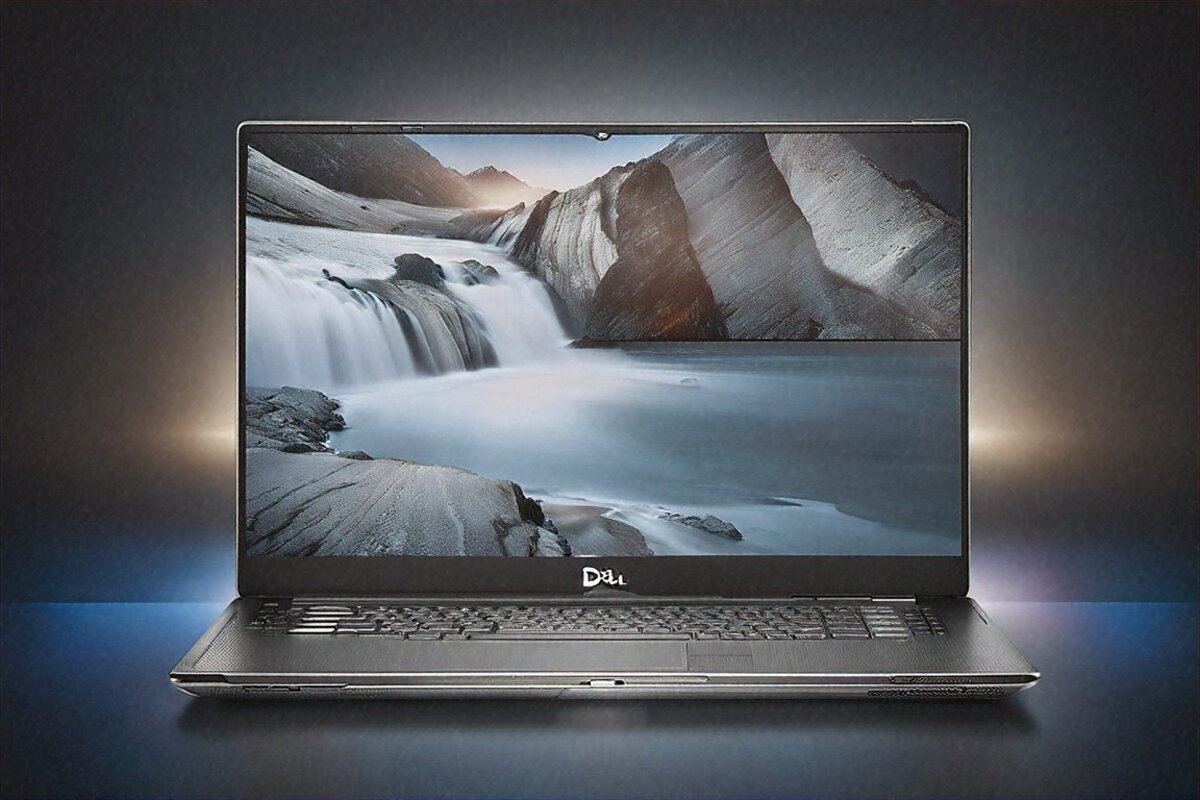
No point tiptoeing around it. The Dell XPS 15 has been the default “premium Windows ultrabook” pick for the better part of a decade. Reviewers adore it. YouTube thumbnails park it next to MacBooks. And Dell prices it like it knows all that. At ₹1,49,990, the 2026 model — Intel Core Ultra 9 285H, RTX 4070, 3.5K OLED — sits squarely at flagship money. After six weeks with it, the question I cared about wasn’t “is this a good laptop?” It was “is this laptop ₹1.5 lakh good?”
Short version: for one specific kind of buyer, probably yes. For everyone else, I’m genuinely not sure.
What’s Inside the Box
Dell ships the 2026 XPS 15 with Intel’s Core Ultra 9 285H — a 24-core chip split into 8 Performance cores, 8 Efficient cores, and 8 Low Power cores. NVIDIA’s RTX 4070 with 8GB handles the discrete graphics. You also get 32GB of LPDDR5X-7467 (soldered, no upgrade path), a 1TB PCIe Gen 4 SSD, and that lovely 15.6-inch OLED running 3456×2160 at 120Hz. An 86Wh battery feeds it all, and Dell tosses in a 130W USB-C charger.
On paper, it reads well. In daily use, the things that impressed me and the things that annoyed me turned out to be roughly even.
Build Quality — Where Dell Earns the Premium
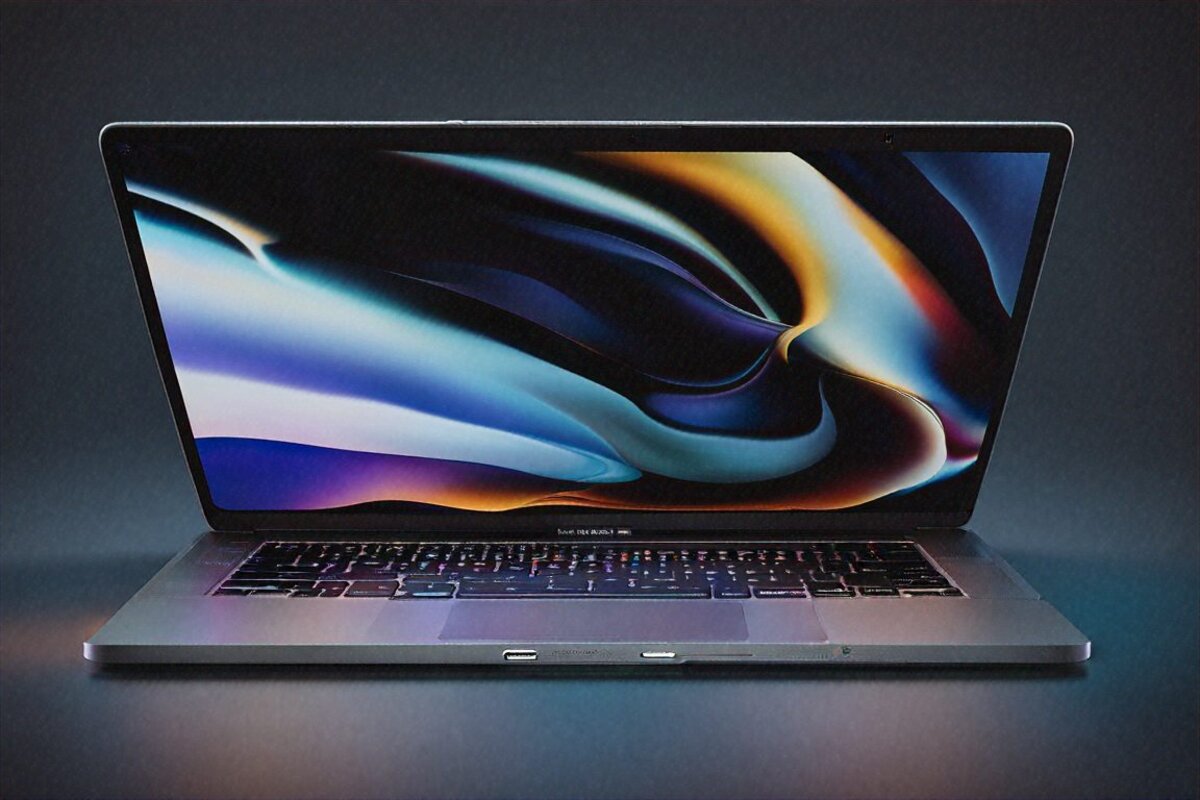
Credit where it’s owed: the XPS 15 is one of the best-built Windows laptops I’ve handled. Full stop. The CNC aluminium body in Platinum Silver feels cold and dense in the hand. Barely any lid flex. None at all in the keyboard deck. The hinge has a confident resistance that pins the display wherever you set it, with no wobble during calls.
At 1.86 kilograms and 18mm thin, it’s genuinely slim for a 15-inch machine carrying a discrete GPU. Set it against the MacBook Pro 15 (which no longer exists, though the 16-inch tips the scales at 2.14kg) and the XPS comes out lighter. Set it against gaming laptops with similar GPU grunt and it’s far thinner and more refined.
The haptic touchpad is big and accurate. Better than most Windows touchpads — though it still doesn’t quite match Apple’s Force Touch. I’d put it at maybe 85% of the way there, which leaves it comfortably ahead of every other Windows laptop I’ve tested lately. Windows precision drivers behave reliably; multi-finger gestures, pinch-to-zoom, all of it responds the same way every time.
One design call splits people: the keyboard layout. Dell once moved the function row to a capacitive touch strip, and while physical keys are back for 2026, the layout still feels a touch cramped toward the edges. The arrow keys are undersized. Escape sits where my muscle memory wants it, which is a relief, but the key travel reads shallow — maybe 1.2mm. Acceptable for a thin laptop, noticeably less satisfying than a ThinkPad, or even a MacBook Air.
The OLED Display — Genuinely Brilliant
If there’s one reason to buy this laptop, it’s the screen. The 3456×2160 OLED at 120Hz is stunning in a way screenshots and spec tables simply can’t carry across. You have to see it in person.
Blacks are actually black. Colours pop without tipping into cartoonish. Text at this resolution is crisp enough that I work at native scaling without strain, though Windows defaults to 200% and that’s the sensible call for most people. HDR content on YouTube or Netflix turns the thing into a pocket cinema that outdoes plenty of people’s living-room TVs.
For colour work, the 100% DCI-P3 coverage is accurate out of the box. I lined up Lightroom edits on the XPS against my calibrated BenQ desktop monitor, and the colours were close enough that I’d trust the XPS for client work without an external display. Premiere Pro timelines look detailed and precise. Figma work benefits from seeing your layouts at near-print resolution.
The anti-reflective coating tames office lighting and CFL tubes well. Under direct window light you’ll catch some reflections, but it stays manageable. Next to a glossy OLED with no coating, this is a clear step up.
Brightness peaks around 600 nits on HDR content — bright enough indoors, but short of Apple’s XDR panels at 1600 nits. Working outdoors is doable, not comfortable. I wouldn’t recommend it in direct sun, though that’s true of basically every OLED laptop.
Performance — Good, With Asterisks
Here’s where my enthusiasm starts attaching conditions. The Core Ultra 9 285H is a capable processor. For productivity — Office, browsing, email, calls — it’s quick and responsive. Apps open fast, juggling a dozen Chrome tabs and a few productivity apps stays smooth, and Intel’s Thread Director shuffles the hybrid cores well enough that you rarely think about the three-tier layout.
For creative work, Premiere Pro handles 4K timeline edits without major drama. Lightroom Classic batch-processes 50 RAW files in reasonable time. Photoshop feels snappy. DaVinci Resolve colour grading works fine. So far, so good.
But here’s the catch. At ₹1,49,990, “good” doesn’t quite cut it when Apple’s M4 in the MacBook Air (₹1,24,900) matches or beats it on single-threaded performance with zero fan noise and double the battery life. Intel’s 24-core design does hold a multi-threaded edge, sure — but you mostly feel that in sustained heavy workloads, which few ultrabook owners actually run day to day.
The RTX 4070 needs a careful look. For creative acceleration — GPU-rendered effects in Premiere, Blender viewport work, AI image upscaling — it genuinely earns its place. For gaming, it’s fine but clipped compared to the same chip in proper gaming laptops, which run better cooling and higher TGP limits. Cyberpunk at medium-high gets you 45 to 55 fps. Casual gaming, fine. Serious gaming, buy a proper gaming machine.
Thermals are where the thin chassis bites back. Under sustained load, the Core Ultra 9 drops from roughly 115W to about 65W within 10 to 15 minutes as temperatures hit the 95-degree ceiling. The fan noise gets very noticeable — not screaming, but a persistent high-pitched whirr you’ll hear over quiet music. For a one-off render or export, it barely matters. For hours of sustained work, you’re not getting peak performance the whole way through.
I tested it with a 30-minute Cinebench R23 loop and watched multi-core scores fall roughly 18% from the first pass to the tenth. Set against thicker laptops running the same chip with more headroom, the XPS is plainly trading thermal capacity for thinness. Whether that trade lands well depends entirely on how you actually work.
Battery Life — Solid, Unremarkable
The 86Wh battery is generous for a chassis this size. In my mixed-use testing — Chrome, Slack, Office, the odd Lightroom session — I got 8 to 10 hours consistently. That’s good. Not MacBook Air good, but well clear of the average Windows laptop carrying a discrete GPU and an OLED panel.
Dell’s 130W USB-C charger supports ExpressCharge 2.0, hitting 80% in about 60 minutes from flat. The brick is compact enough for daily carry. You can also top up off any USB-C PD charger, just at lower wattage — I ran a 65W GaN charger during light work and it held the battery steady, which is a handy travel option.
Brightness drives the drain hard. At 50% I edged closer to 10 hours. At full brightness with HDR content, closer to 6. Managing brightness is by far the biggest lever you’ve got for stretching battery on this machine.
Ports — Adequate, but Disappointing for the Price
Two Thunderbolt 4 ports. One USB-A 3.2. A microSD reader (not full-size SD). A 3.5mm combo jack. That’s your lot.
On a ₹1.5 lakh laptop in 2026, I expected more. No full-size SD reader is a miss for the photographers and videographers who are, in theory, the target buyers. No HDMI means a dongle for presentations. And the microSD slot feels like a leftover from an era when laptops could get away with cutting port corners.
The two Thunderbolt 4 ports are versatile — charging, display out, fast storage, docking. But charge through one and you’re down to a single Thunderbolt plus the lone USB-A. With a couple of external peripherals, that gets tight in a hurry.
Wi-Fi 7 and Bluetooth 5.4 work reliably; zero connectivity trouble across six weeks. Dell Mobile Connect mirrors calls, messages, and notifications from an Android or iOS phone onto the laptop. It works, though I found it redundant — I just use my phone.
Keyboard, Speakers, Webcam
Keyboard: functional, not a strength. The travel is shallow, the feedback mushy next to a ThinkPad or MacBook, and the arrow keys are too small. The backlight is even and adjustable. For long writing sessions I’d reach for an external board. For emails and quick edits, it’s fine.
Speakers: a pleasant surprise for something this thin. They fire upward through the keyboard deck grille and throw decent stereo separation with enough bass to dodge that tinny sound. Not a MacBook Pro six-speaker rig, but better than most Windows laptops. I watched whole films on it without reaching for headphones.
Webcam: 1080p with Windows Hello IR. Image quality’s acceptable for calls — good enough for Teams and Zoom. Nobody’s complimenting how clear you look, but nobody’s complaining either. The auto-framing works, though it occasionally crops a bit too aggressively.
Thermals — A Closer Look
I want to dwell on the thermal story, because I think it’s the XPS 15’s most important flaw. Dell chose to chase thinness at 18mm over thermal headroom. That decision carries real consequences.
Through a normal workday — Chrome, Office, Slack, the occasional Lightroom session — the fans barely stir. Surface temperatures stay comfortable. No complaints there. Push harder with a 4K Premiere export or a Blender render, though, and the mood changes fast. Fan noise ramps to that high-pitched whirr within two minutes. CPU package temperatures hit 95 degrees Celsius inside five. Intel’s thermal logic steps in, clocks the CPU down to hold that ceiling, and sustained multi-core performance drops noticeably.
For reference, the Lenovo Yoga Pro 9i runs the same Core Ultra 9 285H in a slightly thicker shell and holds higher clocks for longer, because it’s got more thermal mass and bigger fans. You’re swapping roughly 15 to 20% of sustained multi-threaded performance for the XPS’s slimmer profile. If your work is bursty — export something, wait, move to another task — you’ll rarely feel it. If you render for 30 minutes straight, you will.
The GPU side is handled better. The RTX 4070 runs a more modest power limit here than in a gaming laptop, so it stays thermally relaxed through moderate GPU tasks. Blender viewport work, Lightroom GPU acceleration, and light gaming never push the cooling to the wall.
Dell’s Software and Support
Dell ships Windows 11 Home on the standard config. There’s bloatware, but it’s not overwhelming — Dell SupportAssist, My Dell, a few third-party trials. SupportAssist is actually useful for driver updates and diagnostics, so I’d keep it. My Dell gives quick access to display, audio, and power settings — mildly handy, nothing you couldn’t reach through Windows settings.
Three years of Premium Support with Accidental Damage Protection comes standard in India. That’s strong, and honestly a real differentiator at this price. Dell’s service network here runs deep — in most major cities you’ll get next-business-day on-site service. From my own past dealings with Dell support on earlier XPS issues, I’d rate their premium experience above average among PC makers. When a previous XPS developed a dead pixel, Dell sent a technician to my home who swapped the entire panel within 48 hours. Good luck getting that from most brands.
Full Specifications
| Specification | Details |
|---|---|
| Processor | Intel Core Ultra 9 285H, 24 cores (8P + 8E + 8LP) |
| GPU | NVIDIA GeForce RTX 4070, 8GB |
| RAM | 32GB LPDDR5X-7467 (soldered) |
| Storage | 1TB PCIe Gen 4 SSD |
| Display | 15.6″ OLED, 3456×2160, 120Hz, 100% DCI-P3 |
| Battery | 86Wh (8-10 hours mixed use) |
| Charging | 130W USB-C with ExpressCharge 2.0 |
| Weight | 1.86 kg |
| Ports | 2x Thunderbolt 4, USB-A 3.2, microSD, 3.5mm |
| Wireless | Wi-Fi 7, Bluetooth 5.4 |
| OS | Windows 11 Home |
Pros
- Stunning 3.5K OLED display with accurate colours out of the box
- Slim, premium aluminium build at 1.86kg
- Strong Intel Core Ultra 9 285H for productivity and creative work
- Solid 8-10 hour battery life for a discrete GPU laptop
- Best-in-class haptic touchpad among Windows laptops
- Three years of Premium Support with accidental damage in India
Cons
- ₹1,49,990 is steep when MacBook Air M4 offers more for less
- Fan noise noticeable during sustained heavy workloads
- Thermal throttling under prolonged CPU stress
- Keyboard feel is shallow and mushy compared to competitors
- No full SD card slot — microSD only
- 32GB RAM soldered, zero upgrade path
Long-Term Ownership and Value
Dell builds the XPS 15 for a four-to-five year run. The 32GB of RAM, soldered or not, is plenty for current and near-future productivity. The RTX 4070 should stay capable for creative acceleration through at least 2028. The OLED panel won’t get any less gorgeous with age. And the three-year warranty covers the window where things are most likely to break.
Where I’d worry is the battery over time. OLED panels and discrete GPUs both pull serious power, and lithium-ion cells shed capacity over hundreds of cycles. After two years of daily use, expect that 8-to-10 hour figure to slide to 6-to-8. Dell’s battery replacement service exists, but it isn’t cheap. Riding the charge between 50 and 80% while plugged in, via Dell Power Manager, helps stretch its life.
Who Should Buy This — My Conditional Yes
Buy the XPS 15 if you tick these boxes. One, you need Windows specifically — your work leans on Windows-only software that won’t run on macOS. Two, you want a discrete GPU for creative acceleration but don’t need full gaming-laptop muscle. Three, you care about display quality and will actually use the OLED for colour-sensitive work. Four, you prize portability and want something thinner and lighter than a 16-inch machine.
Tick all four and the XPS 15 is probably the best option in India right now. That blend of build, display, and a portable form factor with a discrete GPU has no direct Windows rival that matches it.
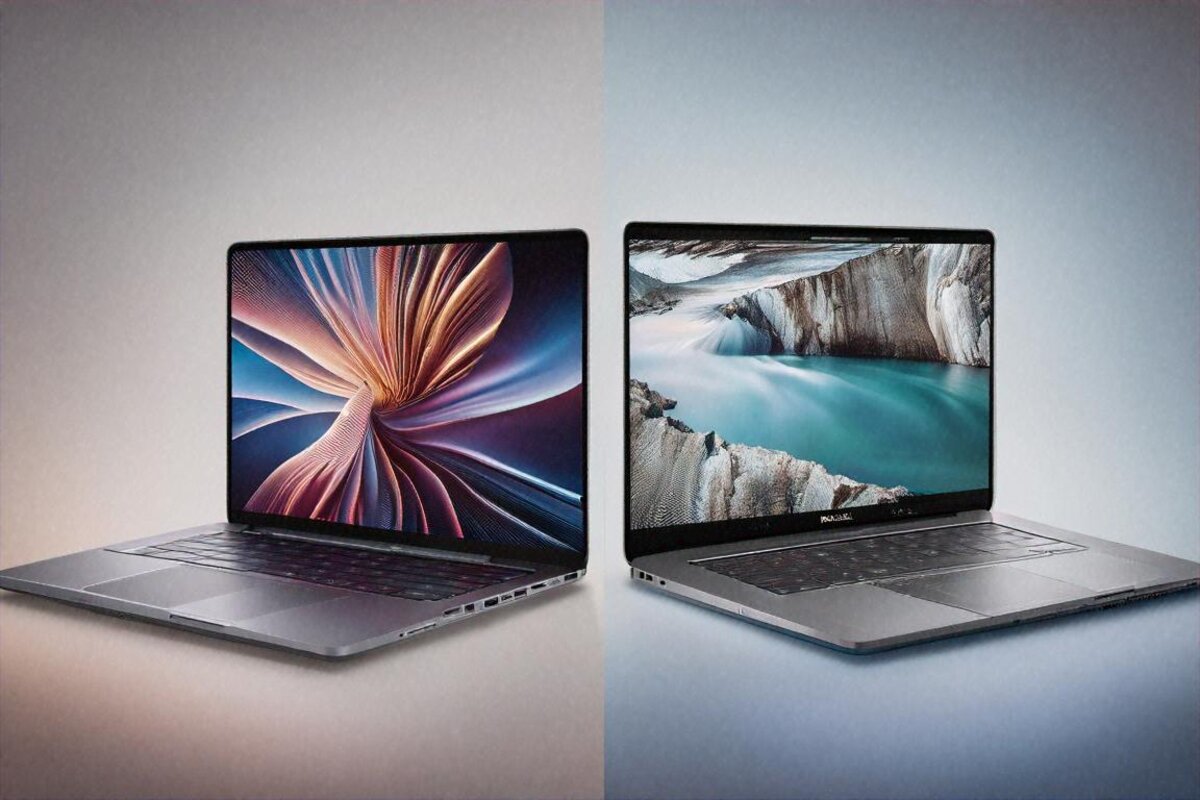
But miss even one of those? Alternatives are everywhere. The MacBook Air M4 at ₹1,24,900 beats it on battery, efficiency, and trackpad if you don’t need Windows or a discrete GPU. The ASUS Zenbook Pro 14 packs similar specs into a smaller body. Gaming-leaning laptops like the Zephyrus G16 hand you far more GPU for ₹30,000 more. The Lenovo Yoga Pro 9i goes head to head with a better keyboard.
The XPS 15 is a very good laptop in a market that’s turned cut-throat. Five years ago it was the obvious choice. In 2026 it’s a choice — one that hinges heavily on your specific needs lining up with its specific strengths. At ₹1,49,990, “good enough” isn’t good enough. You need to know exactly why you’re picking this over the rest.
I respect the engineering. I love the display. I just wish Dell had given me fewer reasons to hesitate at this price.
Price in India
The Dell XPS 15 2026 lists at ₹1,49,990 in India for the Core Ultra 9 / RTX 4070 / 32GB / 1TB OLED config. Available on Dell India’s website, Amazon India, Flipkart, and premium laptop retailers. Dell runs corporate and student discounts through its education and business portals fairly often — worth a look before you pay full retail. Exchange offers on Amazon and Flipkart can knock off ₹5,000 to ₹15,000 depending on what you trade in.
Full Specifications
| Processor | Intel Core Ultra 9 285H 24-core |
|---|---|
| GPU | NVIDIA RTX 4070 8GB |
| RAM | 32GB LPDDR5X-7467 |
| Storage | 1TB PCIe Gen 4 |
| Display | 15.6" OLED 3456×2160 120Hz |
| Battery | 86Wh 8-10hr |
| Weight | 1.86 kg |
| OS | Windows 11 Home |
Pros
- 3.5K OLED 120Hz display
- Slim aluminium build
- Intel Core Ultra 9 performance
- 8-10hr battery
- Excellent touchpad keyboard
Cons
- Expensive ₹1,49,990
- Fan noise under load
- Runs warm
- RTX 4070 limited vs gaming laptops
Our Rating: 8.8/10 · Price: ₹1,49,990

0 Comments