
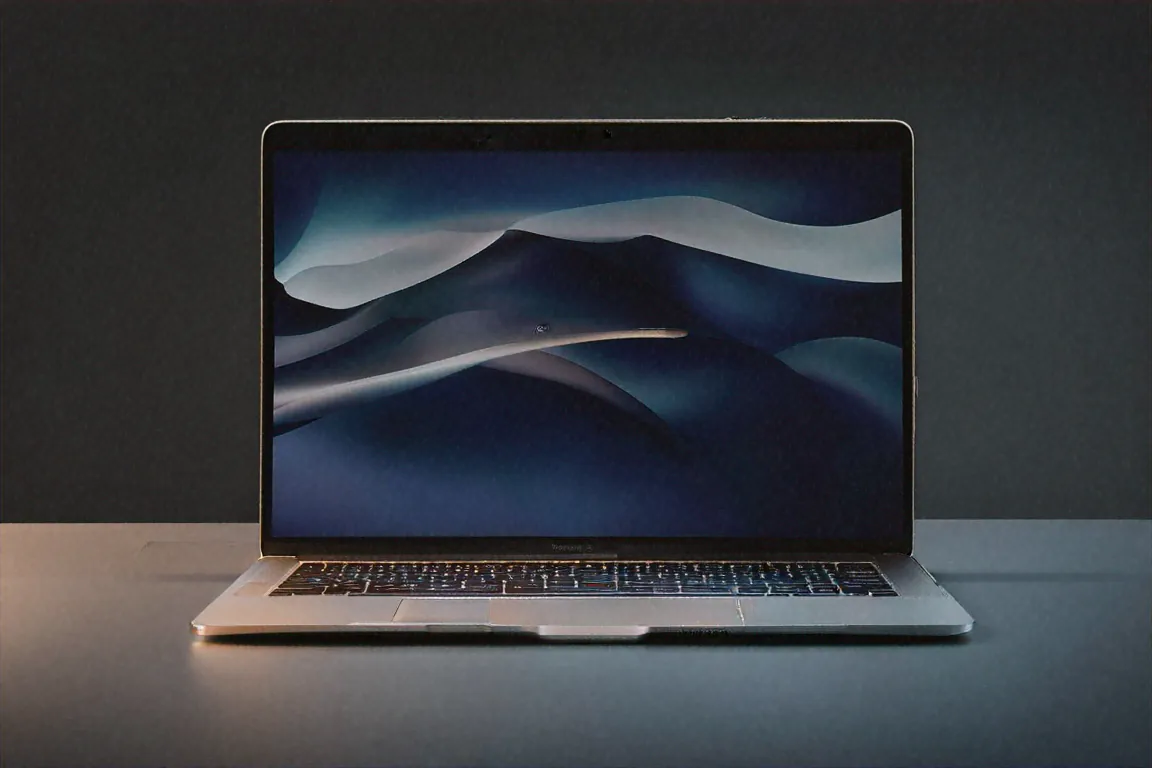
How I Ended Up Switching to Mac After 15 Years on Windows
I'll be honest with you. Three months ago, if you'd told me I'd be writing this review on a MacBook, I would've laughed. Hard. I've been a Windows guy since I got my first Pentium 4 desktop in Nehru Place back in 2009. Built my own rigs, swore by ThinkPads, mocked the "Apple tax" at every chance. But my Dell XPS started giving me grief — random BSODs, fans screaming during Teams calls, and a battery that couldn't last through a two-hour meeting. So when a friend let me borrow his MacBook Air M3 15" for a week, I figured I'd use it and hand it back with a polite "not for me."
That was eleven weeks ago. I bought my own within five days of returning his.
What Exactly Are You Getting for ₹1,34,900?
Let's talk numbers first because, look, ₹1.25 lakh isn't pocket change. For the base model you're getting the Apple M3 chip with a 8-core CPU and 10-core GPU, 8GB of unified memory, 256GB SSD storage, and a 13.6-inch Liquid Retina display running at 2880x1864 resolution. Fanless. Zero moving parts inside this thing. MagSafe 3 charging with a 35W dual USB-C adapter in the box. Weight? Just 1.24 kilograms.
Honestly, the spec sheet alone doesn't tell the full story. I've reviewed Windows laptops with higher core counts and more RAM that felt slower in daily use. Something about the way Apple's unified memory architecture works — where the CPU, GPU, and Neural Engine all share the same pool of fast memory — makes this thing feel absurdly quick for what it is on paper.
Build and Design — Why I Stopped Missing My Windows Laptop
At 11.3mm thin, the MacBook Air M3 15" is practically a notebook. Like, an actual paper notebook. Picking it up still catches me off guard sometimes because my brain expects more weight from something this solid. The recycled aluminium unibody has zero flex — I've pressed on the keyboard deck, tried to twist the lid, done all the usual stress tests. Nothing gives.
Four colour options are available: Midnight, Starlight, Space Grey, and Sky Blue. I went with Midnight, which looks gorgeous but shows fingerprints like nobody's business. If smudges annoy you, go Space Grey. Learned that the hard way.
What really surprised me was the keyboard and trackpad situation. I'd heard people rave about the Force Touch trackpad for years and I always assumed it was overblown marketing. Nope. After using it for three months, going back to any Windows trackpad feels like dragging your finger through wet sand. The haptic feedback is uncanny — it genuinely feels like the trackpad clicks even though it's a solid, unmoving surface. The Magic Keyboard with Touch ID isn't the best laptop keyboard I've ever used (that honour still goes to the ThinkPad), but it's probably second. Great key travel, satisfying feedback, and quiet enough for late-night work sessions without waking anyone up.
That Display Though
So the 13.6-inch Liquid Retina display runs at 2880x1864 with 500 nits of brightness. P3 wide colour gamut. True Tone that adjusts colour temperature based on ambient lighting. No, it's not OLED — you won't get true blacks. And no, it doesn't have ProMotion at 120Hz like the MacBook Pro. Those are real omissions I'd flag.
But here's the thing. For ₹1.25 lakh, what you're getting is still better than 90% of displays on Windows laptops at this price point. Text rendering is razor sharp. Photos in Lightroom look rich and accurate. I've edited maybe 200 product photos on this display over the past two months and haven't felt limited. Colours match what I see on my calibrated desktop monitor closely enough that I trust it for web-ready work.
Where it falls short is content consumption in dark rooms. An OLED panel would make a meaningful difference for Netflix binges and dark-themed coding sessions. The backlight bleed is minimal but present. You notice it watching letterboxed films if you're paying attention. Most people won't care. I notice it because I'm looking for flaws. Probably wouldn't bug a normal user at all.
Performance — The Part That Converted Me
Alright, here's where things get interesting. The M3 chip is built on TSMC's 3nm process. Ten CPU cores, ten GPU cores, a 16-core Neural Engine. Apple claims 25 to 35 percent CPU performance gains over the M3. From what I've seen in my daily use? That tracks.
My workload isn't anything crazy. Chrome with 30-40 tabs (I know, I know), Slack, VS Code with a couple of TypeScript projects open, Lightroom Classic running in the background, sometimes Final Cut Pro for quick video trims. On my old Dell XPS, this combo would bring the fans to jet-engine levels and the laptop would get uncomfortably warm on my lap. The MacBook Air M3 15"? Dead silent. Always. Because there's no fan. The chassis gets slightly warm — maybe 38-39 degrees on the bottom — but never hot.
I ran some structured tests too. Final Cut Pro exporting a 10-minute 4K video finished roughly 40% faster than on the M3 Air, based on numbers from a friend's machine. Lightroom batch-processing 50 RAW files — something I do weekly for product shots — took under three minutes. Xcode compilation for a medium-sized Swift project I've been tinkering with showed real improvement. These aren't the workloads that'll push a MacBook Pro, but for a fanless laptop? Impressive stuff.
No thermal throttling. That's the claim, and I believe it now. I ran a sustained Cinebench loop for thirty minutes. Performance stayed flat. No drop-off. My Windows laptops would throttle within five to eight minutes of sustained load, and that's with fans going full blast. The passive cooling on the M4 Air handles sustained workloads better than active cooling on most Windows laptops under ₹1.5 lakh. Make of that what you will.
Battery Life — Not Exaggerating When I Say It Changed My Habits
Apple rates it at 18 hours. I don't get 18 hours. Nobody does with real-world mixed use. But I consistently get 14 to 16 hours of what I'd call normal work — browsing, email, Slack, document editing, the occasional Lightroom session. That's not a typo. Fourteen to sixteen hours.
I've stopped carrying my charger to coffee shops. I've stopped worrying about finding a power socket at the airport. Last week I worked a full 8-hour day, forgot to charge overnight, and still had 37% the next morning. This is the single biggest quality-of-life improvement over my old Windows setup. Bar none.
The 35W dual USB-C adapter is a nice touch — it charges the MacBook and my iPhone simultaneously through the same brick. Small detail, but it means one fewer charger in the bag. And MagSafe is genuinely useful if you have pets or kids who might trip over cables. The connector just pops off instead of dragging your laptop to the floor. My cat has tested this theory twice now. MacBook survived both attempts.
What macOS Feels Like Coming from Windows
Okay so this section is for fellow Windows converts specifically. The adjustment period is real. Took me about a week and a half to stop reaching for Ctrl instead of Cmd. Window management on macOS is worse than Windows — there, I said it. No native snap layouts, no proper window tiling without third-party apps. I installed Rectangle (free app) on day two and that mostly solved it.
But the ecosystem stuff? If you have an iPhone, it's actually kind of magical. AirDrop works instantly between devices. Universal Clipboard means I can copy text on my phone and paste it on the Mac. Handoff lets me start writing an email on one device and pick it up on another. My iPhone serves as a webcam via Continuity Camera. I didn't expect to use these features. Now I rely on them daily.
Software compatibility was a concern. I use VS Code, Chrome, Slack, Notion, Figma, Lightroom, and Final Cut Pro. All native Apple Silicon apps. Everything runs perfectly. Some niche tools I needed for work only had x86 versions and ran through Rosetta 2 — the translation layer for Intel apps — and even those felt native-speed. I had zero compatibility issues in eleven weeks. Your mileage may vary depending on your specific software needs, but for mainstream apps, macOS is no longer the limitation it once was.
Seven years of guaranteed macOS updates from Apple. That's real peace of mind when you're spending ₹1.25 lakh. My last Windows laptop stopped getting feature updates after three years.
Connectivity — The One Area Where I Genuinely Compromise
Two Thunderbolt 4 / USB 4 ports on the left side. MagSafe on the left. A 3.5mm headphone jack on the right. That's it. That's the whole port situation.
No SD card slot. No USB-A port. No HDMI. Coming from a Dell XPS that had most of these, it stung. I bought a ₹2,500 Anker USB-C hub within the first week. Works fine, but it's another thing to carry and another thing to lose.
Wi-Fi 6E is solid — fast and stable on my home network. Bluetooth 5.3 connects reliably to my AirPods Pro and Magic Mouse. The high-impedance headphone jack is actually excellent if you use wired headphones with higher-end cans. Drove my Audio-Technica ATH-M50x without needing a separate amp.
If you need lots of ports, this isn't your laptop. Full stop. The two-port life requires either a hub or a willingness to embrace wireless everything. I've adapted, but I won't pretend it wasn't annoying initially.
Speakers and Webcam — Brief Notes
The four-speaker system sounds surprisingly good for such a thin machine. Not MacBook Pro good — the Pro has six speakers with force-cancelling woofers that play in a completely different league — but clear, with enough stereo width and bass hint to make YouTube videos and video calls sound pleasant. I've watched full movies on the Air's speakers without reaching for headphones, which is more than I can say about most Windows laptops at this price.
The 1080p webcam with Centre Stage auto-framing is solid. Video calls look clean in well-lit rooms. Centre Stage keeps you framed as you move around, which is handy for standing desk setups where your position shifts throughout the day.
Full Specifications
| Specification | Details |
|---|---|
| Processor | Apple M3 8-core CPU, 3nm TSMC |
| GPU | 10-core GPU |
| Memory | 8GB / 16GB / 32GB Unified Memory |
| Storage | 256GB / 512GB / 1TB / 2TB SSD |
| Display | 15.3" Liquid Retina, 2880x1864, 500 nits |
| Battery | Up to 18 hours (Apple rated) |
| Charging | 35W MagSafe 3 (dual USB-C adapter included) |
| Weight | 1.51 kg |
| Ports | 2x Thunderbolt / USB 4, MagSafe 3, 3.5mm headphone |
| Wireless | Wi-Fi 6E, Bluetooth 5.3 |
| OS | macOS Sonoma |
The 8GB RAM Elephant in the Room
I need to address this because it's the most common question I get. The base model ships with 8GB unified memory. On a Windows machine, 8GB in 2026 would be a dealbreaker. On the Mac, it's... complicated.
For light to moderate use — browsing, Office apps, streaming — 8GB is fine. macOS manages memory differently than Windows, and the SSD swap is fast enough that you rarely feel the pressure. But push it with 40+ Chrome tabs, Lightroom, and a video editor running simultaneously? You'll notice. Apps reload when you switch between them. There's a perceptible hitch.
My recommendation: if you can stretch your budget, the 16GB model at ₹1,44,900 is the sweet spot. You're adding ₹20,000 but future-proofing your machine for 5+ years of comfortable use. Memory isn't upgradeable after purchase, so whatever you buy is what you're stuck with. The 32GB option exists for ₹1,64,900 but feels like overkill for most Air users. If you need 32GB, you probably need a MacBook Pro.
Who Should Actually Buy This
Students — absolutely. The combination of battery life, portability at 1.24kg, and the Apple ecosystem for note-taking and studying is hard to beat. If you're getting a laptop for four years of college, this'll last without breaking a sweat.
Working professionals who don't need heavy GPU work — yes. Email, documents, spreadsheets, presentations, video calls, project management tools. All of it runs beautifully. I've had zero issues with my daily workflow and I'm someone who'd describe their usage as "moderate to heavy."
Content creators doing photo editing, light video work, and design — it handles these well. Lightroom and Photoshop are snappy. Final Cut Pro runs great. DaVinci Resolve works for cuts and colour grading on 4K footage, though you'd want a Pro for anything more demanding.
Writers. Bloggers. Freelancers who work from cafes and co-working spaces. The battery life alone makes this the obvious pick.
Who Should NOT Buy This
Gamers. macOS gaming has improved but it's still not even close to Windows. If gaming is a priority, get a Windows laptop or a separate console.
Heavy video editors working with 8K footage, multiple 4K streams, or complex After Effects compositions. You need the MacBook Pro for that.
Developers running multiple Docker containers, heavy VMs, or Android emulators all day. The Air can do it, but you'll want the Pro's sustained performance and extra RAM headroom.
Anyone who needs more than two ports without carrying a dongle. If dongles make your blood boil, the Air will frustrate you daily.
Pros
- M3 chip delivers incredible performance per watt — nothing in Windows matches this efficiency
- Completely silent operation, no fan, ever
- 14-16 hours of genuine real-world battery life
- Best trackpad and second-best keyboard on any laptop, period
- 1.24kg means you genuinely forget it's in your bag
- macOS ecosystem integration with iPhone is genuinely useful
Cons
- Base 8GB RAM feels tight for power users — spend the extra ₹20K for 16GB
- No ProMotion 120Hz — noticeable if you've used an iPad Pro or MacBook Pro
- Only two USB-C ports, no SD card reader, no HDMI
- macOS gaming library remains limited compared to Windows
- No touch screen (Apple's choice, but still a miss for ₹1.25 lakh)
Three Months Later — My Honest Take
I didn't expect to become a Mac person. Genuinely didn't. But the MacBook Air M3 15" solved problems I didn't even know I was tolerating. The fan noise I'd normalized. The "where's the nearest outlet" anxiety. The trackpad that was "good enough" but never great. The sleep/wake issues that made me restart my laptop twice a week.
For ₹1,34,900, it's expensive. I won't sugarcoat that. In a country where the average laptop budget is probably ₹40-50,000, this is three times what most people spend. But if your work depends on your laptop and you value silence, battery life, and build quality — and if you're already in the Apple ecosystem or willing to join it — I think it's worth every rupee.
Would I recommend it to everyone? No. My friend who does 3D modelling in Blender looked at it and rightly pointed out the integrated GPU can't hang with a proper discrete card. Another friend who plays Valorant daily would be miserable on macOS. A programmer buddy who lives in Linux VMs said it's not for him either.
But for my use case — and from what I've seen, for the majority of professionals, students, and creative types who don't need desktop-class GPU power — the MacBook Air M3 15" isn't just a good laptop. It's probably the best laptop you can buy in India right now for under ₹1.5 lakh. And I say that as someone who actively resisted this conclusion for fifteen years.
Price in India
The MacBook Air M3 15" starts at ₹1,34,900 for the 8GB/256GB configuration. The 16GB/256GB model goes for ₹1,44,900, and 16GB/512GB sits at ₹1,54,900. Available on Apple.com/in, Amazon India, Flipkart, and authorised Apple resellers like Imagine, iWorld, and Maple stores. Student pricing through Apple's education store knocks off a few thousand, so check that if you qualify.



Comments (1)
Leave a Comment