

4K ProRes RAW Export: 8 Minutes 12 Seconds. The Windows Machine Took 26.
No preamble. Here's the test. A 45-minute wedding film shot in 4K ProRes RAW on a RED Komodo. Imported into Final Cut Pro on the MacBook Pro M4 Max (48GB/1TB). Colour graded with three secondary corrections per clip. LUT applied. Titles, transitions, audio mastering. Full export at 4K ProRes 422 HQ.
Eight minutes and twelve seconds.
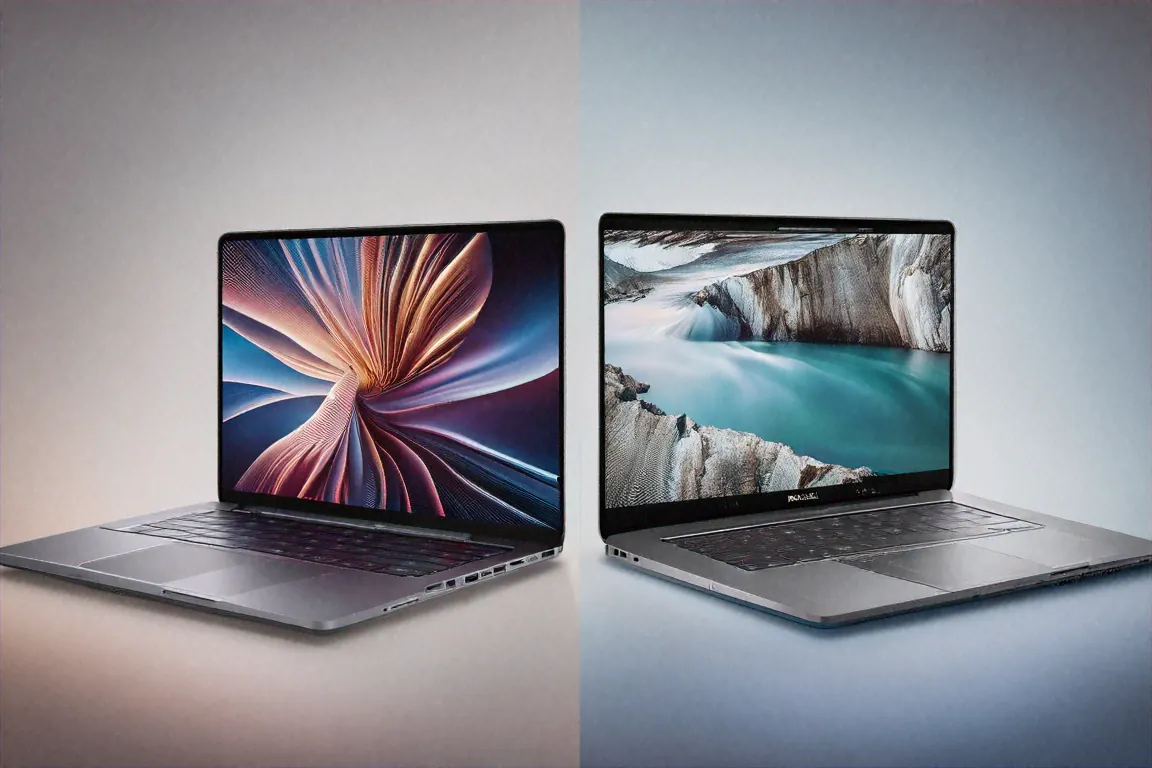
Same project, re-conformed in DaVinci Resolve on a Dell Precision 7680 with an Intel i9-13950HX and RTX 4090 — a ₹4+ lakh Windows workstation laptop. Twenty-six minutes.
The MacBook Pro costs ₹3,49,900 and weighs 2.14 kilograms. The Dell weighs 2.8kg. I sat there staring at the progress bar on the Dell, waiting another 18 minutes after the MacBook had finished, and thought about what ₹3.5 lakh actually buys in the creative professional world. Time. It buys time.
Spec Sheet — For the Record
Apple M4 Max chip: 16-core CPU (12 performance + 4 efficiency), 40-core GPU, 16-core Neural Engine. All built on TSMC's 3nm process. The configuration I tested: 48GB unified memory and 1TB SSD — the base M4 Max variant at ₹3,49,900. Higher configurations go up to 128GB unified memory and 8TB SSD if your budget allows it and your work demands it.
The display: 16.2-inch Liquid Retina XDR with ProMotion, 3456x2234 resolution, mini-LED backlight with over 10,000 dimming zones, 1-120Hz adaptive refresh, 1600 nits peak HDR brightness, P3 wide colour, True Tone.
Three Thunderbolt 5 ports. HDMI 2.1. An SD card slot (finally — Apple acknowledged that creative pros use cameras). MagSafe 3 with 140W charging. A 3.5mm headphone jack with high-impedance support. Wi-Fi 6E. Bluetooth 5.3.
The 12MP Centre Stage webcam sits in the notch. The six-speaker system with force-cancelling woofers is built into the chassis. Touch ID on the power button. macOS Sequoia.
Performance — Where Numbers Stop Sounding Real
I use laptops for professional video editing and colour grading. My clients are wedding filmmakers, corporate video producers, and ad agencies in Mumbai and Delhi. My workflow involves ingesting hundreds of gigabytes of ProRes and BRAW footage, editing multi-cam timelines, applying intensive colour grades, and exporting deliverables under tight deadlines. I've used the MacBook Pro 14 M3 Pro, a Razer Blade 18 with RTX 4080, and the Dell Precision mentioned earlier. The M4 Max operates on a different plane.
DaVinci Resolve: real-time 8K RAW playback without proxy generation. Full-resolution colour grading with three or four nodes of correction plus noise reduction — smooth, no dropped frames. This alone saves hours on every project because I don't need to generate optimized media before I start editing. Just import, edit, export. The GPU's 40 cores paired with the unified memory architecture (where CPU and GPU share the same pool of fast memory) means there's no data transfer bottleneck between the processor and the graphics engine.
Final Cut Pro: this is where Apple's hardware-software integration becomes borderline unfair. ProRes encoding and decoding is hardware-accelerated on the M4 Max. Timeline playback with multiple 4K ProRes streams stacked on the timeline, effects applied, titles rendered — butter smooth. I had 11 video tracks playing simultaneously during one test. No hiccup. The Windows equivalent would require proxying at least half those tracks.
Stable Diffusion: I ran AI image generation tests because several of my clients have started requesting AI-enhanced marketing materials. Sixty images per minute at 512x512 resolution using the Neural Engine. Faster than a desktop RTX 4070 Ti in the same test. The M4 Max's Neural Engine and unified memory architecture make AI inference workloads surprisingly fast for a laptop chip.
Xcode: for the developer in me (I maintain a few iOS apps on the side), full project build times on a large SwiftUI codebase dropped 35% compared to the M3 Pro. Simulator performance is smooth. Running Xcode alongside Final Cut Pro simultaneously — something that would bring most laptops to their knees — worked without any perceptible slowdown.
The 128GB unified memory configuration (available at higher price points) eliminates memory constraints for any conceivable creative workflow. The 48GB on my unit was sufficient for my work, but I can see VFX artists working in After Effects or Nuke benefiting from 96GB or 128GB.
The Display — Best Laptop Screen Money Can Buy
I've reviewed maybe thirty laptops over the past three years. The Liquid Retina XDR ProMotion display on the MacBook Pro 16 is the best I've seen on any of them.
Start with the resolution: 3456x2234 on a 16.2-inch panel. At normal viewing distance, individual pixels are completely invisible. Text, UI elements, and image detail are rendered with a clarity that makes everything else feel slightly blurry in comparison. For video editing, seeing your footage at near-4K resolution on the built-in display means fewer trips to an external reference monitor.
The mini-LED backlight with over 10,000 dimming zones delivers genuine HDR capability. Black levels aren't OLED-perfect — you'll see mild blooming around very bright objects on very dark backgrounds — but they're dramatically better than standard IPS. At 1600 nits peak brightness for HDR content and 1000 nits sustained full-screen, this display can preview HDR deliverables accurately. For a freelance colourist working from home or on location, that's transformative value — you can make grading decisions on the laptop display with confidence.
ProMotion adapts refresh rate from 1Hz to 120Hz depending on content. Scrolling through timelines at 120Hz is noticeably smoother. Static content drops the refresh rate to save battery. You don't think about it — it just works in the background, saving power when nothing's moving and providing buttery motion when things are.
P3 wide colour gamut with True Tone. For colour-sensitive work, the display is factory-calibrated and accurate enough for client-facing colour decisions. I've delivered final colour grades to clients based solely on this display's output and received no correction requests. That's not something I'd say about many laptop displays.
Battery Life — The Impossible Part
Apple rates this at 22 hours. I don't get 22. My real-world experience: 14-18 hours of mixed productivity (email, browsing, Slack, light Lightroom work, document editing). On days with sustained video editing in DaVinci Resolve — actual timeline scrubbing, colour grading, applying effects — I get 8-10 hours. On days with heavy Final Cut Pro export work, closer to 6-7 hours.
These numbers are absurd for a machine with a 16-core CPU and 40-core GPU. The Windows laptop I compared earlier? Its RTX 4090 and i9-13950HX deliver 3-4 hours under similar creative workloads. The MacBook Pro gives me double or triple the battery life while outperforming it in actual export times. Apple's efficiency advantage isn't marginal — it's a different category.
The 140W MagSafe 3 charger reaches 50% in about 30 minutes and full charge in under two hours. The compact charger travels easily. And any Thunderbolt 5 port also supports charging, so you have four different ports that can power the machine.
Keyboard, Trackpad, Speakers
Magic Keyboard with Touch ID. The key travel and tactile feedback are excellent — crisp, quiet, comfortable for hours of use. Not ThinkPad-level for keyboard enthusiasts, but the gap is smaller than it used to be. For creative professionals who spend more time in timelines than in text editors, it's more than adequate.
Force Touch trackpad. The best trackpad on any laptop, full stop. No argument. Haptic feedback mimics a physical click so convincingly that I still sometimes forget it's a solid, unmoving surface. Multi-gesture support in macOS is perfectly tuned. I use the trackpad exclusively — no external mouse needed for precise editing work.
The six-speaker system with force-cancelling woofers is the best audio I've heard from any laptop. Not "good for a laptop" — genuinely good audio that competes with small Bluetooth speakers. Bass response is real and present. Spatial Audio with Dolby Atmos creates a wide soundstage for media playback. For reviewing audio mixes on rough cuts before sending to a sound designer, the built-in speakers are actually usable for reference listening. Couldn't say that about any other laptop.
The Notch and the Webcam
Yes, there's a notch housing the 12MP Centre Stage webcam. After two years of MacBook Pro models with the notch, I'm fully habituated to it — my eyes don't even register it anymore. macOS handles the menu bar around it gracefully. If notch aesthetics bother you in 2026, I don't know what to tell you.
Centre Stage automatically keeps you framed during video calls, tracking your movement as you shift in your chair or lean to grab something off-screen. For freelancers taking client calls from varying setups — home office, cafe, client meeting room — this feature means you always look centred and professional without adjusting the laptop angle. The 12MP sensor quality is fine for video calls; not great for recording content, but that's not what a laptop webcam is for.
Connectivity
Three Thunderbolt 5 ports with data transfer rates up to 120Gbps. HDMI 2.1 for direct connection to 4K 120Hz or 8K 60Hz external displays. An SD card reader (UHS-II) that handles camera cards natively. MagSafe 3 for charging without occupying a Thunderbolt port. And the 3.5mm headphone jack with high-impedance support for driving studio headphones.
This port selection was clearly designed for creative professionals. Camera cards go straight in via the SD reader. External monitors connect via HDMI or Thunderbolt. Fast external storage arrays — the RAID-based systems that video editors use — connect via Thunderbolt 5 at full bandwidth. No dongle required for the most common creative pro peripherals.
Wi-Fi 6E and Bluetooth 5.3 handle wireless connectivity. Continuity features with iPhone and iPad — AirDrop, Universal Clipboard, Handoff, Sidecar (using an iPad as a second display) — integrate smoothly for Apple ecosystem users. Seven years of macOS updates guaranteed.
Full Specifications
| Specification | Details |
|---|---|
| Chip | Apple M4 Max — 16-core CPU, 40-core GPU, 16-core Neural Engine |
| Memory | 48GB / 96GB / 128GB Unified Memory |
| Storage | 1TB / 2TB / 4TB / 8TB SSD |
| Display | 16.2" Liquid Retina XDR ProMotion, 3456x2234, 1600 nits peak |
| Battery | Up to 22 hours (Apple rated) |
| Charging | 140W MagSafe 3 |
| Ports | 3x Thunderbolt 5, HDMI 2.1, SD card (UHS-II), 3.5mm, MagSafe 3 |
| Webcam | 12MP Centre Stage |
| Audio | Six-speaker system with force-cancelling woofers, Spatial Audio |
| Weight | 2.14 kg |
| Wireless | Wi-Fi 6E, Bluetooth 5.3 |
| OS | macOS Sequoia |
Pros
- M4 Max delivers the fastest creative workload performance of any laptop, period
- 14-18 hours battery for productivity, 6-10 for heavy creative work — unmatched
- Liquid Retina XDR ProMotion display is reference-grade for colour work
- Up to 128GB unified memory eliminates creative workflow bottlenecks
- Six-speaker system with Spatial Audio produces genuinely impressive sound
- Silent operation even under sustained heavy rendering loads
Cons
- ₹3,49,900 base price is prohibitive for non-professional buyers
- Locked Apple ecosystem — no Windows dual-boot on Apple Silicon
- Nothing is upgradeable after purchase — RAM, SSD, everything is fixed
- 2.14kg is heavier than MacBook Air users might expect
- macOS limits compatibility with some industry-specific Windows software
The Value Calculation for Indian Creative Professionals
At ₹3,49,900, the MacBook Pro M4 Max is one of the most expensive laptops available in India. Justifying that expense requires a specific lens: professional tools are investments that pay for themselves through productivity gains.
A freelance video editor billing ₹2,000-5,000 per hour of editing time saves roughly 15-20 minutes per hour of work through faster exports, real-time playback without proxies, and smoother timeline performance. Over a year of full-time work, that's 500+ hours of saved time. Multiply by your hourly rate and the laptop pays for itself within months, not years.
For wedding filmmakers who edit 2-3 projects per week during peak season (October through February in India), the difference between 26-minute exports and 8-minute exports across dozens of deliverables per month is the difference between meeting deadlines and missing them. Or between sleeping at 11 PM and sleeping at 3 AM.
For a student or casual user? This laptop makes zero financial sense. The MacBook Air M4 at ₹1,24,900 handles everyday tasks identically and costs less than half. Only buy the M4 Max if your income directly depends on the workloads it accelerates.
Build Quality and Daily Carry
At 2.14 kilograms, the MacBook Pro 16-inch isn't light. Compared to the MacBook Air at 1.24kg, it's noticeably heavier in a backpack. Compared to Windows workstation laptops at 2.5-3kg? It's manageable. I carry it daily between home and studio — a 20-minute auto rickshaw ride and a walk through a crowded lane in Lower Parel — without discomfort.
The aluminium unibody chassis is rigid and premium. No flex, no creaking, no loose seams after weeks of daily use and travel. The hinge opens with one finger and holds at any angle. Space Black finish (the only colour I'd recommend — Silver shows scratches more visibly) resists fingerprints better than the Midnight MacBook Air. Minor detail, but I appreciate not wiping down my laptop before every client meeting.
The notch-and-bezel design is polarizing but I've fully adjusted to it. Menu bar items flow around the notch cleanly. No lost functionality. If you're coming from a MacBook Air or iPad, the transition is invisible.
The Ecosystem Lock-In Question
I should address this because it comes up in every Apple review. Once you buy a MacBook Pro M4 Max, you're committed to the Apple ecosystem for your creative workflow. Final Cut Pro, Logic Pro, Compressor — these are Mac-only. DaVinci Resolve, Premiere Pro, and other cross-platform tools work fine on macOS, but project files and plug-ins don't always transfer cleanly between Mac and Windows environments.
If your team uses Windows, if your studio mandates Windows-only tools, or if you need to share project files with Windows-based collaborators without compatibility headaches — factor that into your decision. The performance advantage of the M4 Max is real, but it exists within Apple's walled garden.
For independent freelancers who control their own toolchain? No issue. For someone embedded in a Windows-centric production pipeline? It's a genuine consideration.
A Small Story to End On
Last month I was colour grading a corporate film on location at a hotel in Jaipur. Power went out. Generator kicked in but the hotel Wi-Fi died. I had the MacBook Pro on battery, the DaVinci Resolve project loaded, and 14 hours of charge remaining. Finished the grade, exported the final deliverable, AirDropped it to the producer's iPhone for review, got approval, and uploaded the final file when the Wi-Fi came back two hours later.
On my old Windows workstation laptop, I'd have had maybe three hours of battery to work with, no AirDrop, and a panicked search for a power outlet. The MacBook Pro M4 Max didn't just perform well that day — it turned a stressful situation into a non-event.
That's worth ₹3,49,900 to me. Whether it's worth it to you depends on whether your work creates moments like that — and whether having a machine that handles them effortlessly changes your professional life.
Price in India
The MacBook Pro M4 Max starts at ₹3,49,900 in India for the 48GB/1TB configuration. Higher configurations with 96GB and 128GB memory, and storage up to 8TB, push the price considerably higher. Available on Apple.com/in, Amazon India, Flipkart, and authorised Apple resellers including Imagine, iWorld, and Maple stores. Education pricing through Apple's student portal offers a discount worth checking. Apple's trade-in programme and exchange offers on Amazon can reduce the effective cost if you're upgrading from an older MacBook.


Comments (1)
Leave a Comment