

Let's Just Get This Out of the Way — It's Better Than the iPad for Some Things
Every time Samsung releases a new Tab S Ultra, the first question is always the same. "But is it better than the iPad Pro?" I've been using the Galaxy Tab S10 Ultra for a month now, and I'm tired of that question. Not because the answer is complicated, but because it misses the point entirely. These two tablets aren't doing the same job. They share a price bracket and that's about where the similarities end.
The iPad Pro M4 is an artist's tool trapped in a locked-down operating system. The Tab S10 Ultra is a productivity machine that happens to run Android. If you want to draw — get the iPad. If you want to actually work on a tablet the way you'd work on a laptop, with real file management, real multitasking, sideloaded apps, and a proper desktop mode that doesn't feel like a compromise? The Tab S10 Ultra is it. And I say that as someone who's been buying Samsung tablets since the original Galaxy Tab back in 2010.
At ₹1,08,999 for the 12 GB/256 GB Wi-Fi model, it's not cheap. But here's what you get for that money.
That Screen Is Absurdly Large
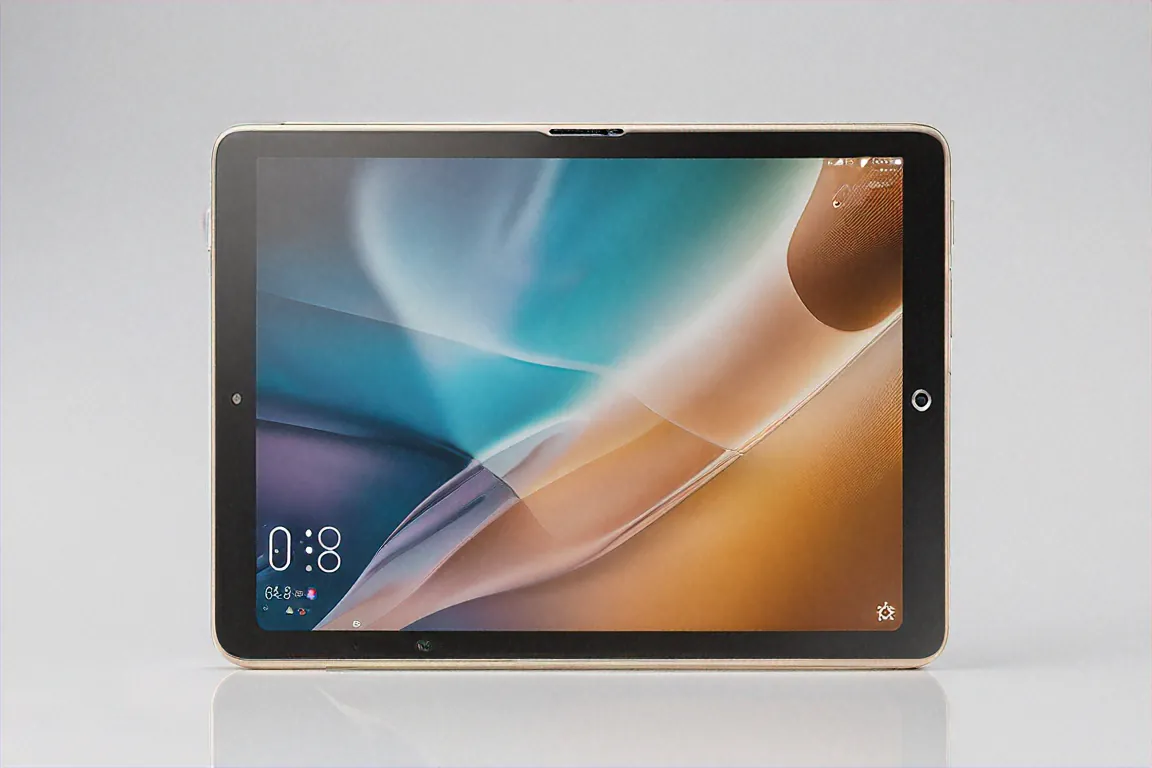
14.6 inches. Let me say that again. Fourteen point six inches of Dynamic AMOLED. This isn't a tablet screen. This is a small television you hold in your hands. And before anyone says "that's too big for a tablet" — yes, for holding in bed and scrolling Instagram, maybe. But for everything else I use a tablet for? The size is the whole point.
The resolution hits 2880 by 1752 pixels at 120 Hz. Colours are rich without being oversaturated, which Samsung has historically struggled with on their phones but nails here. The S Pen glides across this panel with zero perceptible latency. I spent an entire weekend taking handwritten notes during an online course, and my wrist was less fatigued than on any smaller tablet because I wasn't cramping my handwriting to fit a smaller surface.
HDR10+ and Dolby Vision are both supported, which means OTT content from Hotstar, Netflix, and Prime all look fantastic. Black levels on this AMOLED are deep and true. Watching Mirzapur on a 14.6-inch AMOLED at midnight with the lights off? I forgot I was looking at a tablet.
There's a small camera cutout at the top for the 12 MP front camera, which is slightly annoying if you notice bezels, but honestly after day two I stopped seeing it entirely. The slim bezels around the rest of the display maximize the screen-to-body ratio to an impressive degree.
Design and Build — Premium but Heavy
At 5.4 mm thick, the Tab S10 Ultra is remarkably slim. The frosted glass back with a metallic camera island gives it an understated premium look that I prefer over Apple's more industrial aluminium aesthetic. Available in Graphite and Moonstone Grey — I went with Graphite because fingerprints show less on the darker finish.
Now the weight. 718 grams for the Wi-Fi model. That's not light. Holding this one-handed for extended reading sessions will tire your wrist. This tablet wants to live on a desk, propped up in its keyboard cover, being used like a laptop. That's its happy place. The moment you try to use it as a handheld device for more than twenty minutes, you remember it weighs more than some ultrabooks.
The keyboard case, which Samsung sells separately (why do all premium tablet makers do this?), transforms it into something that genuinely looks and feels like a laptop. The trackpad is responsive, the keys have decent travel, and the magnetic attachment is sturdy enough that it doesn't wobble on my lap during train rides.
Dual S Pen — Samsung's Secret Weapon
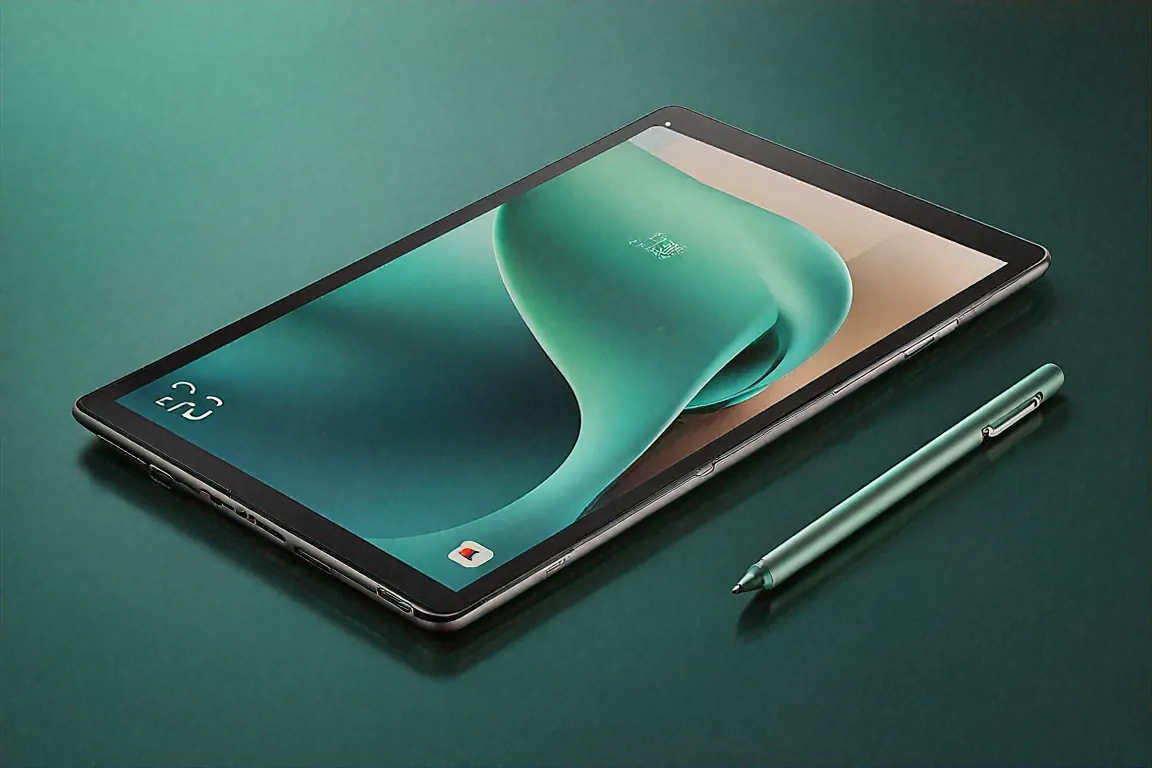
This is where Samsung pulls ahead of everyone, Apple included. The Tab S10 Ultra comes with not one but two S Pens in the box. One regular-sized pen for detailed work and one slim pen that sits inside the keyboard case for quick notes and navigation. Both are included. No ₹11,900 additional charge like Apple demands.
The S Pen experience on Samsung tablets has always been good, but on this generation it's reached a level where I genuinely prefer it to the Apple Pencil for note-taking. Not for drawing — the Apple Pencil Pro's barrel roll is still unmatched for artists — but for writing, annotating PDFs, signing documents, and quick sketches, the S Pen is faster to grab and more natural to use.
4096 pressure levels. Near-zero latency. Palm rejection that actually works consistently. Samsung Notes is an underrated app that syncs across all my Galaxy devices — phone, tablet, and laptop. I take a note on the tablet during a meeting and it's on my phone by the time I walk back to my desk.
Snapdragon 8 Gen 4 — More Power Than You'll Probably Need
The Snapdragon 8 Gen 4 paired with 12 GB of LPDDR5X RAM makes this the most powerful Android tablet I've ever tested. Full stop. Nothing comes close right now.
I ran four apps simultaneously in multi-window mode — Chrome with twelve tabs, Samsung Notes, a video playing in PIP from YouTube, and Microsoft Excel with a fairly complex spreadsheet. No lag. No app reloads. Everything stayed in memory and responded instantly. This kind of multitasking is where the Tab S10 Ultra's power and screen size combine to create something that no other tablet, including the iPad Pro, can replicate.
Video editing in Kinemaster Pro with 4K footage is smooth. Gaming in Genshin Impact at max settings holds steady at high frame rates with no throttling during my thirty-minute test sessions. The Snapdragon 8 Gen 4 runs warm under heavy load but never hot enough to be uncomfortable while holding.
Samsung's Galaxy AI features deserve a mention here because they're more than marketing. Note Assist summarises my meeting notes into bullet points. Transcript summaries convert long voice recordings into readable summaries. AI image editing in the Gallery lets me remove objects, expand backgrounds, and adjust compositions. These aren't gimmicks — I use them daily.
Samsung DeX — The Real Laptop Replacement
DeX is Samsung's desktop mode, and on the Tab S10 Ultra it's reached a maturity that makes it a genuine productivity platform. Connect to a 4K monitor, pair a Bluetooth keyboard and mouse, and you've got a desktop experience that handles email, web browsing, document editing, and video calls without breaking a sweat.
Windows are resizable and stackable. The taskbar at the bottom mimics a desktop OS. Right-click context menus work properly. It's not Windows or macOS, but for maybe 70% of what most office workers do on a computer, DeX covers it. The remaining 30% is where you miss desktop-specific applications — certain banking software, specialised engineering tools, that kind of thing.
I used DeX mode exclusively for one full workday to test it. Email through Outlook, documents in Microsoft 365, Slack for team communication, Chrome for research, and a Zoom call in the afternoon. Everything worked. Was it as smooth as my ThinkPad? No. Was it functional and usable for a day when I left my laptop at home? Absolutely.
Battery and Charging
11,200 mAh. That's a massive battery, and it shows in the endurance. Video playback gets you somewhere between 12 and 14 hours. Mixed productivity use — which for me means note-taking, browsing, email, and occasional streaming — lands around 8 to 10 hours. That's a full workday with room to spare.
Samsung includes a 45W charger in the box, which is a nice touch that Apple could learn from. Zero to full takes about 90 minutes. Not the fastest charging in the tablet world — the OnePlus Pad 3 does it in 75 minutes with its 67W charger — but perfectly adequate. I charge overnight and never worry about battery during the day.
Software — One UI 7.0 Tablet Edition
Android 15 with One UI 7.0 Tablet Edition is Samsung's most refined tablet software yet. The multi-window implementation is excellent — drag from the edge to split screen, use floating windows for quick tasks, and DeX for full desktop mode. Samsung has put genuine thought into how people use large-screen Android devices, and it shows.
The app situation on Android tablets has improved dramatically. Most major apps — Instagram, Twitter, banking apps, productivity suites — now have proper tablet layouts or at least scale well on larger screens. It's not iPadOS-level optimisation across the board, I'll be honest about that, but the gap has narrowed significantly.
Samsung promises four years of Android updates and five years of security patches. For a ₹1,08,999 device, that's the minimum I'd expect, and it's good that Samsung delivers on it. Knox security provides enterprise-grade protection for business users.
Speakers and Media
Four speakers tuned by AKG with Dolby Atmos support. They get loud enough to fill a medium-sized room, and the stereo separation on that 14.6-inch body is genuinely impressive. Bass response is limited — it's a tablet, after all — but mids and highs are clean and clear. Watching movies or YouTube videos without headphones is a good experience here, better than most tablets I've used.
Connectivity
Wi-Fi 7 and Bluetooth 5.4 are both onboard. There's an optional 5G model for mobile connectivity. The USB-C port handles data transfer, charging, and display output. Samsung's ecosystem play with Universal Transfer lets you move files between Galaxy devices easily. The tablet also supports wireless mirroring to Samsung TVs.
Camera Setup — Better Than Expected
The rear camera is a dual setup — 13 MP main and 8 MP ultrawide. For a tablet, these are surprisingly competent. Document scanning is quick and clear. Video calls using the rear camera during presentations show decent quality. I've used the rear camera to photograph whiteboards after meetings and the OCR in Samsung Notes picks up the text accurately almost every time.
The front-facing 12 MP wide-angle camera handles video calls beautifully on that massive display. On Zoom and Google Meet, having a 14.6-inch screen showing the meeting while the wide-angle camera captures you is a genuinely better video call experience than any laptop I've used. The camera captures enough of the room that you don't need to worry about framing yourself precisely. Samsung's auto-framing feature follows you around and keeps you centred, which is useful when you're presenting and moving around.
Long-Term Durability and Updates
After a month of daily use in my bag, the Tab S10 Ultra has held up well. The frosted glass back resists scratches better than I expected, though I'd still recommend a case for anyone who's not careful with their gear. The screen has the usual Gorilla Glass protection and hasn't picked up any visible scratches despite going caseless for the first two weeks.
Samsung's commitment to four years of Android updates means this tablet will be running Android 19 before it reaches end of support. That's meaningful for a ₹1,08,999 investment — you're getting a device that remains current and secure for half a decade. Samsung Knox adds enterprise-level security features that business users will appreciate, including secure folder, work profiles, and IT admin controls.
Multi-Device Ecosystem — Samsung's Hidden Advantage
If you already own a Samsung Galaxy phone and maybe Galaxy Buds or a Galaxy Watch, the Tab S10 Ultra slots into that ecosystem with a smoothness that Apple users take for granted but Android users rarely experience. Quick Share transfers files between Galaxy devices almost instantly. Your Samsung Notes sync across every Samsung device signed into the same account. Phone calls ring on the tablet if they're on the same Wi-Fi. You can copy text on your phone and paste it on the tablet.
Samsung's Second Screen feature lets you use the Tab S10 Ultra as a wireless extended display for a Samsung laptop. I tested this with a Galaxy Book and it worked surprisingly well — low latency, reasonable resolution, and the S Pen even functioned as an input device on the extended screen. For someone who travels with a Samsung laptop and wants a second monitor in hotel rooms without carrying an actual portable monitor, this is a clever feature that I haven't seen anyone else talk about.
The multi-device clipboard is particularly useful. I frequently copy URLs, addresses, or snippets of text on my phone while commuting and then paste them into documents on the tablet when I sit down at a desk. It's a tiny convenience that adds up over weeks and months of use. Samsung's ecosystem play isn't as tight as Apple's — nothing on Android is — but it's the closest any Android manufacturer has come, and on the Tab S10 Ultra the benefits are tangible.
Specifications
| Specification | Details |
|---|---|
| Processor | Snapdragon 8 Gen 4 |
| RAM | 12 GB LPDDR5X |
| Storage | 256 GB / 512 GB UFS 3.1 |
| Display | 14.6" Dynamic AMOLED, 2880x1752, 120 Hz |
| Battery | 11,200 mAh, 45W fast charging |
| S Pen | Dual S Pen included (regular + slim) |
| Weight | 718 g (Wi-Fi) |
| Speakers | Quad speakers, AKG tuned, Dolby Atmos |
| OS | Android 15, One UI 7.0 Tablet Edition |
| Connectivity | Wi-Fi 7, Bluetooth 5.4, optional 5G |
| Front Camera | 12 MP Wide Angle |
| Colours | Graphite, Moonstone Grey |
Pros
- 14.6-inch Dynamic AMOLED is the largest and best tablet display on Android
- Both S Pens included in the box — no extra purchase needed
- Samsung DeX provides a genuinely usable desktop experience
- Quad AKG speakers with Dolby Atmos sound excellent
- Galaxy AI features add real, daily-use productivity value
- Snapdragon 8 Gen 4 handles anything you throw at it
Cons
- ₹1,08,999 is hard to justify unless you'll really use the productivity features
- At 718 g, it's too heavy for comfortable handheld use
- Android tablet app optimisation still lags behind iPadOS
- Keyboard case sold separately despite the premium price
- 45W charging is adequate but slower than OnePlus competition
The Specific Scenario Where This Tablet Makes Perfect Sense
Here's the exact person I'd recommend this to. You're a working professional — maybe in consulting, education, or sales — who travels frequently. You're already in the Samsung ecosystem with a Galaxy phone and maybe Galaxy Buds. You need a device for client presentations, note-taking in meetings, document review on flights, and occasional entertainment during hotel downtime. You don't want to carry a full laptop for every short trip.
That person should buy this tablet today and not look back. The DeX mode handles presentations beautifully on external displays. The dual S Pen covers note-taking without any accessory hunting. The 14.6-inch AMOLED makes reviewing spreadsheets and documents comfortable instead of cramped. The battery lasts a full day of meetings. And at the hotel, you've got the best portable entertainment screen money can buy.
If that's not your use case — if you're mainly a creative artist, or a casual user who just wants something for Netflix and YouTube — there are better options. The iPad Pro for artists. A regular Tab S9 FE or the OnePlus Pad for casual use at half the price. The Tab S10 Ultra is a professional tool, and it shines brightest when used as one.
I carry it instead of my laptop three days out of five now. For the kind of work I do — writing, research, email, calls, and note-taking — it's enough. More than enough, actually. And it fits in a bag pocket that my ThinkPad never could.
Price in India
The Samsung Galaxy Tab S10 Ultra starts at ₹1,08,999 in India for the 12 GB / 256 GB Wi-Fi variant. Available on Samsung.com, Amazon India, and Flipkart. The keyboard case and other accessories are priced separately.



Comments (0)
Leave a Comment
No comments yet. Be the first to share your thoughts!